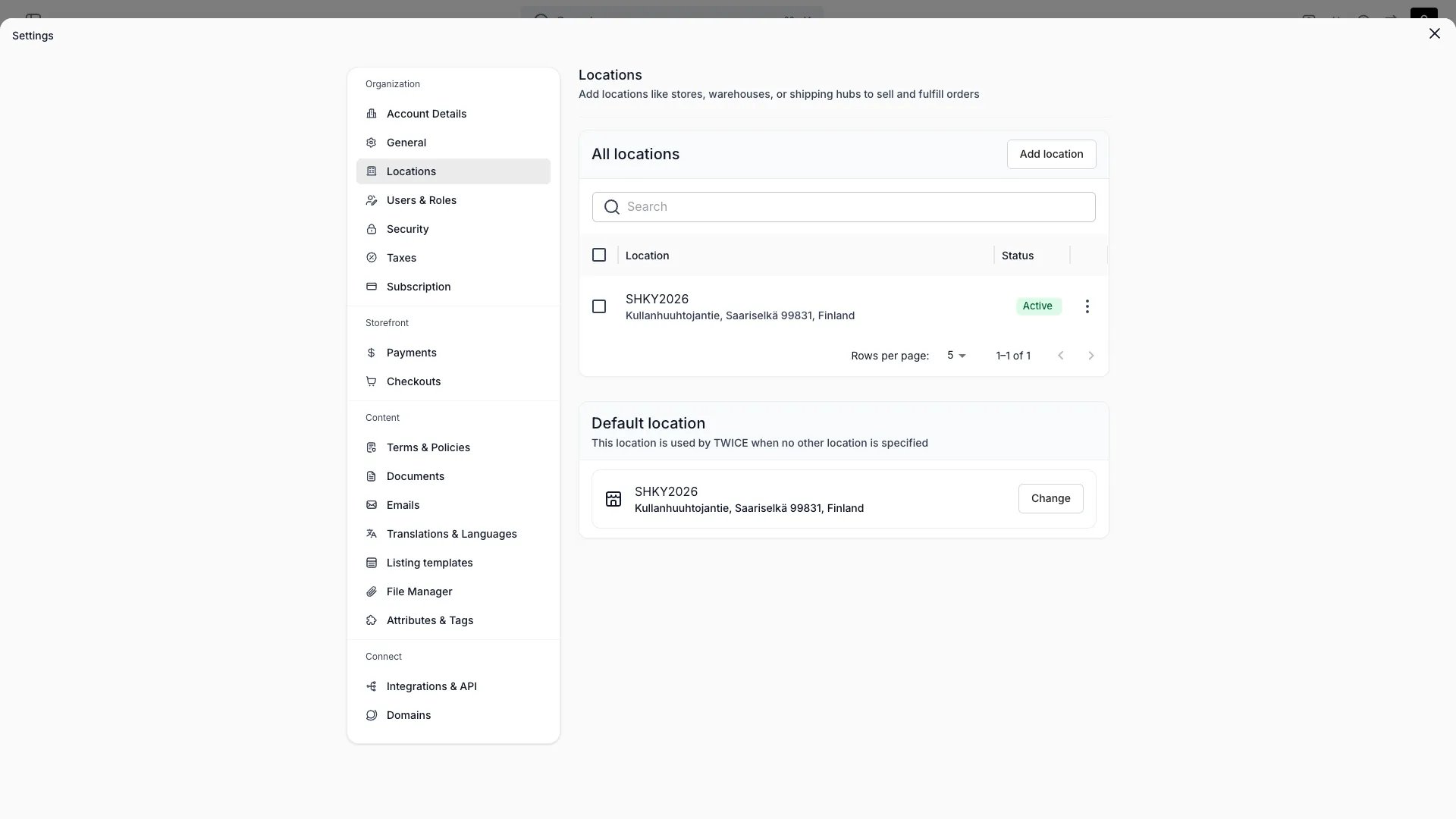
A location is a place you operate from — a store, warehouse, or service point. It carries its own address, hours, and fulfillment rules. See Locations for the underlying concept.
Contact & address
Name, public name, description, full address, email, phone, and the location’s time zone.
Cost center
An optional free-text accounting code on the location, set under Location details. It is not validated — the codes come from your own ledger. It surfaces as the Cost_Center column on both finance exports, reported beside the location on each row.
Opening hours
Set regular weekly hours, seasonal hours for date ranges, and exceptions for specific dates (open with custom hours or closed).
Sales channels
Enable or disable the online store channel for this location.
Fulfillment & returns
Per purchase type — rental, sale, subscription, buyback — choose which methods are allowed: in-store handover, shipping, and local delivery. Returns use the same per-type rules.
Fulfillment hours
Set separate pickup and return hours for this location, independent of opening hours. Choose from three modes per schedule: follow opening hours (the default), offset from opening hours by a buffer, or define a fully custom schedule. The storefront uses fulfillment hours to determine which pickup and return times customers can select. See Fulfillment hours.
Checkout configuration
Each location can be assigned a specific checkout configuration. When a customer selects this location on the storefront, the assigned checkout is used instead of the storefront or tenant default. Manage assignments in the storefront editor.
Auto-assign & default
Choose whether incoming orders auto-assign to this location, set its active status, and mark one location as the default.
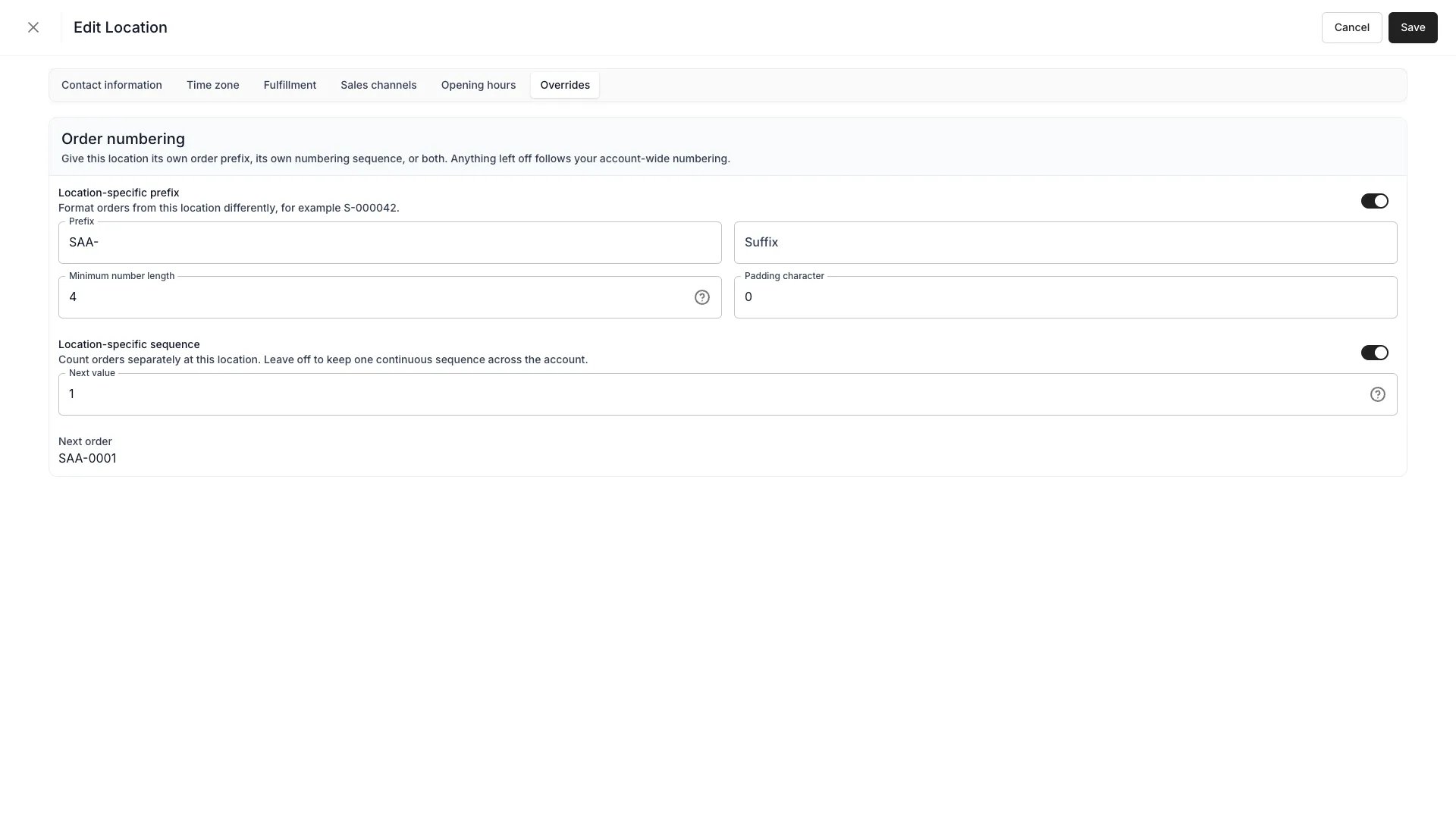
Order numbering
An Order numbering tab on the location with two independent toggles. Either one you leave off inherits the account-wide setting from Settings → Orders.
Location-specific prefix — format orders from this location differently, with the same fields as the account format: prefix, suffix, minimum number length, and padding character.
Location-specific sequence — count orders separately here, with their own Next value. Leave it off to keep one continuous sequence across the account.
The two combine into two useful shapes:
Prefix
Sequence
Result
On
Off
Per-location prefixes over one shared count — A21, B22, A23
On
On
A separate count per location — A1, B1, A2
A preview sits below the toggles. With a location sequence on it reads Next order and shows the real next reference; with only a prefix on it reads Example and formats a sample number, since the live count lives on the account.
Settings > Locations > [location] > Overrides
Archiving a location
Archiving a location asks what to do with the stock items assigned to it now or in the future: archive them along with the location, or move them to another location you pick. Assignments that span the archive are split at that moment, and assignments entirely in the past are left alone.Orders at the location are archived with it, and open ones are closed first — the confirmation reports how many and asks you to acknowledge it. Listings that would be left with no active location are reported too, as are team members assigned to the location.You cannot archive your default location, and stock can only be moved to a location that stays active.Read more: Archiving and Deletion
This page is gated by account_settings:locations, in the four operations — , , and .Owner and Admin hold every operation. Manager and Member do not hold it at all.For what each operation means and the full role matrix, see Users & Roles.