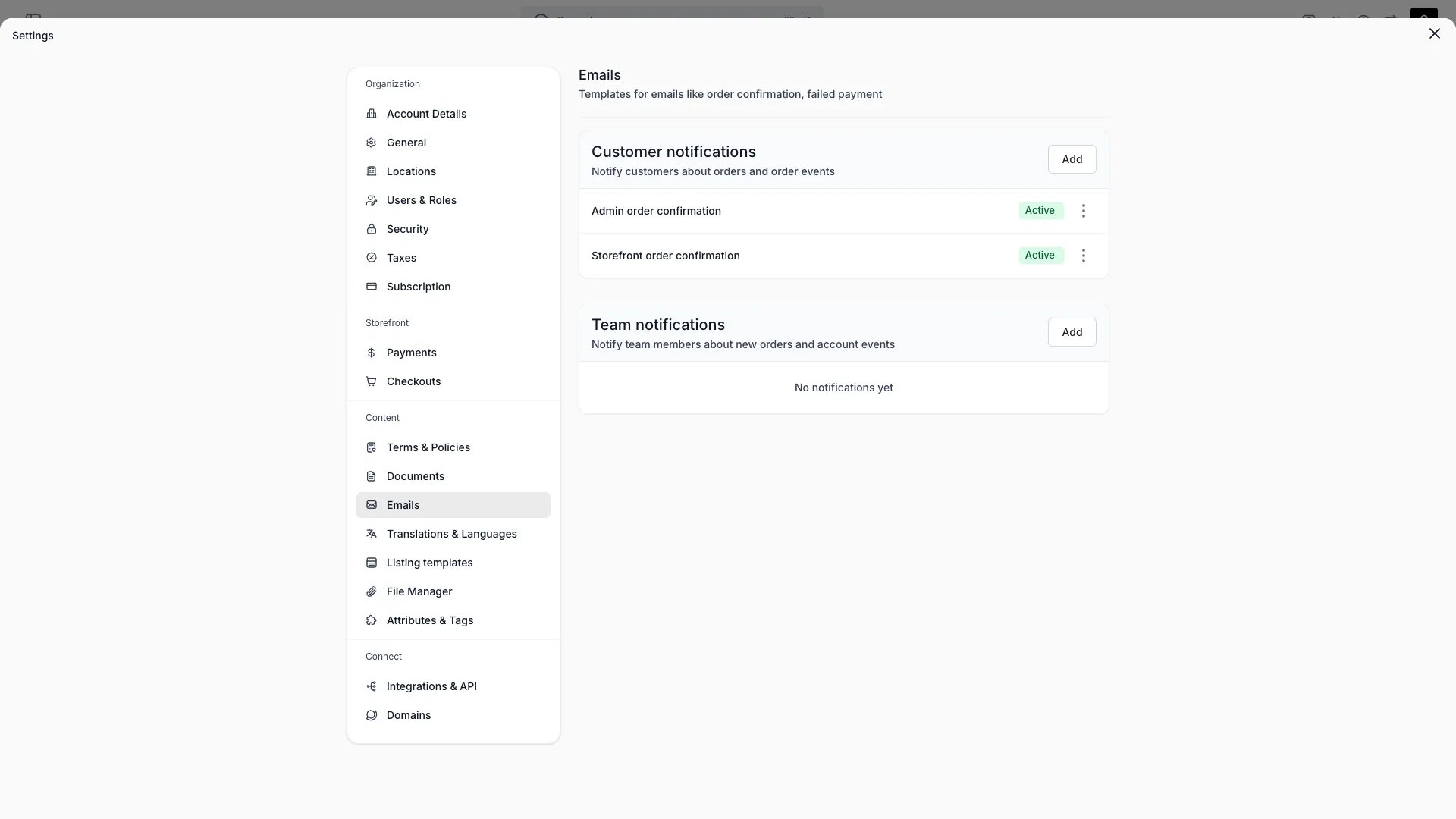
Manage the transactional emails TWICE sends: order confirmations plus your own custom emails.
System templates
Eight system email templates are built in. You can edit their subject and content but not delete them.
Template
Audience
Default status
Admin order confirmation
Team
Active
Storefront order confirmation
Customer
Active
Checkout link
Customer
Active
Subscription payment upcoming
Customer
Draft
Subscription payment confirmed
Customer
Active
Subscription payment failed
Customer
Active
Subscription cancelled
Customer
Active
Subscription ending soon
Customer
Draft
Templates in Draft status are not sent until you activate them.
Custom templates
Create additional emails to customers or your team, with a subject and HTML content.
Per-language templates
Each email template, system or custom, can have per-language content. Select a language in the template editor to write a translated version of the subject and body.When you edit in a language other than the source language, the override is stored as a translation. The template resolves content in this order:
Per-language override: the translated subject and body for the recipient’s language, if one exists.
Template content: the subject and body saved on the template itself (your source language version).
Code default: for system templates only, the built-in default in the requested language.
Custom templates have no code default. If no per-language override exists, the source-language content is used.You can revert a system template to its code default at any time from the editor.A send whose subject and body both resolve empty is refused rather than sent blank. Either one alone still sends, so a custom template with a subject but no content for the send language goes out with an empty body.
Send a template by hand
Open the Send email dialog from an order (More → Email) or from a customer (the Contact button), pick a Template, and pick the Language the email goes out in.
Order > More > Email
Language lists your enabled languages and preselects one of two: the recipient’s captured language when you have that language enabled, otherwise your default language. Pick another recipient under To and it resolves again, discarding your pick.The chosen language decides the whole email: subject, body and attached documents. The resolution order under Per-language templates is what then finds the content for it.Subject arrives seeded from the template in that language, and you can edit it. Switching template or language seeds it again, so edit it last.Language appears only once a template is selected. Content you compose in the dialog instead goes out as you typed it.With one enabled language the field is disabled, and it names Settings → Translations & Languages as where to add more.Write the per-language versions themselves in the template editor. The dialog picks between the versions a template already has.
Attachments
Attach document templates, policy documents, or uploaded files to an email.
Test & status
Send a test email to yourself, and keep a template draft or active.
Emails are sent from your organisation’s contact email (set in Account details). There is no separate sender or SPF/DKIM configuration here.
Order notification emails render in the customer’s language. The system determines the language as follows:
The storefront captures the customer’s browsing language during checkout.
At order creation, the customer record stores this language.
When sending the email, the system validates the customer’s language against your enabled languages. If the language is enabled, the email renders in that language. Otherwise, it falls back to your default language.
Both the template content and system-generated copy (dates, labels, line items) render in that one language. Document templates attached to the email render in it too, so an email and its own PDF never arrive in different languages.Sending a template by hand overrides step 3: the Language field in the Send email dialog decides.
Email templates use Handlebars syntax for dynamic content. Wrap a variable name in double curly braces, {{variable}}, to insert order data into the subject or body.
Order email templates also receive the order attributes captured on the order, in two forms.
Variable
Description
orderAttributes
Every attribute on the order as a labelled list, for {{#each orderAttributes}}. Each line exposes label and value, already formatted
attributes.<key>
One attribute addressed by its key. Each exposes name (the display name), value (the stored value, for {{#if}} and the date helpers) and formatted (formatted for your locale, ready to render)
Address a single value through attributes, not through the labelled list. Use the attribute’s Attribute key from Settings → Attributes & Tags, not its display name: a display name is renameable and differs per language, so only the key is stable.
Cost centre: {{attributes.cost_centre.formatted}}{{#if attributes.handover_time}}Handover at {{formatDateTime attributes.handover_time.value}}{{/if}}
Only attributes attached to this order appear under attributes, so {{#if attributes.cost_centre}} is false on an order that never captured one. An attribute attached but left empty is still there, with value and formatted both null.Some integrations also contribute a flat name for their own attribute, such as {{oviUrl}} for a door access link. Those keep working in the templates written against them. Address by key in new templates.
subscriptionPageUrl is the customer portal link behind an order email’s Manage subscriptions button. It is null on an order with no subscription, so wrap the button in {{#if subscriptionPageUrl}} to hide it where there is nothing to manage.A real send carries a single-use link minted for that recipient. A preview or a test send carries the portal’s recovery page instead, so opening a preview never mints a live link. Templates written against {{subscriptionData.subscriptionPageUrl}} still resolve.
Date and time helpers (formatDate, formatDateTime) render values in the pickup location’s timezone. If the location has no timezone set, the system falls back to your account’s default timezone.This means customers see dates matching the location they are picking up from, not UTC.
This page is gated by account_settings:notifications, in the four operations: , , and .Owner and Admin hold every operation. Manager holds only create. Member does not hold it at all.For what each operation means and the full role matrix, see Users & Roles.