

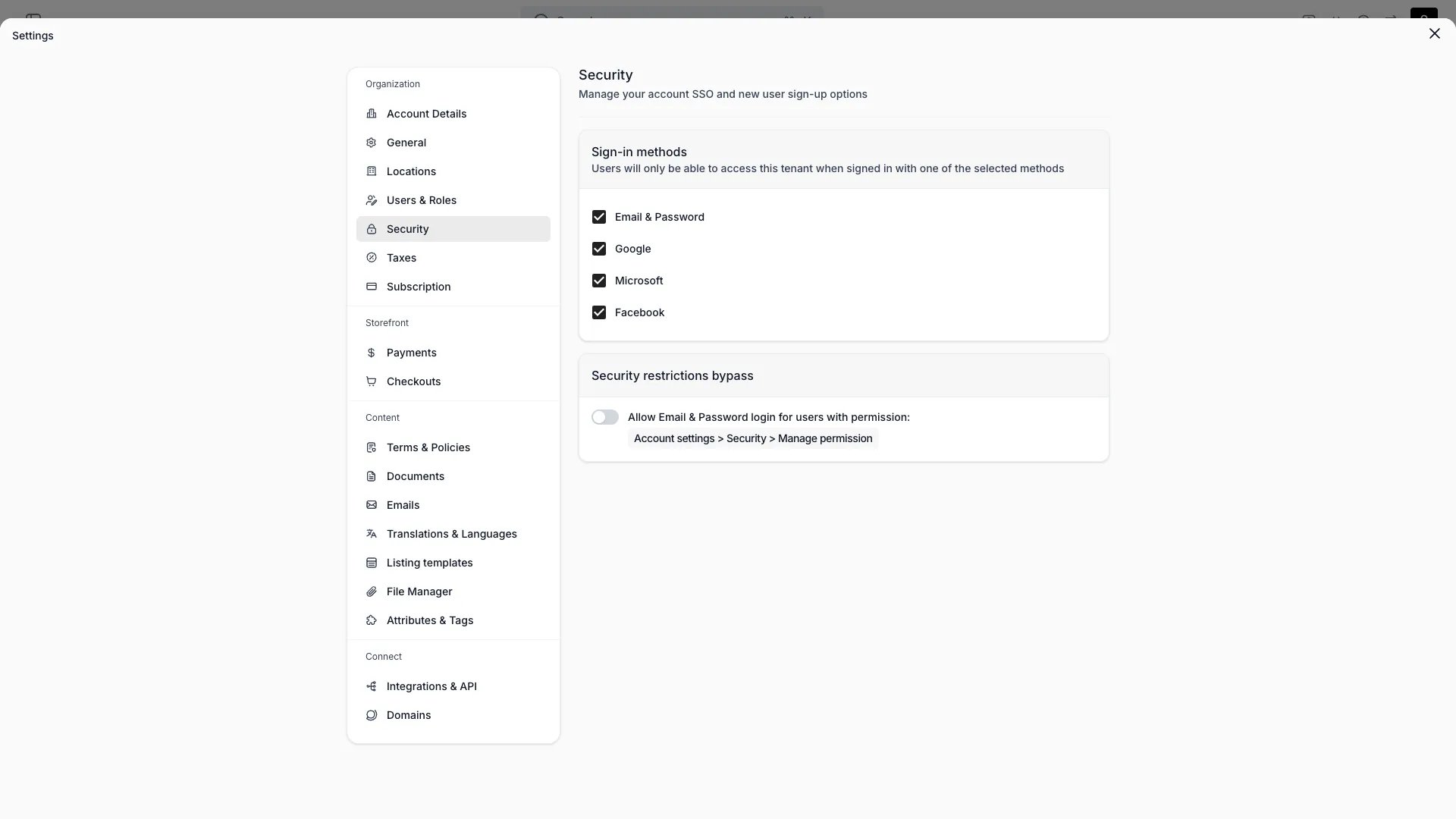
Settings > Security
This view can look different dependent on your user role.
See Visibility and permissions for details.
See Visibility and permissions for details.
Primary purpose
Control how your team signs in to the admin.Sign-in methods
Sign-in methods
Choose which methods users can sign in with: Email & Password, Google, Microsoft, or Facebook. Users can only access your account when signed in with one of the selected methods. At least one method must stay selected. New accounts allow all four methods until you restrict them.This list is what SSO means here. TWICE Commerce has no SAML or OIDC connection to your identity provider and no directory sync, so restricting the account to Google or Microsoft routes authentication to that provider without importing anything else from it. Roles stay assigned in TWICE Commerce by hand.
Security restrictions bypass
Security restrictions bypass
Allow Email & Password sign-in for users who hold the
Account settings > Security > Manage permission, even when Email & Password is not a selected sign-in method. This acts as an escape hatch: a user with that permission can still sign in and fix the configuration if an identity provider is misconfigured.Related concepts
Users & Roles
Team members, system roles, and custom roles.
Profile
Your personal details and interface language.
Visibility and permissions
This page is the one settings page with no view gate. It is visible to every system role, so a user can always reach their own security settings. Saving changes is gated byaccount_settings:security, which only Owner and Admin hold.
For what each operation means and the full role matrix, see Users & Roles.
Related articles
Decide who owns admin access
Who owns sign-in and who owns roles when your team signs in with a directory account.