

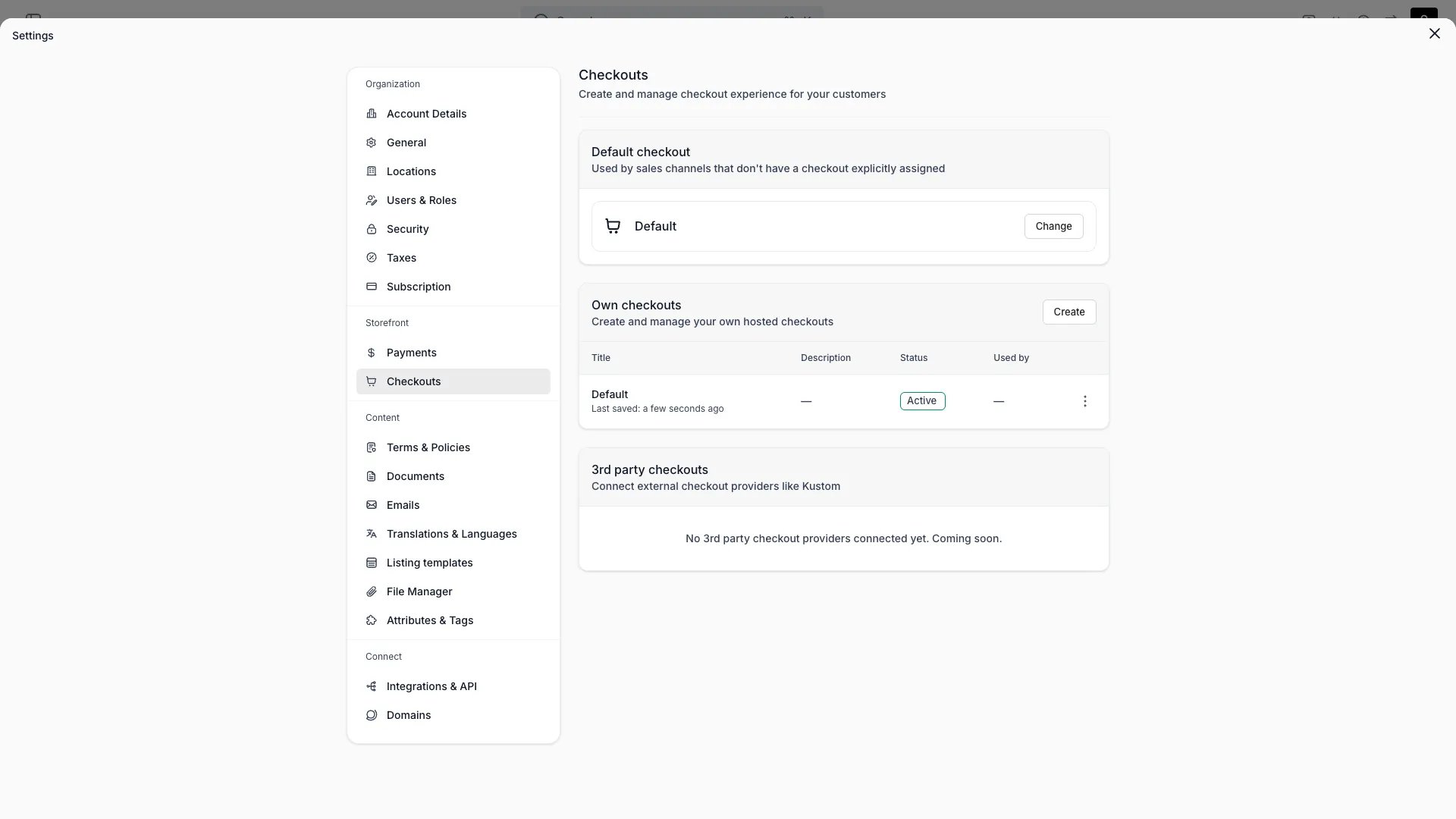
Settings > Checkouts
This view can look different dependent on your user role.
See Visibility and permissions for details.
See Visibility and permissions for details.
Primary purpose
A checkout is a configurable flow that takes a customer from cart to confirmation. You can build more than one — for example a B2C checkout and a separate B2B checkout — and connect a specific checkout to a storefront. Each checkout is configured in two parts:Steps & sections
The flow itself — contact, delivery, payment, confirmation, and the fields shown at each step.
Styling
Colours, typography, inputs, buttons, and layout of the checkout.
Checkout configurations
Usage
- Create a checkout configuration and give it a name.
- Configure its steps and sections.
- Adjust the styling to match your brand.
- Set its status to Active, and mark it Default or connect it to a storefront.
Per-location checkout assignment
You can assign different checkout configurations to different Locations. This is useful when locations have different checkout requirements — for example, a warehouse location that only ships might use a checkout without a pickup step, while a storefront location offers in-store pickup.How to assign
Per-location checkout assignments are managed in the storefront editor. Open the Checkout page settings and add a location override to map a checkout configuration to one or more locations.- Each location can be assigned to one checkout configuration at a time.
- One checkout configuration can serve multiple locations.
- Only active checkout configurations can be assigned. Draft checkouts are not available for location assignment.
- Only locations with the online store channel enabled appear in the assignment picker.
Resolution chain
When a customer reaches checkout, the storefront resolves which checkout configuration to show. The resolution follows this fallback chain:
If no checkout is resolved at any level, built-in defaults apply.
Deactivation and deletion guards
A checkout configuration that is assigned to a location cannot be deactivated or deleted. You must first remove the location assignment in the storefront editor before changing the checkout’s status to Draft or deleting it.Visibility and permissions
This page is gated byaccount_settings:checkout, in the four operations — , , and .
Owner and Admin hold every operation. Manager and Member do not hold it at all.
For what each operation means and the full role matrix, see Users & Roles.