

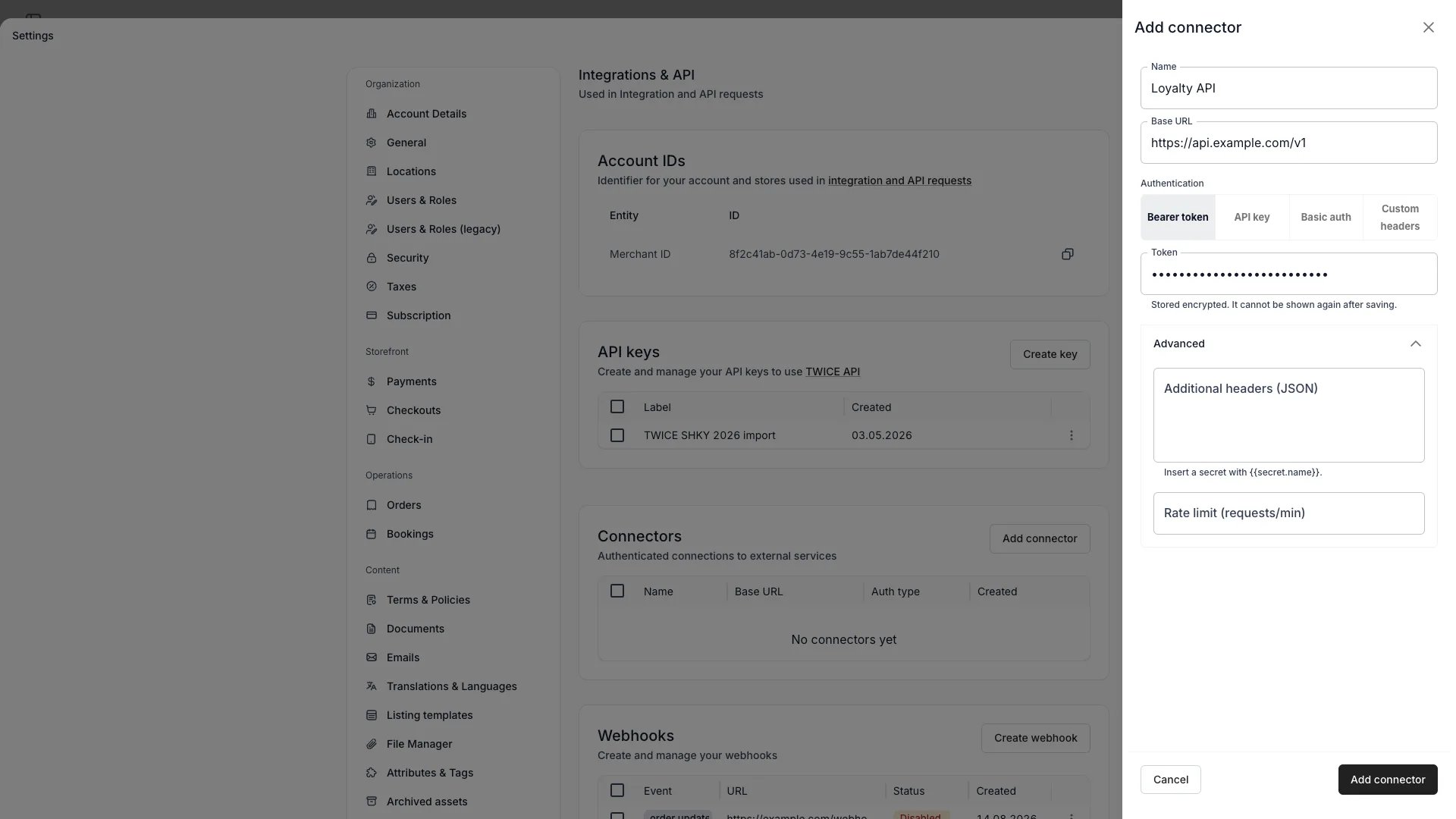
Settings > Integrations & API > Add connector
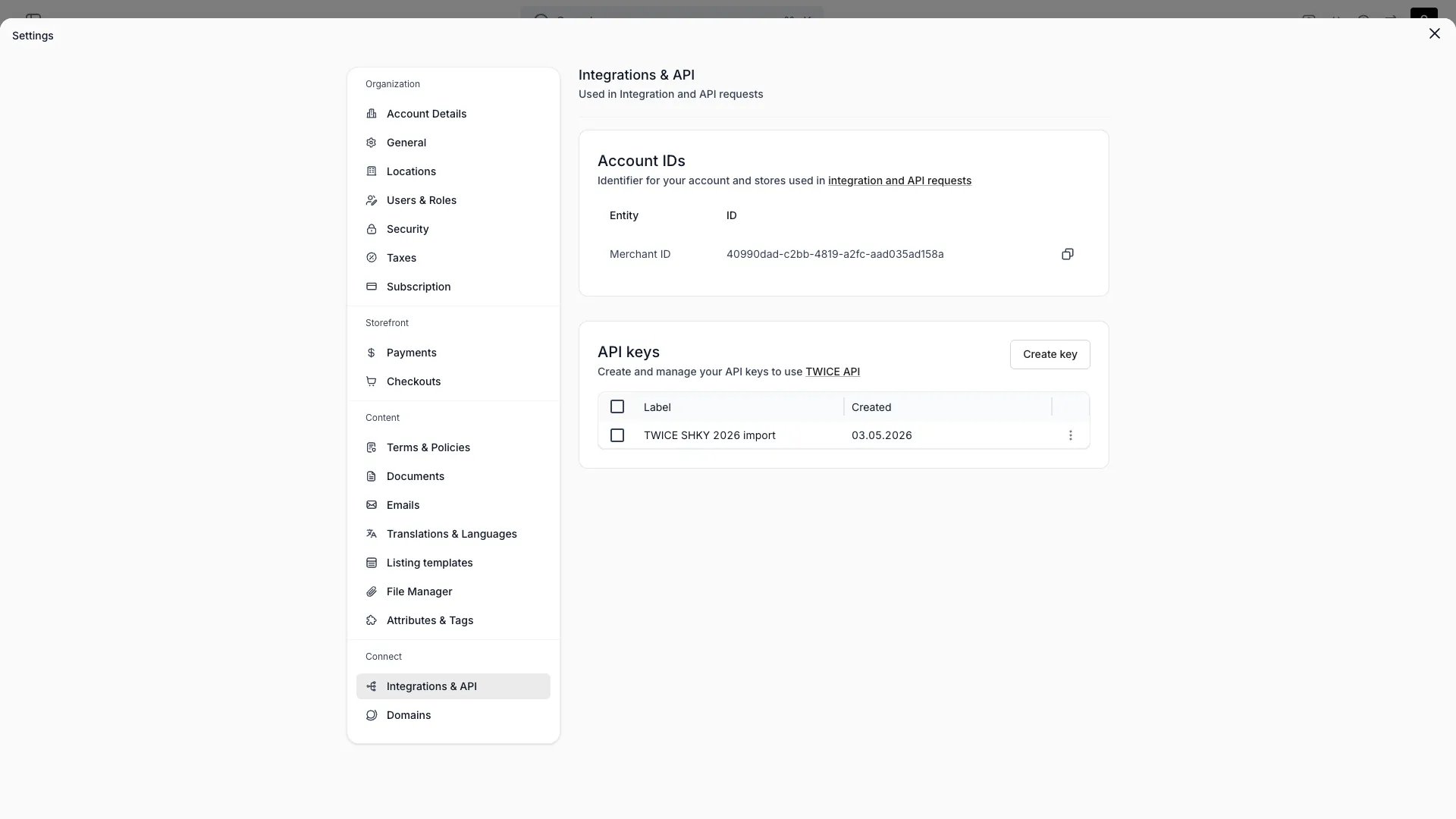
Settings > Integrations & API
This view can look different dependent on your user role.
See Visibility and permissions for details.
See Visibility and permissions for details.
Primary purpose
Connect TWICE to external systems through the API, webhooks, connectors, and your account identifiers.API keys
API keys
Create keys to authenticate against the TWICE API. The full key is shown once at creation, so copy it then. Deleting a key stops every integration using it immediately, and cannot be undone. See API Keys.
Webhooks
Webhooks
Send events (such as
order.created) to an external HTTPS URL. Create, enable or disable, and delete webhooks, reveal or rotate a webhook’s signing secret, and open its delivery log to inspect payloads and redeliver individual events. See Webhooks.Connectors
Connectors
A connector is a saved, authenticated destination TWICE Commerce calls on your behalf: a base URL, the headers to send, and the credentials behind them. Smart fields are the only thing that uses one, so add a connector before you define a smart field that calls an API.Press Add connector and pick an Authentication mode. API key, Basic auth and Bearer token fill in the header for you; Custom headers leaves you to write the JSON.Store the credential itself as a Secret, not in a header value. A secret is encrypted on save, never shown again, and addressed from a header template as
{{secret.token}}. A header whose name looks like a credential is refused unless its value points at a secret.Set Rate limit (requests/min) to hold every smart field computing against this connector to what your API tolerates. A compute that exceeds it fails and says when to retry.Your endpoint has to be reachable over HTTPS at a public hostname. Redirects are not followed, so configure the final URL. A call is given ten seconds in total and the reply is read up to 512 KB.Deleting a connector is allowed even while smart fields use it, and the delete dialog counts how many. Those fields stay in place and keep their stored values, and every later compute fails until each one is given a connector again.Account ID
Account ID
Copy your tenant ID for use in API requests and integrations.
Visibility and permissions
This page is gated byaccount_settings:integrations, in the four operations — , , and .
Owner and Admin hold every operation. Manager and Member do not hold it at all.
For what each operation means and the full role matrix, see Users & Roles.