

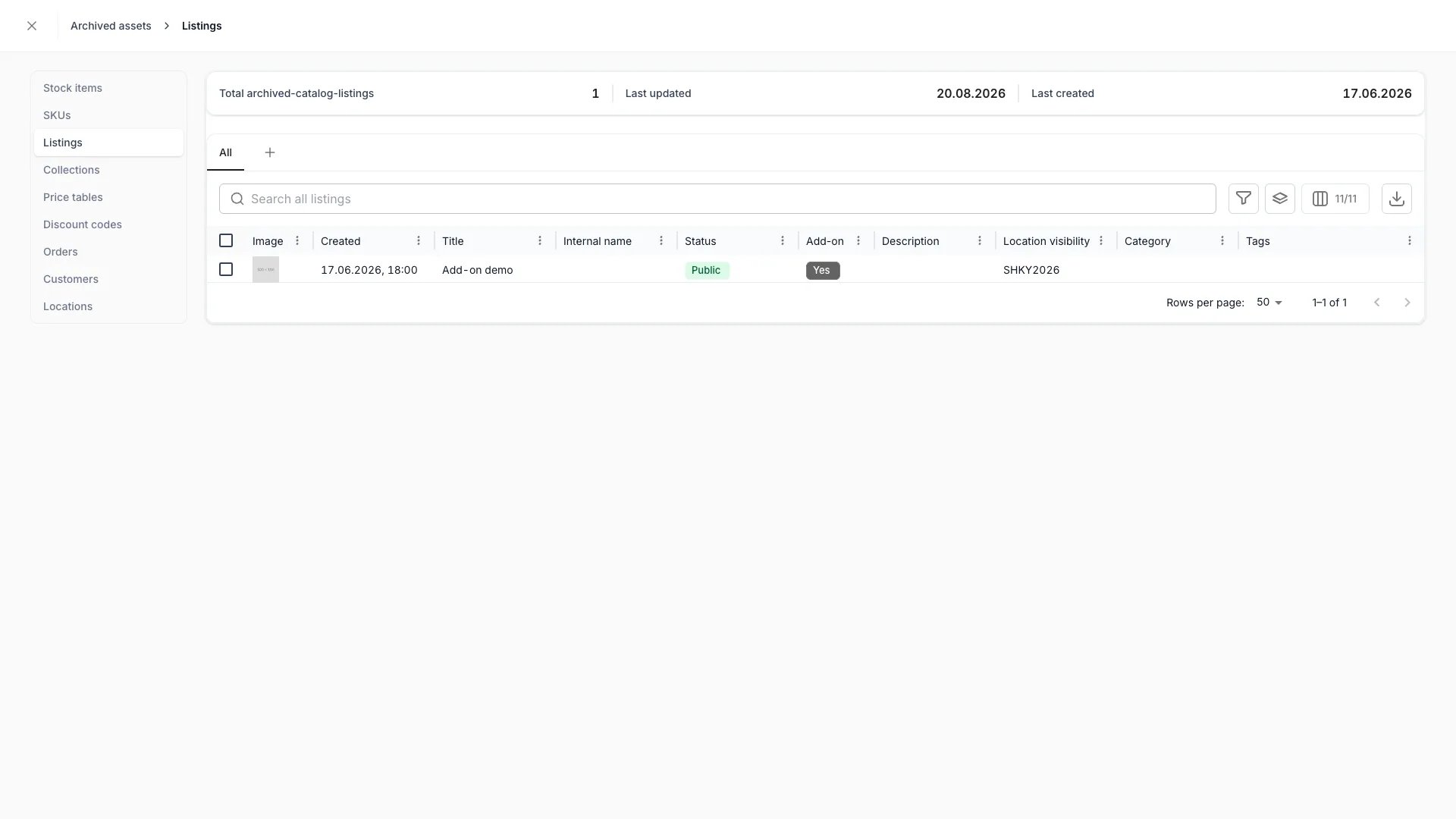
Settings > Archived assets — Listings
Primary purpose
Everything you remove elsewhere in the admin is archived rather than deleted, and lands here. From this view you review archived assets by type, unarchive them back into use, or delete them for good. See Archiving and Deletion for the lifecycle behind it.Browse by asset type
Browse by asset type
The page lists every archivable asset type, grouped the way the main navigation groups them: Inventory (stock items, SKUs), Catalog (listings, collections, price tables, discount codes), Orders & Customers, and Organization (locations). Opening a type shows its archived assets in a dialog with a rail for switching between types.
Use the same table tools
Use the same table tools
Each type renders its own regular table, scoped to archived assets — the same columns, search, filters, sorting, pagination, and select-all you use on the active view.
Unarchive
Unarchive
Select archived assets and choose Unarchive to return them to active use. They reappear in their normal lists and, where they are customer-facing, on the storefront. You can also unarchive a single asset from the banner on its own detail page.
Delete
Delete
Select archived assets and choose Delete to remove them for good. Deleted assets stop being returned anywhere in the admin, the API, and the storefront.
Related concepts
Archiving and Deletion
The lifecycle, the impact scans, and what archiving hides
Status vs State
Why archiving is not a status value
Visibility and permissions
This page has no view gate of its own — it is visible to every system role, and it lists archived records from across the areas you can already see. Acting on a record follows that record’s own resource, and the two actions here need different operations. Unarchiving an archived stock item needsmanage on inventory:stock_item; deleting it needs delete on the same resource. An archived listing follows catalog:listing the same way, and so on for every type. This is the only place in the admin where a record is deleted rather than archived.
For the full table, see Archiving and Deletion.
For what each operation means and the full role matrix, see Users & Roles.
Related articles
Archive stock items
The stock-item end of this page: what archiving costs you and how to undo it.