

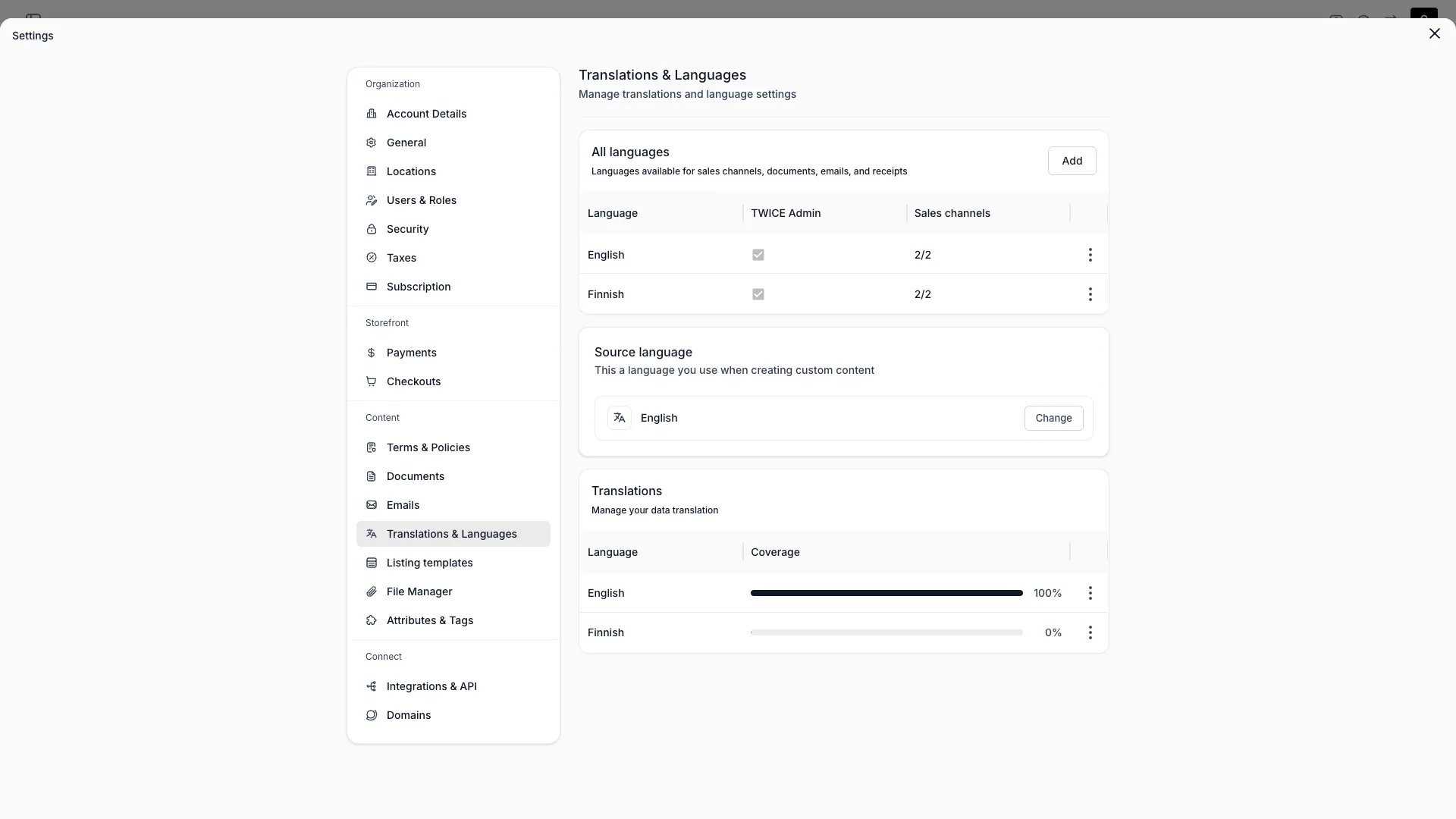
Settings > Translations
This view can look different dependent on your user role.
See Visibility and permissions for details.
See Visibility and permissions for details.
Primary purpose
Manage multi-language translations for the storefront, emails, and customer-facing content.Supported languages
Supported languages
Enable the languages your storefront supports. Each enabled language gets its own set of translations for listings, collections, locations, attributes, variants, pages, and emails.Each language row displays a completion percentage — the share of translatable fields that have a translation in that language. The source language always shows 100 %. Coverage updates automatically when you add, edit, or delete translations.
Translation coverage
Translation coverage
The coverage card at the bottom of the page shows a progress bar and percentage for every enabled language. Click a row to open the translation editor for that language.Coverage is computed across all translatable entity groups: listings, variants, variant values, booking prices, subscription plans, checkout fields, collections, locations, policy documents, online store content, checkout content, email templates, document templates, and attributes. Only fields with a non-empty value in the source language count toward the total — empty source fields are excluded.Changing the source language recalculates all percentages, since coverage is relative to the source.
Translation editor
Translation editor
Edit translations side-by-side for all translatable entity types:
- Listings, including custom section headings and content
- Collections
- Locations
- Policy documents
- Attributes, including option labels
- Variants
- Duration labels of fixed booking prices
- Subscription plan titles
- Names and placeholders of custom checkout fields
Bulk import & export
Bulk import & export
Export translations as CSV/JSON, hand them to a translator, and import the results back.
System wording overrides
System wording overrides
Override built-in system labels and wording to match your business — for example, rename “Rental” to “Hire” across the storefront and checkout. Overrides apply per language — including the default language — alongside your content translations.
Storefront content (hero text, section labels, about page, SEO metadata) and system string overrides are translated in the Theme Editor > Translations mode, not on this page. Checkout content has its own Translations tab in Settings → Checkouts.
Visibility and permissions
This page is gated byaccount_settings:languages, in the four operations — , , and .
Owner and Admin hold every operation. Manager and Member do not hold it at all.
For what each operation means and the full role matrix, see Users & Roles.