

How it works
The lifecycle
Hard delete is not reachable from the admin. Every remove action you can click archives; the only deletion available is the one on an already-archived asset.
Archiving is a state, not a status
Archiving stamps a timestamp on the asset. It is a separate axis from the asset’s own status:- A listing has a publishing status — Public or Draft — and, independently, is either active or archived.
- An order has a status — pending, draft, open, active, or closed — and, independently, is either active or archived. An order is closed and archived.
What archiving hides, and what it keeps
Visibility rules
- Lists return active assets only unless you ask otherwise. The archived view asks for archived assets only; list endpoints take a
scopefilter ofactive(the default),archived, orall. - Fetching a single asset by its id still returns it when archived. That is how detail pages, banners, and unarchiving keep working.
- Deleted assets are never returned — not from lists, not by id, not on the storefront — regardless of the scope you ask for.
- The storefront excludes archived and deleted assets with no opt-out.
Impact scans
Every archive action first scans what live data it would affect and shows the result in the confirmation dialog. Findings come in two severities: warnings, which mean archiving breaks something operational and require you to tick an acknowledgement before you can confirm, and informational notes about references that will be left dangling.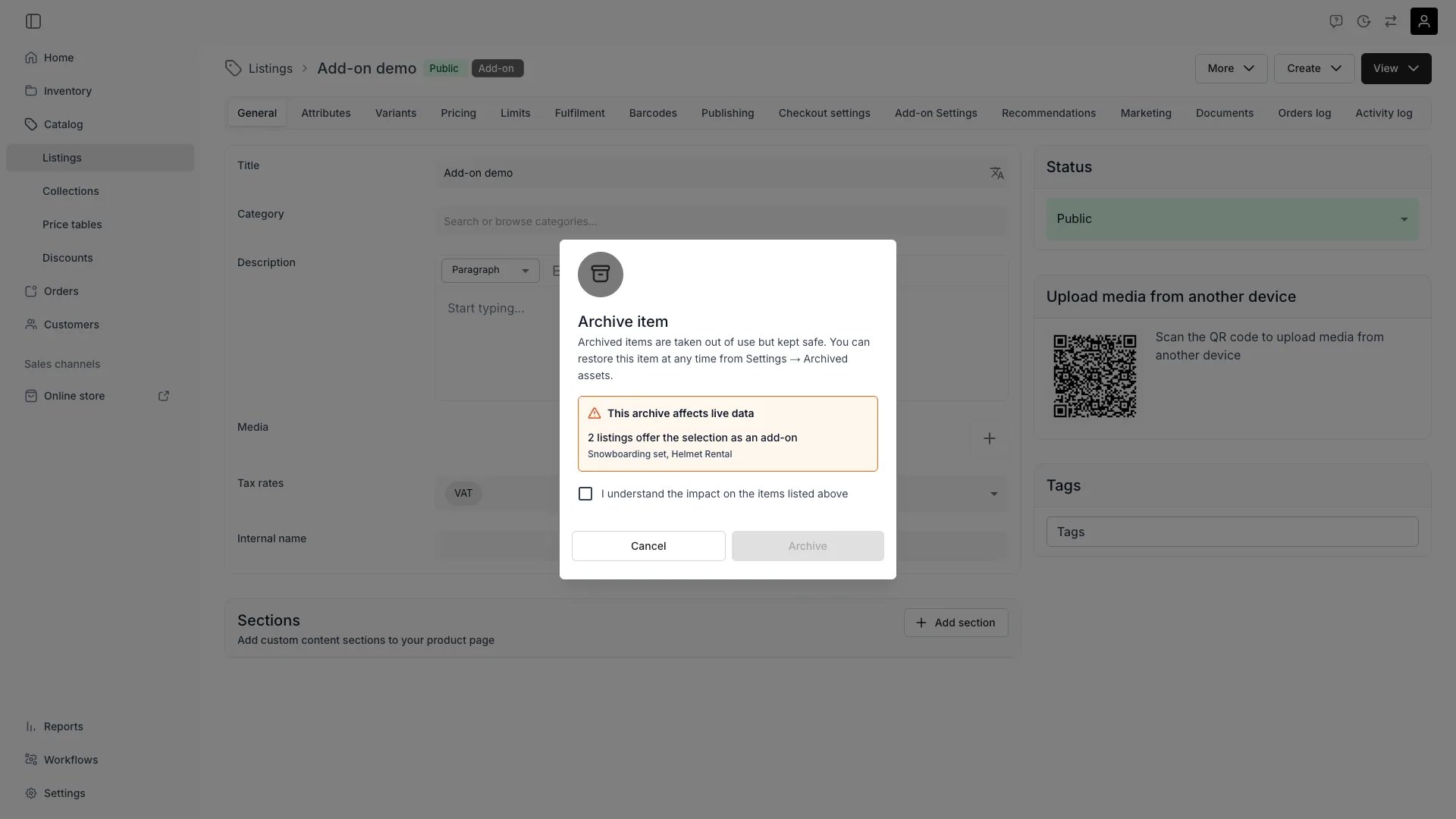
Archiving a listing that is in use — the scan lists affected assets and requires acknowledgement
Permissions
Permissions are checked per asset type, using the same resource permissions that govern the asset elsewhere:
Settings → Archived assets itself carries no separate permission — what you can do inside it follows the permissions above.
Usage
Archive an asset
Use the remove or archive action wherever the asset lives: the bulk toolbar on its table, or the actions on its detail page. Review the impact scan in the confirmation, acknowledge it if it carries warnings, and confirm.Work with archived assets
An archived asset still opens in its normal detail view, with a banner naming the state and offering Unarchive inline.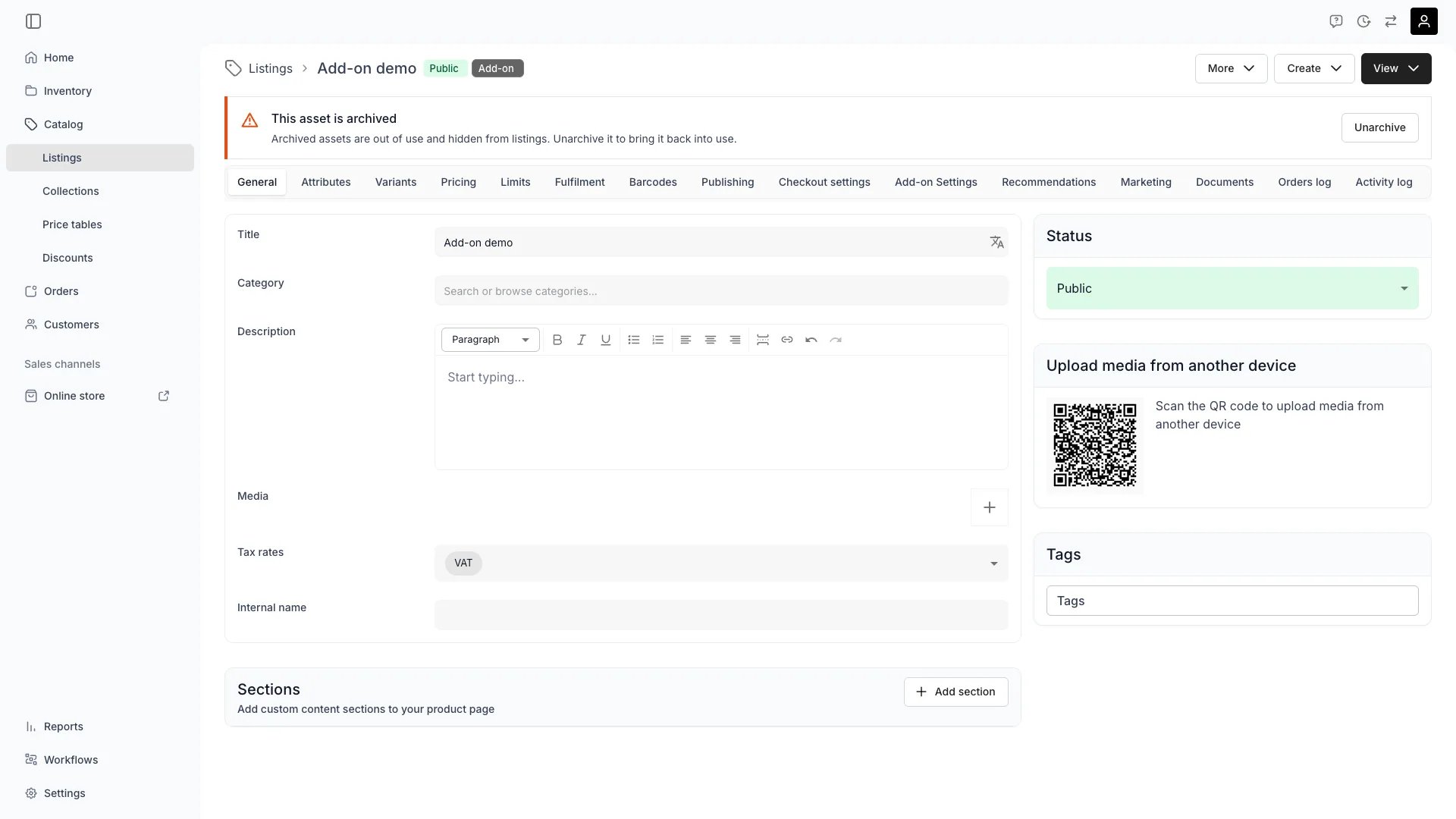
An archived listing's detail page — the banner offers Unarchive inline
Per-asset behaviour
Orders — closing and archiving are separate
Orders — closing and archiving are separate
Closing an order changes its status and nothing else; archiving is a distinct action. Archiving an open order closes it first through the regular close transition: checkout links stop working, scheduled payment collections stop, subscriptions end, and the order becomes read-only. The confirmation warns about exactly that and requires an acknowledgement.A subscription that already has a cancellation date keeps that date and ends on it. Subscriptions with no cancellation scheduled end immediately. Closing an order from the order view offers Cancel subscriptions immediately, which moves a scheduled cancellation to today.Archiving then revokes the order’s still-active checkout links, so a filed-away order cannot take money: the links move to Revoked on the Payment tab and report themselves to the customer as cancelled by the store. Links that had already expired or been used keep that state instead — archiving does not rewrite what a link already was.On the orders table, a selection that mixes open and closed orders asks which you mean: archive only the closed orders, or close the open ones and archive everything. A selection of open orders only can only be closed and archived.Unarchiving returns an order to closed. Revocation is one-way, so unarchiving does not bring the links back; create a new checkout link instead.Nothing is archived automatically, and existing closed orders were not archived retroactively — they gained the action, not the state.
Locations — archive or move the stock
Locations — archive or move the stock
Archiving a location asks what to do with the stock items assigned to it now or in the future: archive them with the location, or move them to another location you pick. Assignments that span the archive instant are split at that moment; assignments entirely in the past are left alone.Orders at the location are archived with it, and open ones are closed first. You cannot archive your default location, and you cannot move stock to a location that is archived or is being archived in the same action.
Stock items — archiving releases future holds
Stock items — archiving releases future holds
An archived stock item contributes no bookable capacity, so its future reservations are released. Orders that had it assigned keep the assignment but lose the hold behind it, which surfaces them as stock item conflicts to be resolved with a replacement unit. The impact scan counts these before you confirm.
Customers — status follows the lifecycle
Customers — status follows the lifecycle
A customer’s
status is derived from whether the record is archived: active while in use, archived once archived. There is no separate status control — archive and unarchive the customer instead.Related articles
Archived assets
The settings view for reviewing, unarchiving, and deleting
Status vs State
The status axis archiving sits beside
Stock Item Conflicts
What an archived stock item leaves behind on an order
Listings
Publishing status and archiving on a listing