

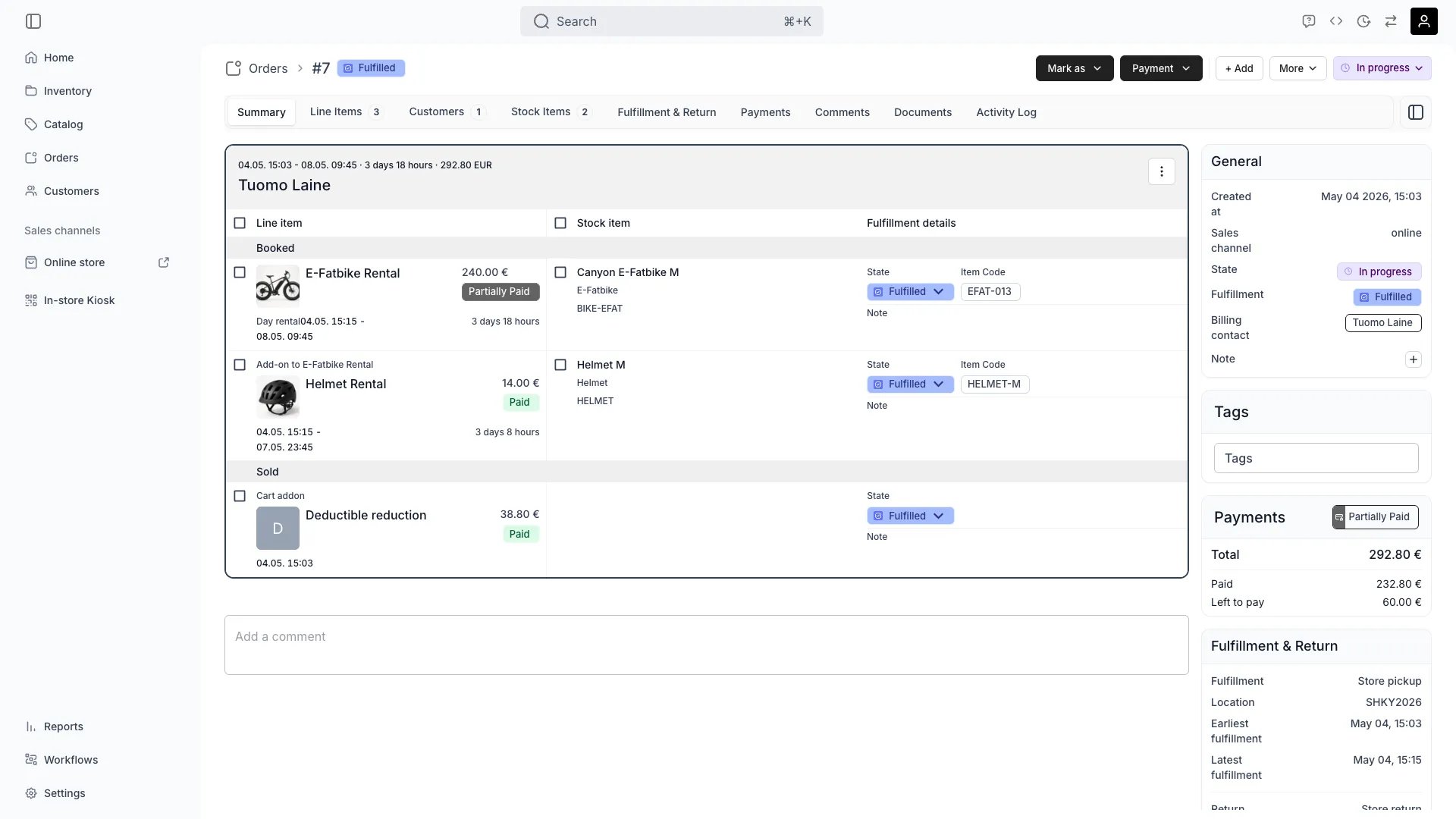
Orders > [Order] > Summary
This view can look different dependent on your user role.
See Visibility and permissions for details.
See Visibility and permissions for details.
Open in TWICE Admin
orders/[order-id]/summary
Primary purpose
The Summary tab provides a high-level overview of the order including status, timeline, total amount, and key operational details.View Order Status
View Order Status
See the current order status (pending, confirmed, fulfilled, completed, cancelled) and track progress through the order lifecycle.Read more: Order Lifecycle
Review Order Timeline
Review Order Timeline
View key dates including order placement, expected pickup/delivery, return dates, and actual fulfillment times.
Check Financial Summary
Check Financial Summary
See the total order amount, payment status, outstanding balance, and any refunds or adjustments.
Quick Actions
Quick Actions
Perform common order operations like confirming, fulfilling, or cancelling directly from the summary view.Send a template to the order’s contacts under More → Email, where you pick the template and the language it goes out in (Emails).
Fill in fulfillment details
Fill in fulfillment details
The stock item table on this tab has a Fulfillment details column. Type a value straight into it and it saves when you leave the field. Open the stock item drawer to fill the same fields in a larger form, where the values save with the drawer.Each row lists the fulfillment fields attached to the assigned stock item or its SKU, plus any global field. The column stays empty for an item whose SKU carries none.A value already there may be inherited from the stock item or its SKU. Typing over it sets an order-level value, hovering the label shows the one it replaced, and clearing the input restores it.A value may also be computed. A smart field fetches its value from the order’s own data or from your API, and the row labels where the shown value came from. Press the compute action on the row to fetch it now, or read the error it reports when a fetch failed.A computed value that no longer matches the order says so, naming the input that changed and what it changed from. Fields set to compute automatically refresh themselves while the order is still being prepared; the rest wait for the compute action.
Related concepts
Here are a few key concepts of TWICE Commerce that relate to Order Summary.Order Types
Order Types
TWICE supports different with unique lifecycle and fulfillment requirements.
Order Workflow
Order Workflow
Orders move through defined stages from creation to completion, with automation and notifications at each step.
Visibility and permissions
Reading a fulfillment field value needsorders:order:view, and entering one needs orders:order_summary:manage.
This tab is gated by orders:order_summary, in the four operations — , , and .
All four system roles — Owner, Admin, Manager and Member — hold every operation on this.
For what each operation means and the full role matrix, see Users & Roles.