

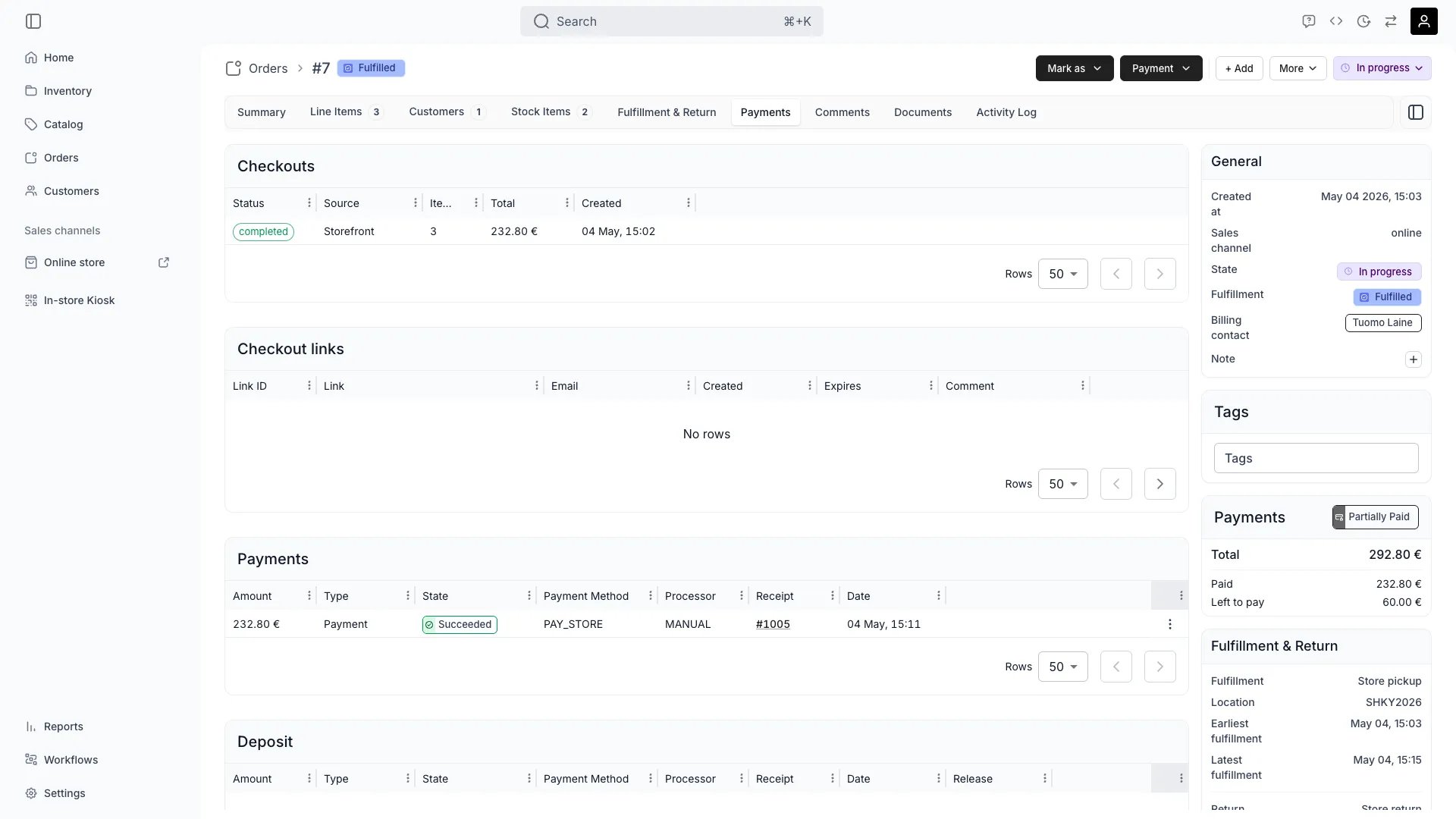
Orders > [Order] > Payment
This view can look different dependent on your user role.
See Visibility and permissions for details.
See Visibility and permissions for details.
Open in TWICE Admin
orders/[order-id]/payment
Primary purpose
The Payment tab displays all financial transactions related to the order including payments, refunds, and outstanding balances.View Payment History
View Payment History
See all payments received including method, amount, timestamp, and transaction IDs.
Process Refunds
Process Refunds
Issue full or partial refunds against a payment. A refund is recorded as its own payment with its own receipt number; it does not change the order’s line items or release reserved stock.Read more: Refund an order
Manage Outstanding Balances
Manage Outstanding Balances
Track unpaid amounts and record offline payments. Collecting is manual: issue a new checkout link or record a manual payment. TWICE does not send payment reminders for an unpaid order, and invoices outside subscriptions carry no payment terms or due dates.Read more: Take payment and deposits
Handle Payment Issues
Handle Payment Issues
Resolve failed transactions, update payment methods, or adjust billing as needed.
Create a Checkout Link
Create a Checkout Link
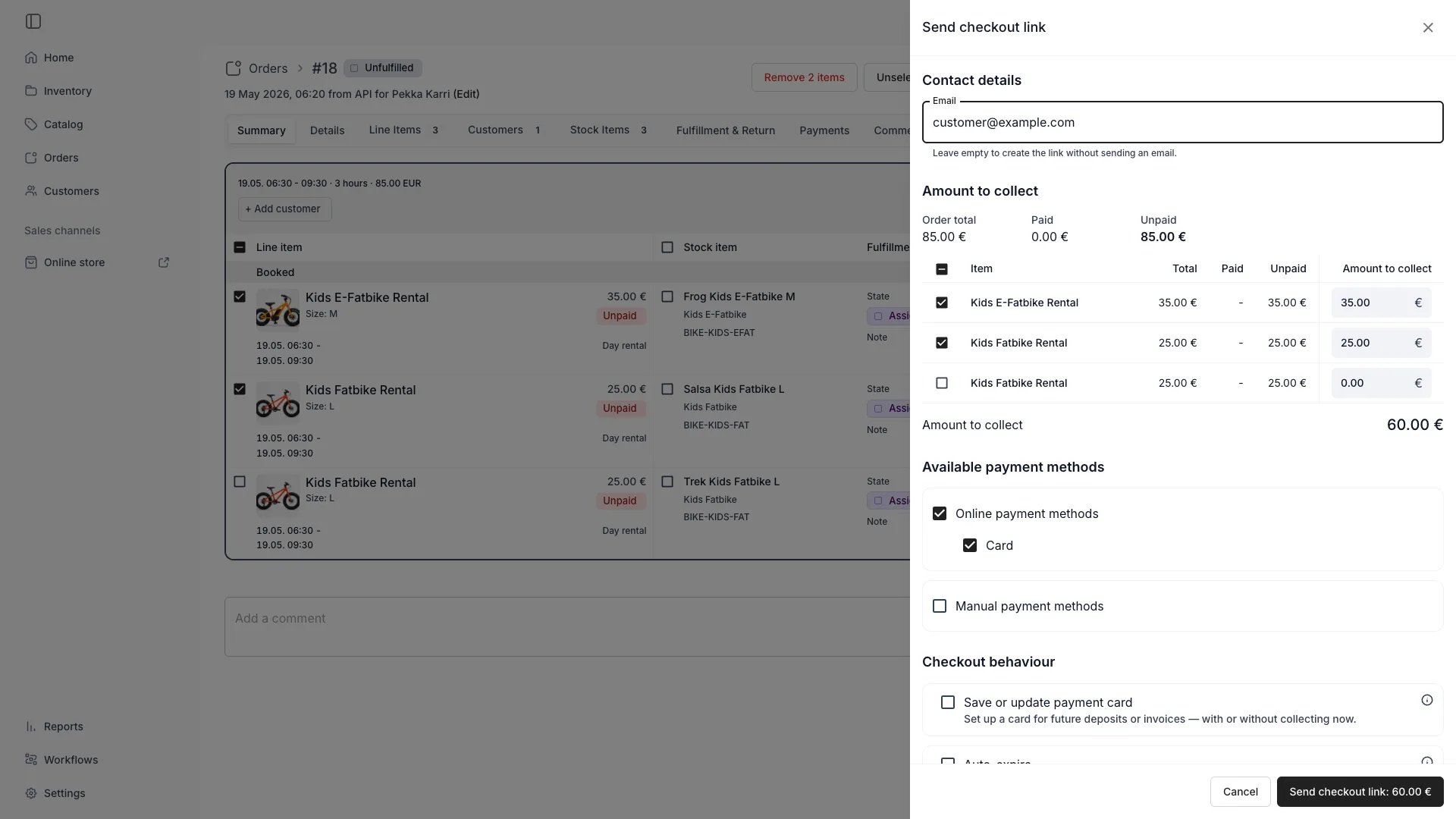
Order > Payment: 2 items > Send checkout link
Each row carries an Amount to collect field, capped at what that line still owes. The figure on the button is the sum of those fields.To set one figure across several rows at once, press Apply to selected items above the list. Type the figure, use the toggle to read it as money or as a percentage, and press Apply. It fills the ticked rows in both Uncollected items and Open invoices, in proportion to what each still owes.
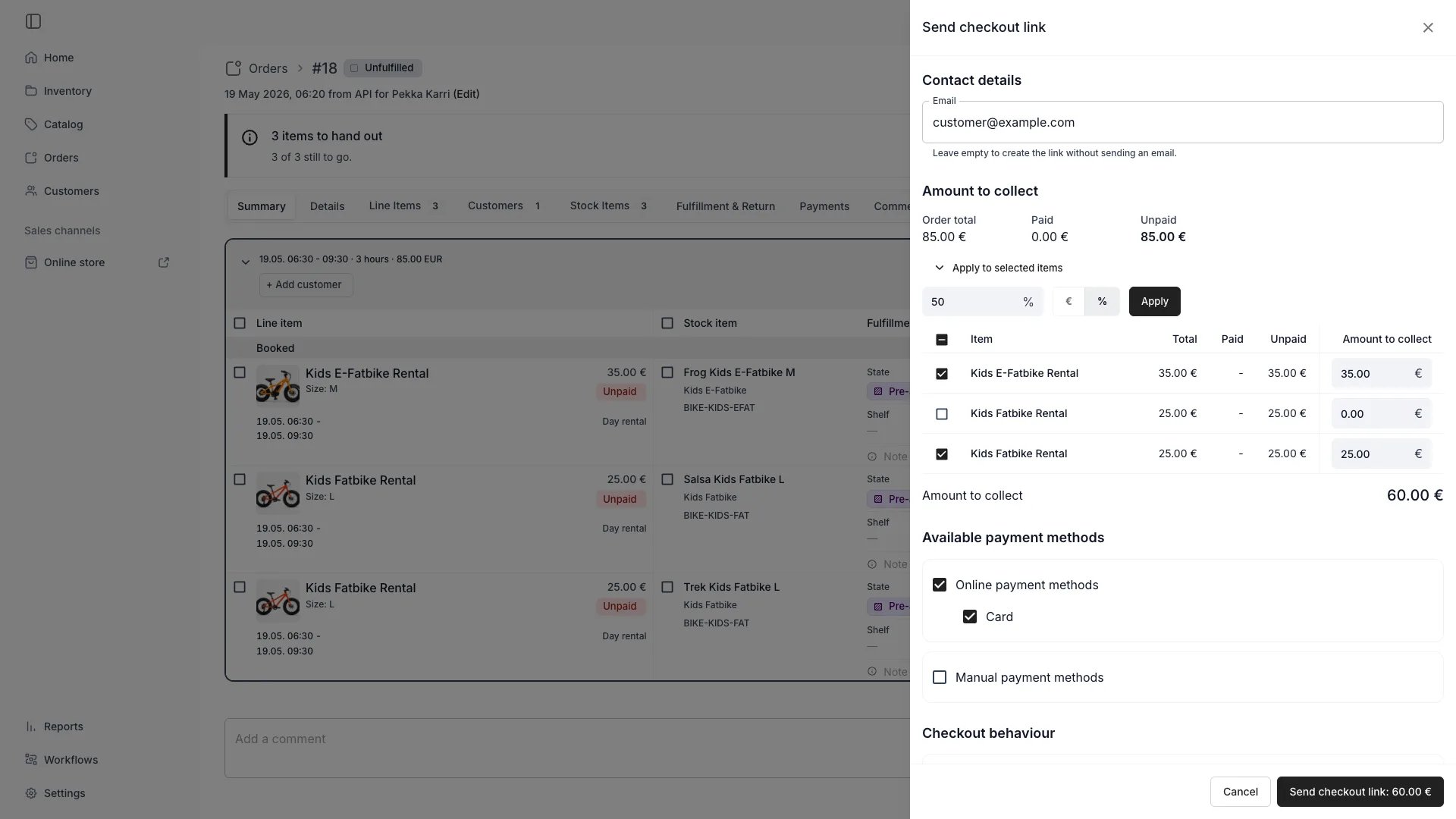
Order > Payment > Send checkout link
A percentage is of those balances rather than of the order total, and a money figure is the pool to spread rather than an amount per line. The fill reads the balances every time, so applying 50% twice still collects 50%. Rows you untick keep their zero, and every field the fill writes stays editable.A line left at zero is not in the link. A link scoped this way shows the customer only the lines you gave an amount to — an order whose other lines are already paid produces a link for the unpaid line alone.Leave every line at its full remainder on an order where nothing has been paid and the link covers the whole order instead, with each line collecting whatever is still owed at the moment the customer pays.An amount you type is a ceiling, not a fixed charge:
Setting any per-line amount also removes the discount-code field from the customer’s checkout. Codes are offered only on a link that collects every line in full, on an order carrying no discount yet.The rest of the drawer:
- Contact details — the recipient’s Email. Leave it empty to create the link without sending it, then copy the link from the table below.
- Available payment methods — Online payment methods and Manual payment methods, each with the individual methods you allow. Manual methods are unavailable on an order with an automatically charged subscription and no saved card, since they cannot store one.
- Checkout behaviour — Save or update payment card has the customer enter a card that is stored for later charges. It works with nothing to collect: the button then reads Create card setup link. It needs an online card method selected. Auto-expire takes a date under Link expiration; the link stops working at the end of that day in your timezone.
- Comment — text included in the email to the customer.
Manage Checkout Links
Manage Checkout Links
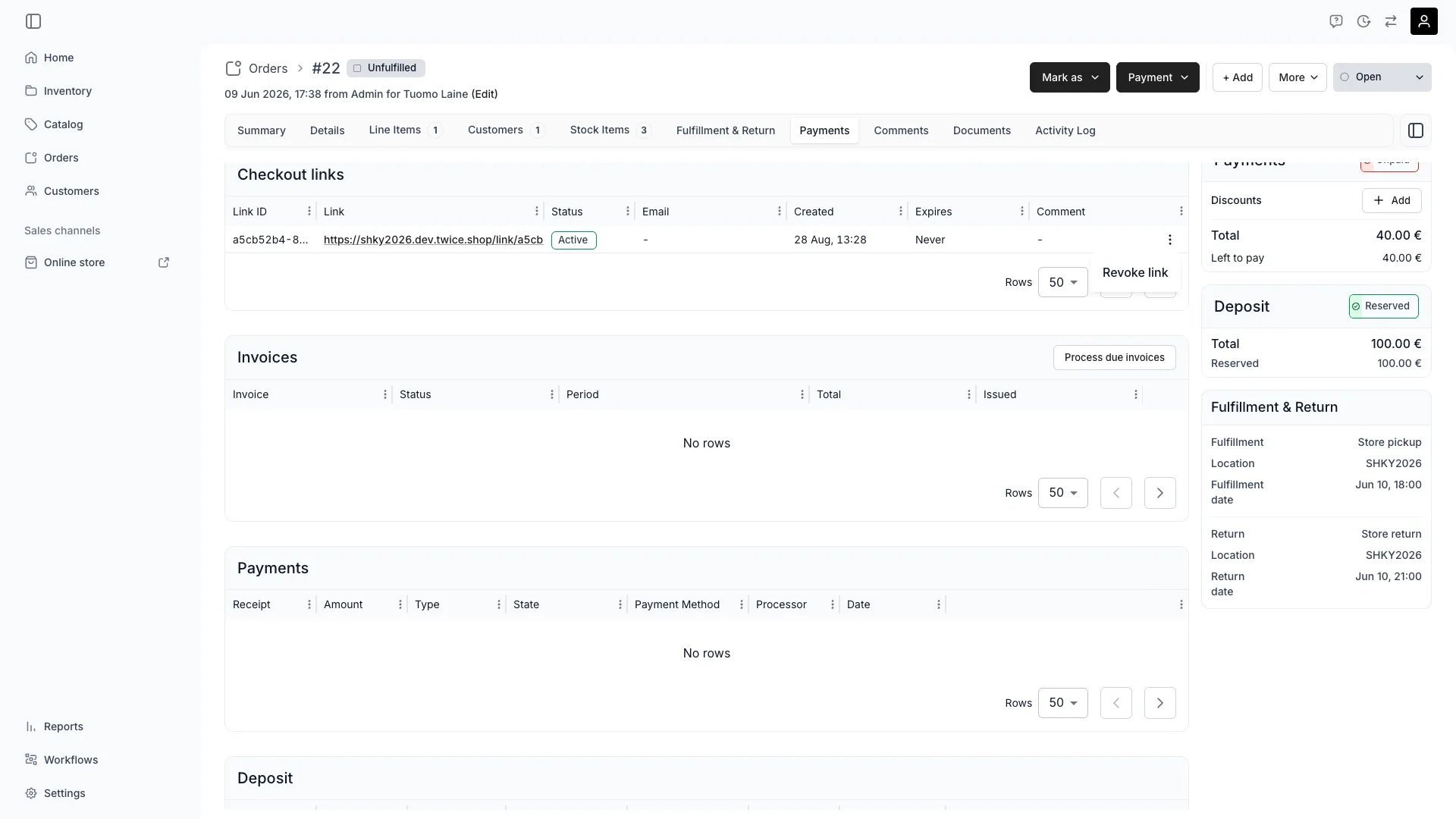
Orders > [Order] > Payments — Checkout links
To take back a link that should no longer be payable, open the three-dots menu on an Active row and choose Revoke link. The confirmation states what happens: “The customer will no longer be able to open or pay this link. This cannot be undone.”Only active rows offer the action — an expired, used, or already revoked link has no menu, and the server refuses a revocation of one, so a link keeps whichever end state it reached first. If a refusal comes back, the table reloads and the chip corrects itself.A customer who opens a revoked link sees Link no longer active: “This payment link has been cancelled by the store. If you still need to pay, please contact the store for a new link.” A customer who already had the checkout page open cannot confirm payment either.Payments taken before the revocation stand — revoking stops further payment, it does not refund what was collected.Revocation is one-way. To collect again, create a new link; reopening or unarchiving the order does not bring the old one back.
Related concepts
Here are a few key concepts of TWICE Commerce that relate to Order Payment.Payment Methods
Payment Methods
Orders can accept various payment methods: credit cards, digital wallets, bank transfers, or cash payments.
Deposits & Installments
Deposits & Installments
An order may require a deposit, with the final payment collected after return and inspection.
Visibility and permissions
This tab is gated byorders:order_payments, in the four operations — , , and .
Owner, Admin and Manager hold every operation. Member does not hold it at all.
For what each operation means and the full role matrix, see Users & Roles.
Related articles
Take payment and deposits
Collecting, splitting a total, and the deposit round trip.
Refund an order
Sending money back, in full or in part.