

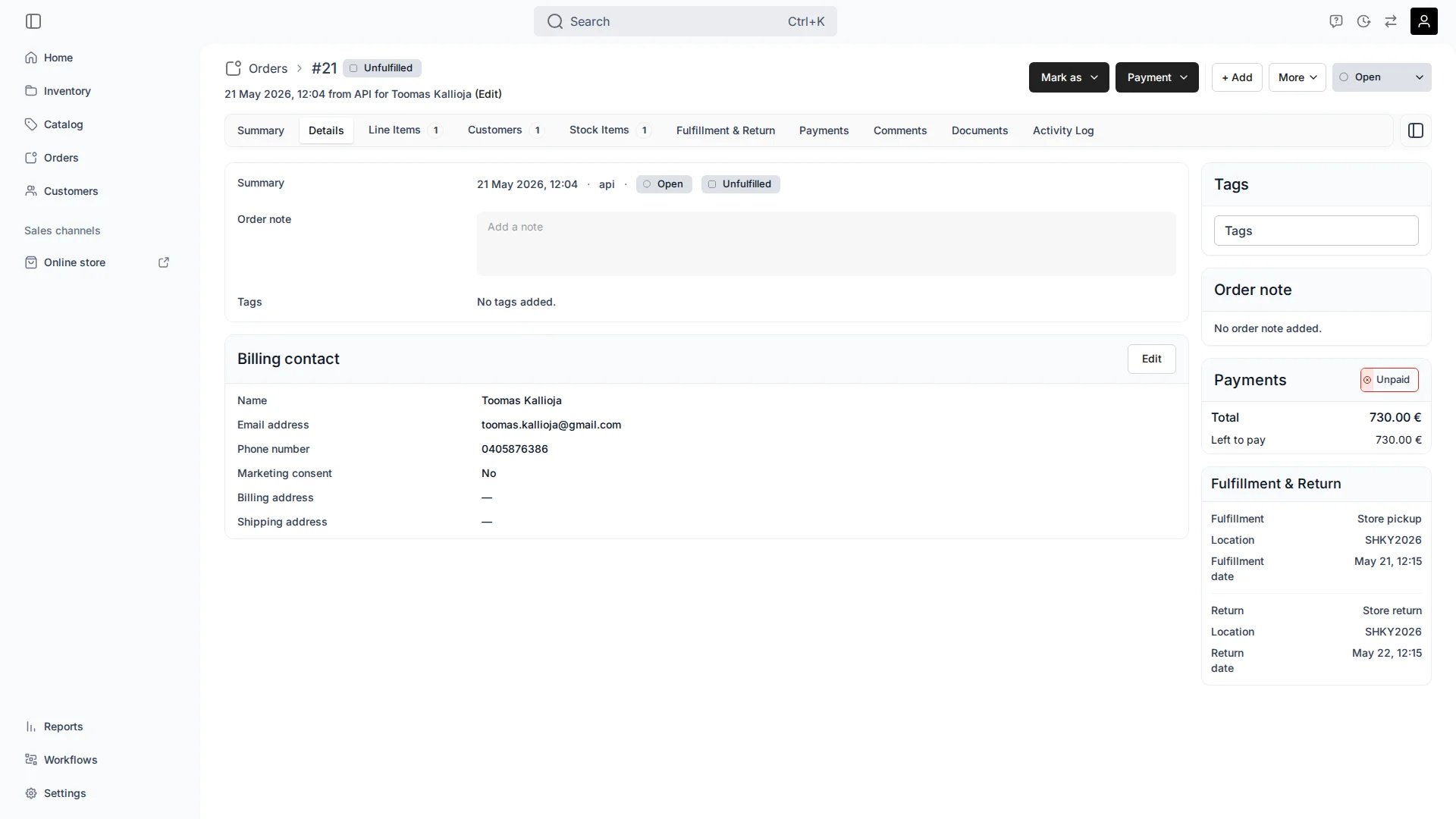
Orders > [Order] > Details
This view can look different dependent on your user role.
See Visibility and permissions for details.
See Visibility and permissions for details.
Primary purpose
The Details tab is where you read and edit order-level information. The Summary tab focuses on the layout of customers and their line items; the Details tab holds the order’s own fields and its billing contact.Order summary fields
Order summary fields
See the order’s created date, sales channel, order status, and fulfillment state at a glance.
Order note
Order note
Add or edit an internal note on the order. Notes are for your team and are not shown to the customer.
Billing contact
Billing contact
Review the billing contact — name, email, phone, language, marketing consent, billing and shipping addresses, and customer tags.
Order attributes
Order attributes
Below the billing contact, the Order attributes card holds the order’s custom field values — captured at checkout or added here with Add attribute.Read more: Order attributes
Related concepts
Order Status vs Fulfillment
Order Status vs Fulfillment
Order status and fulfillment state are tracked independently. See the Order Lifecycle for how the two relate.
Where customer details come from
Where customer details come from
The billing contact is drawn from the order’s main customer. Manage full customer records under Customers.
Visibility and permissions
This tab is gated byorders:order_summary, in the four operations — , , and .
All four system roles — Owner, Admin, Manager and Member — hold every operation on this.
For what each operation means and the full role matrix, see Users & Roles.