

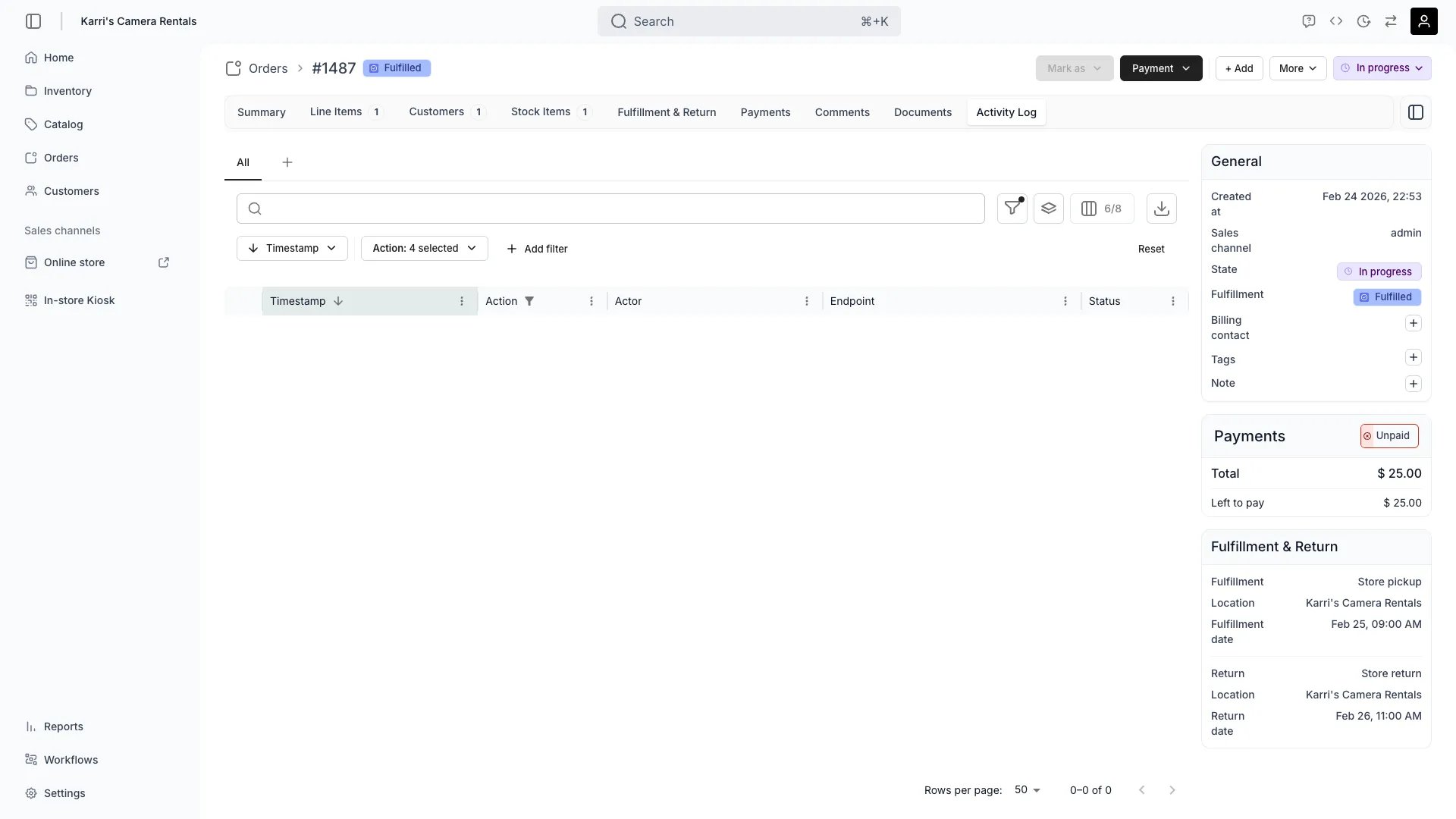
Orders > [Order] > Activity Log
This view can look different dependent on your user role.
See Visibility and permissions for details.
See Visibility and permissions for details.
Open in TWICE Admin
orders/[order-id]/activity-log
Primary purpose
The Activity Log provides a complete, immutable audit trail of all actions performed on the order.Track All Changes
Track All Changes
See every modification to the order including status changes, item updates, and payment transactions.
Monitor User Actions
Monitor User Actions
View which team members performed specific actions for accountability and training.
Review Order Timeline
Review Order Timeline
Understand the complete order journey from placement through fulfillment and completion.
Audit for Compliance
Audit for Compliance
Maintain required audit trails for regulatory compliance and dispute resolution.
Related concepts
Here are a few key concepts of TWICE Commerce that relate to Order Activity Log.Immutable Records
Immutable Records
Activity log entries cannot be modified or deleted, ensuring audit trail integrity.
Automated Logging
Automated Logging
All system actions and user changes are automatically logged without manual tracking.
Visibility and permissions
This tab is gated byorders:order_activity_log, in the four operations — , , and .
Owner, Admin and Manager hold every operation. Member does not hold it at all.
For what each operation means and the full role matrix, see Users & Roles.