

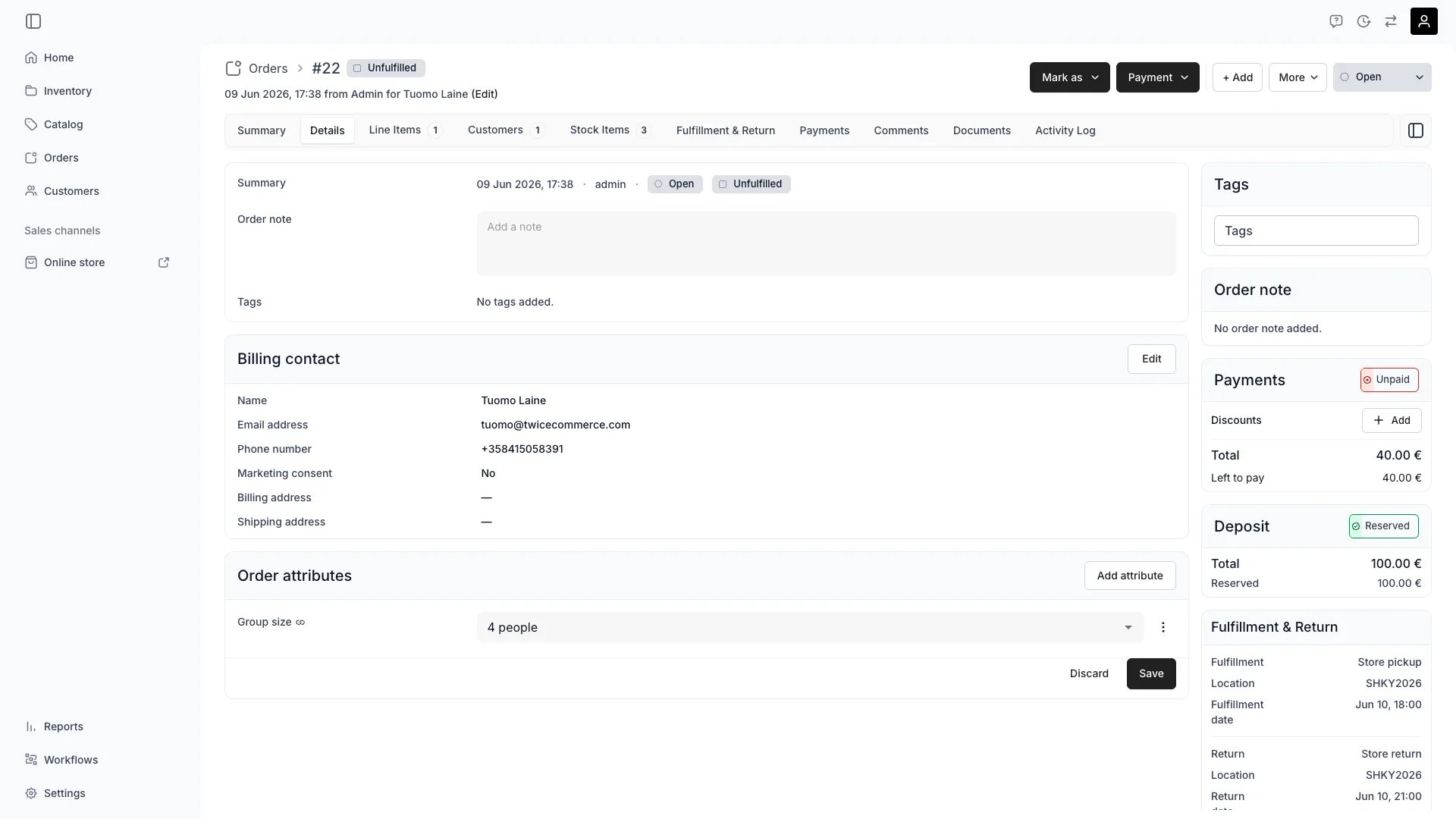
Orders > [Order] > Details — Order attributes
This view can look different dependent on your user role.
See Visibility and permissions for details.
See Visibility and permissions for details.
Primary purpose
Order attributes is a card on the Details tab, directly below Billing contact — not a tab of its own. It displays custom field values for the order: Attributes scoped to the Orders resource, separate from customer attributes, which live on the customer profile.View captured values
View captured values
See all attribute values collected for the order. Global attributes always appear, even when no value has been captured. Non-global attributes appear only when a value exists.
Edit attribute values
Edit attribute values
Add, update, or remove attribute values directly on the order. Click Add attribute to pick from available order-scoped attributes, edit values inline, then save.
Checkout capture
Checkout capture
Order attributes can be collected automatically at checkout. Add an attribute field to your checkout contact form and bind it to an Orders-resource attribute. The customer’s response is saved to the order when the checkout completes.
Confirmation email
Confirmation email
Captured order attribute values render in the order confirmation email. Global attributes always appear (with a dash placeholder when empty). Non-global attributes appear only when a value was captured. Values are formatted per your tenant locale — dates, times, select labels, and boolean Yes/No.
Table columns
Table columns
Order attributes surface as filterable, sortable columns in the orders table. Show them via the column controls.
How values are captured
Order attribute values come from two sources:
When an attribute field on the checkout is bound to an attribute with
resource: orders, the value routes to the order. When it is bound to an attribute with resource: customers, it routes to the customer profile instead. The attribute’s resource scope controls the destination — the checkout form configuration is the same for both.
Order attributes are per-order. Editing a value on one order does not affect other orders, even for the same customer. This makes them suitable for order-specific data like cost centres, gift messages, or special instructions.
Order attributes vs customer attributes
Related concepts
Attributes
Attributes
Order attributes are defined in Attributes under the Orders resource. All eight attribute formats (text, number, boolean, date, datetime, select, multiselect, formula) are available.
Checkout configuration
Checkout configuration
Add attribute fields to the checkout contact form under Steps & sections. Bind each field to a customer or order attribute.
Visibility and permissions
This page is gated byorders:order_summary, in the four operations — , , and .
All four system roles — Owner, Admin, Manager and Member — hold every operation on this.
For what each operation means and the full role matrix, see Users & Roles.