

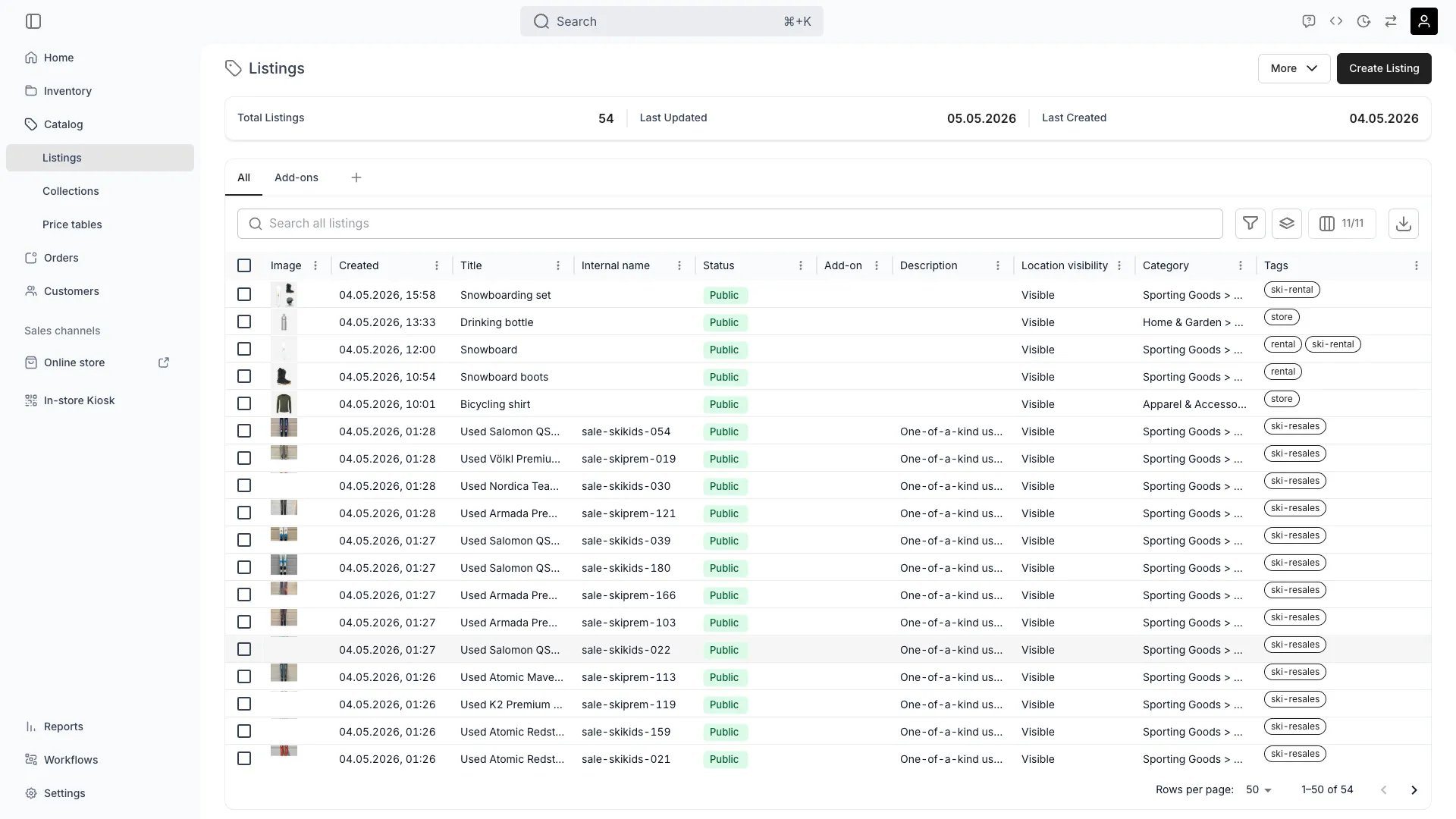
Catalog > Listings
This view can look different dependent on your user role.
See Visibility and permissions for details.
See Visibility and permissions for details.
Open in TWICE Admin
catalog/listings
Primary purpose
The Listings view is the table of every listing in your catalog — the customer-facing product offerings. From here you can browse, search, filter, create, and manage listings.Create a listing
Create a listing
Start from scratch, duplicate an existing listing, or use a listing template.
Bulk actions
Bulk actions
Select multiple listings to publish, archive, change collections, or update pricing in bulk. Archiving takes the listings out of use — the confirmation first scans what still references them, and you restore them from Settings → Archived assets. See Archiving and Deletion.
Search & filter
Search & filter
Search across listing names, SKUs, and attributes. Filter by collection, status, sales channel, or any custom attribute.
Saved views
Saved views
Save column layouts, filters, and sort orders as named views for quick switching between common workflows.
Related concepts
Listing vs SKU
Listing vs SKU
Collections
Collections
Group listings using manual or smart Collections for storefront navigation and merchandising.
Pricing
Pricing
Configure base pricing per listing, or apply shared pricing logic via Price Tables.
Visibility and permissions
This view is gated bycatalog:listing, in the four operations — , , and .
All four system roles — Owner, Admin, Manager and Member — hold every operation on this.
For what each operation means and the full role matrix, see Users & Roles.
Related articles
Create a rental listing
Taken for a period and returned.
Create a sales listing
Bought and kept.
Create an add-on listing
Sold alongside another listing.