

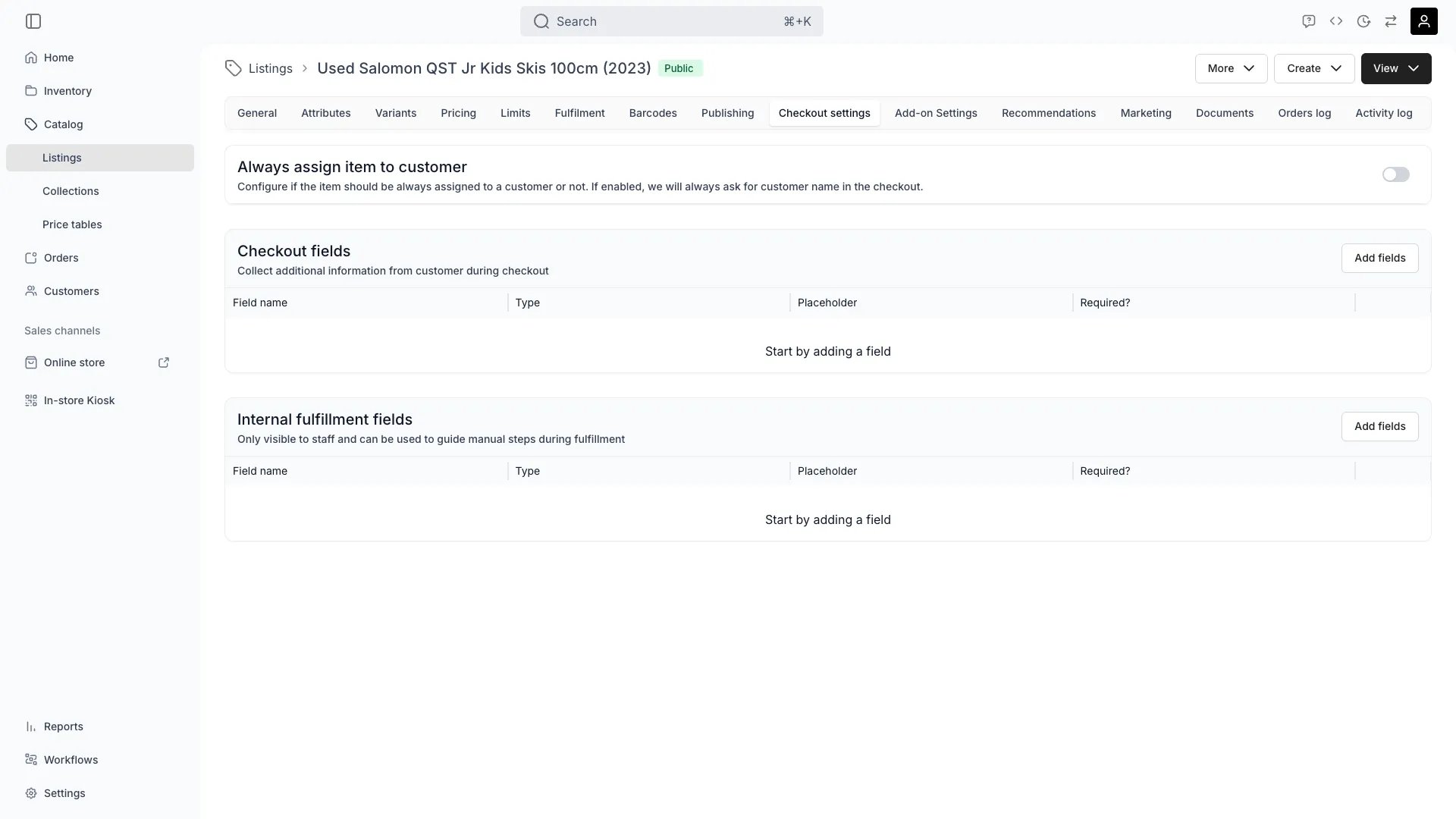
Catalog > Listings > [Listing] > Checkout Settings
Deposits are not configured here. The booking deposit (a single fixed-amount, refundable security hold) is set on the Pricing tab. See Security Deposits for how holds are placed, captured, and released.
Assign to customer
Toggle Always assign item to customer to require that every ordered item of this listing is assigned to a customer. When enabled, checkout always asks for the customer’s name. Use this for items that are personal to the person using them: ski rentals sized to a specific skier, lift tickets, or course seats. Set it on a listing sold as an add-on and it does more than collect a name. The customer the shopper names is the one the add-on lands on, which can be someone other than the customer on the line it hangs off. That is what lets one booking hold add-ons for the rest of a family. Without the requirement, every unit of the add-on follows its parent’s customer. See Add-on Settings.Checkout fields
Define custom fields the customer fills in during checkout. These fields appear whenever this listing is part of the order, for example:- Car rentals: driver’s license number, license photo, driver’s age
- B2B orders: company name, VAT number, purchase order reference
- Ski rentals: height, weight, shoe size, and experience level (for DIN settings)
- Event bookings: attendee name, dietary restrictions, or seat preference
Field types
Customer attribute formats
Pick the backing attribute by its format. Six of the nine attribute formats have a checkout input, and the attribute picker in the field drawer offers only those:
A Date or Date & Time attribute is submitted as a calendar date, so the value lands on the customer profile in the form the profile stores.
The picker still lists the attribute a field was saved with, so a field pointing at one of those three formats shows what it points at. Such a field renders nothing at checkout, and a required one leaves the customer unable to finish the order.
Rebuild it as a Select field, or point it at an attribute whose format has an input.
Select field options
When you choose Select field as the type, an options editor appears below the type selector.- Click Add option to add an option. Enter a name for each option.
- Click the trash icon next to an option to remove it.
- At least one option is required.
- Option names must be unique.
Translating field text
A checkout field’s Field name and Placeholder are translatable. Save the field first, then reopen it. A translate icon sits at the end of each of the two inputs, and opens the per-language values. You can also work through every field at once under Settings → Translations & Languages in the Checkout fields group. Two parts of a field are not translated here:- A Customer attribute field renders the attribute’s own name, so translate the attribute instead.
- Select field option names are served in the source language in every checkout.
Internal fulfilment fields
Internal fields are visible to staff only. Use them to guide manual steps during fulfilment, for example a field for the assigned DIN setting, a prep checklist item, or a serial number recorded at pickup. Internal fields support the same field types as checkout fields except Customer attribute. Internal fields never appear to the customer.Related concepts
Booking deposit
Booking deposit
The refundable security hold for this listing is configured on the Pricing tab. See Security Deposits for the hold lifecycle.
Limits
Limits
Duration constraints and order deadlines are enforced at checkout but configured on the Limits tab.
Related articles
Checkout fields
Choosing between the three cards, and the customer-attribute formats that will not render.