

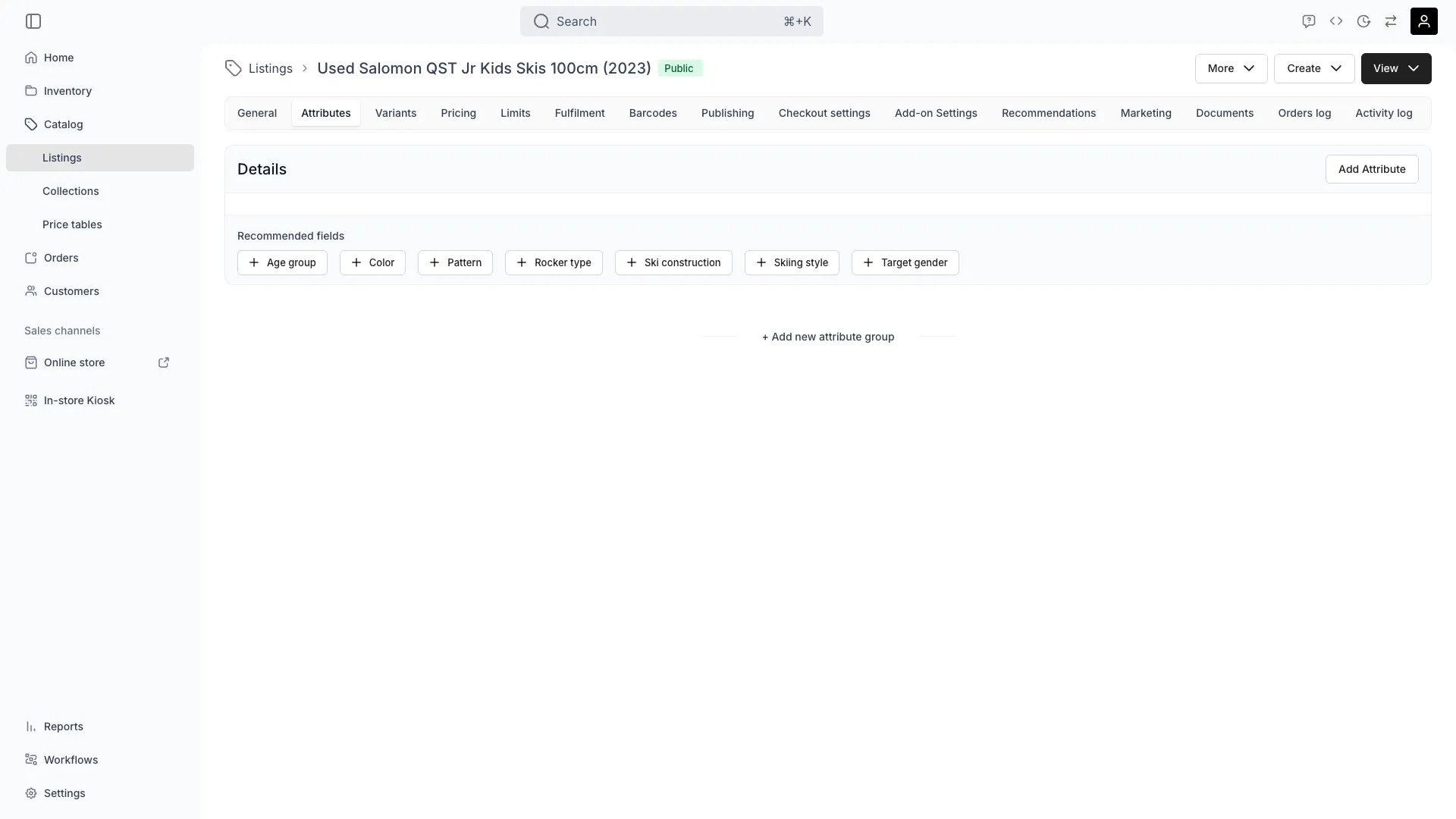
Catalog > Listings > [Listing] > Attributes
This view can look different dependent on your user role.
See Visibility and permissions for details.
See Visibility and permissions for details.
Primary purpose
Fill in what this listing carries: a brand, a size, a condition, a room capacity. The values describe the listing in the admin, and the ones you offer as filters let shoppers narrow your online store by them.Fill in a value
Fill in a value
Type or pick the value in the field and save the listing. A global attribute is on the tab already. Select Add Attribute to attach one that is not.An attribute you attach here holds a value for this listing alone. Attaching it does not add it to your other listings.
Storefront filters
Storefront filters
Attribute values defined here power the filters shoppers use on the shop and collection pages, such as colour, size, sport, season and age group. To turn an attribute into a filter, set it up under Settings → Attributes & Tags.
Add a recommended field
Add a recommended field
Recommended fields lists the attributes that suit the listing’s taxonomy category, such as colour and age group on a garment. Select one to attach it.The list holds what the category suggests and this listing does not carry yet, so it empties as you fill the fields in. A listing with no category gets no suggestions.
Offer a value as an online store filter
Offer a value as an online store filter
A value reaches your storefront once the attribute is marked as a filter under Settings → Attributes & Tags and the Attributes section is on in the theme editor.Shoppers then get a section named after the attribute, listing the values your listings carry with a count against each. A listing with the field empty is not offered under any of them.Read the whole path in Offer online store filters.
Find listings by their values
Find listings by their values
Every listing attribute becomes a column on the Catalog table, hidden until you show it. Filter, sort and group the table on it, and the toolbar search matches its values.Your online store’s search box is different: it reads listing names and descriptions, not attribute values. Offer an attribute as a filter to let shoppers narrow by it.
Related concepts
A listing attribute belongs to listings alone
A listing attribute belongs to listings alone
Each attribute is scoped to one resource. A listing attribute never appears on a stock item, a customer or an order, and a stock item attribute never appears here. Define the same field twice where you need it in two places.Read more: Attributes
Groups decide what sits together
Groups decide what sits together
Attributes appear on this tab under the group they belong to, in the group’s order. Details is the group a new attribute joins.Read more: Attribute Groups
Format decides how a shopper filters
Format decides how a shopper filters
A select, a text or a number attribute gives shoppers a checkbox per value. A date attribute gives them a range. A formula and a smart field are computed, so neither is offered as a filter.Read more: Attributes
Visibility and permissions
This tab is gated bycatalog:listing_attributes, in the four operations: , , and .
All four system roles (Owner, Admin, Manager and Member) hold every operation on this.
For what each operation means and the full role matrix, see Users & Roles.
Related articles
Offer online store filters
Mark an attribute as a filter and switch the section on.
Attributes
Formats, keys, groups and where each attribute applies.
Attributes & Tags
The settings view where listing attributes are defined.
Marketing
The listing’s own search and social metadata.