

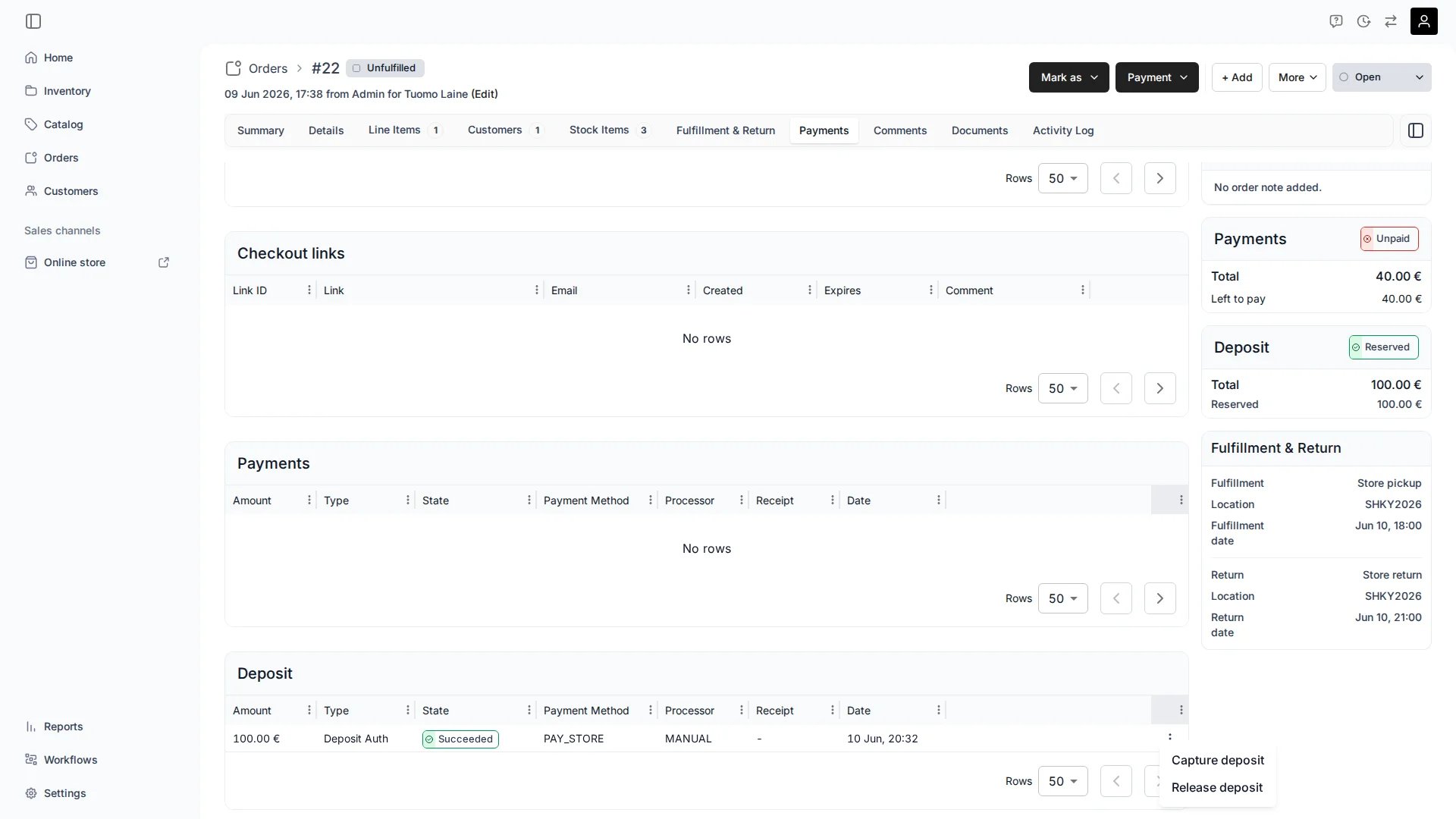
Orders > [Order] > Payment — deposit hold
Definition
A security deposit is an amount held to cover loss or damage during a rental.
A deposit hold is separate from the rental payment. The rental is paid as normal; the deposit sits alongside it as its own Payment object.
Where do I use it?
- Holding a damage deposit before a rental starts
- Capturing against the hold when an item is returned damaged or late
- Releasing the hold when an item is returned in good condition
How it works
When an order has an outstanding deposit and the customer paid by card, TWICE authorizes the hold off-session (without the customer present) using the saved card.Automatic reservation schedule
TWICE attempts the hold automatically in the run-up to the rental start, retrying periodically until it succeeds or the earliest rental start date passes.Reservation states
Authorization expiry
When a hold is successfully authorized (state: Reserved), the payment provider keeps it open for a limited window — typically around 7 days for Stripe. If you do not capture or release the hold within that window, the provider cancels it automatically. TWICE detects this via the provider’s webhook and records the hold as Expired on the Payments tab. This is distinct from a manual release, which shows as Cancelled.The Expired reservation state (above) and the Expired payment state are different things. The reservation state means the hold was never authorized. The payment state means a successfully authorized hold was not captured in time and the provider released it automatically.
Managing a deposit
From the order’s Payment tab:Supported payment providers
Card-based deposit holds work with Stripe (available to all stores) and Adyen (enabled for selected merchants only). These return a reusable card reference after the first successful charge so the hold can be authorized off-session. Orders with a security deposit can also be checked out using manual payment methods (Pay on pickup, custom methods). In this case no automatic hold is placed — the deposit is recorded as a manual deposit and you manage it outside the payment provider (cash, ID card, bank transfer). Use the Reserve deposit action to record these deposits: with no card on file, the dialog says the deposit must be reserved outside of the system, and Mark as reserved logs it in TWICE while you take the cash, ID card, or bank transfer yourself.Related articles
Payments
Payment hierarchy, transactions, and refunds.
Order Lifecycle
How orders move through fulfillment.
Payment tab
Manage payments and deposits on an order.
Payments settings
Connect Stripe and manage payment providers.