

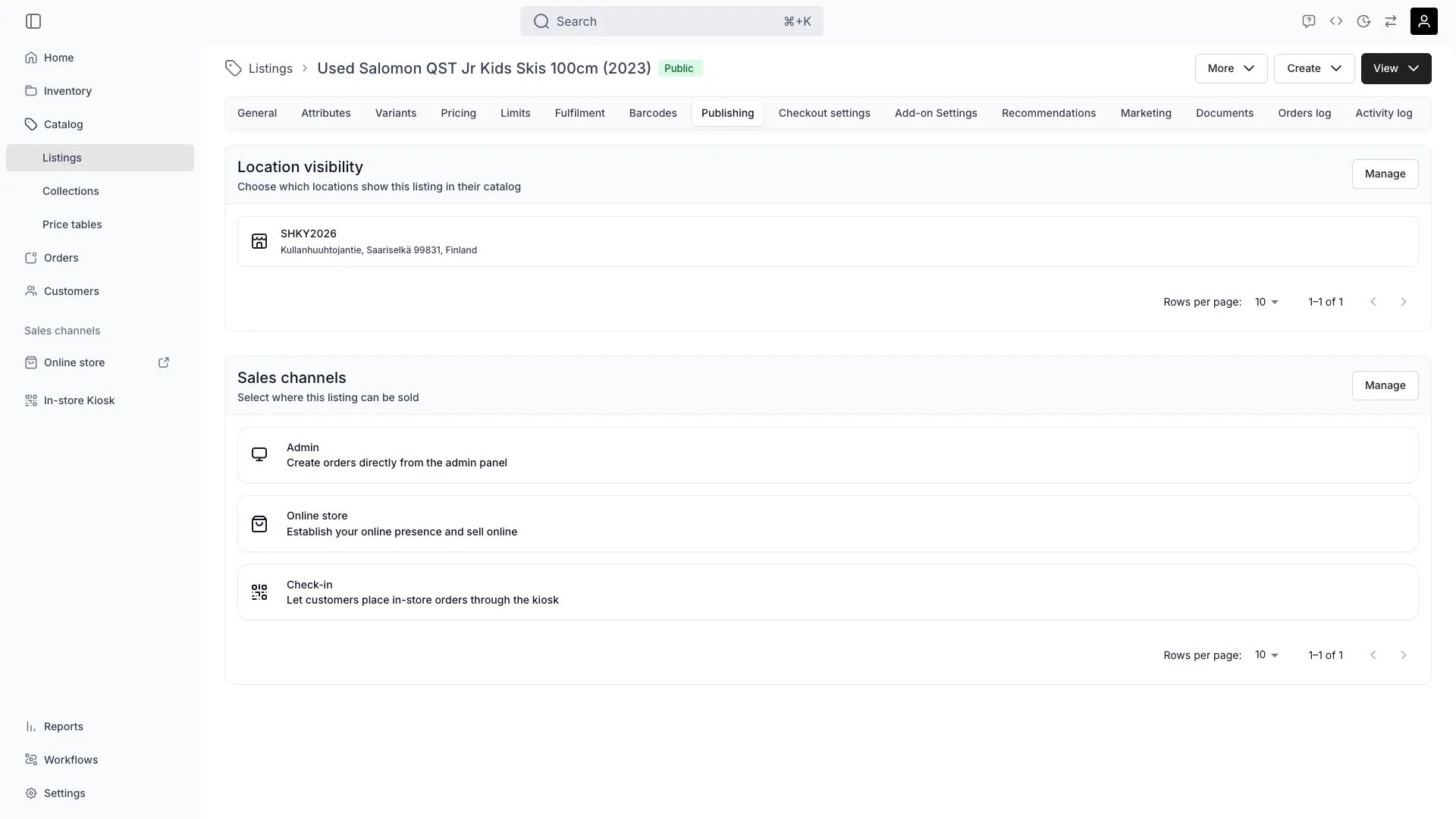
Catalog > Listings > [Listing] > Publishing
Store locations
Manage in which locations this listing is purchasable. Each selected location determines where customers can view and place orders for the listing. If a listing should only appear in specific stores or warehouses, select those locations here. Leave all locations unselected to keep the listing hidden from customer-facing catalogs.Sales channels
Two toggles control where the listing can be sold:- Admin (
salesChannelAdmin) — the listing is available when creating orders from the admin. - Online store (
salesChannelOnline) — the listing is sold through your online storefront.
Via the API
Listings are thecatalog resource. Authenticate with the X-API-KEY header (see API Keys) and call:
GET /v1/admin/catalog— list listings (withfilters,orderBy, andpagination)PUT /v1/admin/catalog/{id}— update a listing, including the sales-channel flagssalesChannelAdminandsalesChannelOnline
Visibility and Permissions
This tab is gated bycatalog:listing_publishing, in the four operations — , , and .
All four system roles — Owner, Admin, Manager and Member — hold every operation on this.
Both cards on the tab fall under that one permission. There is no separate gate for location visibility, and no per-location scoping: a role either edits publishing for every location the listing can reach, or edits none of it.
For what each operation means and the full role matrix, see Users & Roles.
Summary
Publishing settings define the where of your listing’s availability:- Store locations — which service locations show and fulfil the listing.
- Sales channels — whether it is sold in the admin, the online store, both, or neither.
Catalog Permissions
Role requirements for catalog features.
Sales Channels
Configure your sales channel settings.
Related articles
Where a listing sells
Status, store locations and sales channels together — and why a listing is missing from one store.