

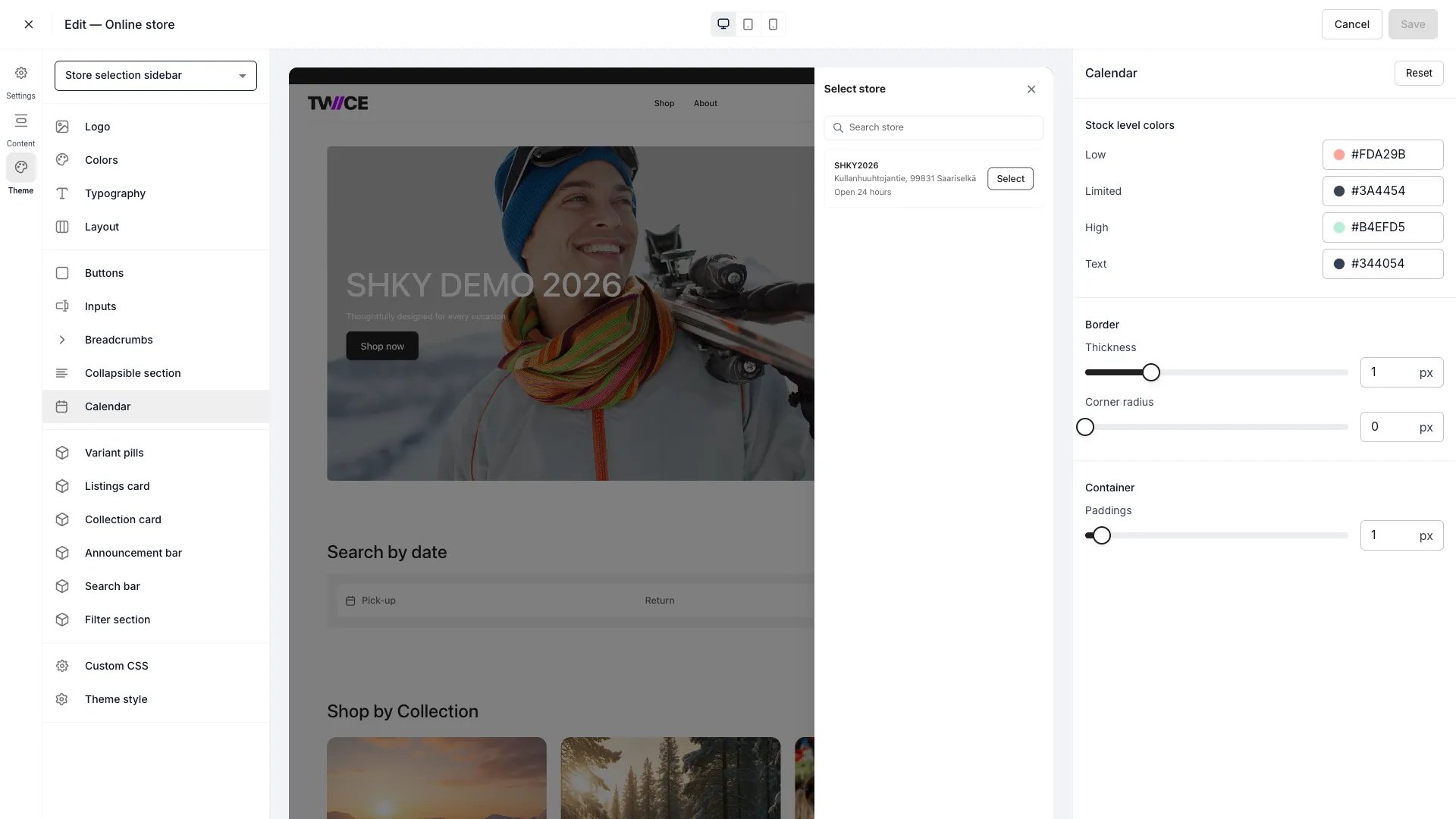
Theme Editor > Calendar
Stock level indicators on the calendar are only visible when the Show stock level option is enabled in the storefront content settings for the listing page. When disabled, date cells render without colour coding and the stock level legend is hidden.
Stock level colours
Each stock level has a separate background and text colour. Four levels are available:Stock level thresholds
Thresholds control when each colour band applies. They are percentages of available stock relative to total stock at a location.
The Low threshold must be less than or equal to the Limited threshold. If you set Low above Limited, the panel adjusts Limited to match automatically.
Selected date
Colours for the currently selected date on the calendar.Day cell
Today
Border
Container
Stock level legend
When Show stock level is enabled, a legend appears below the calendar showing coloured swatches with labels for each stock level (Out of stock, Low, Limited, High). The swatch shape matches the day cell corner radius for visual consistency. You can customise the legend labels in the storefront content settings for the listing page. If a label is left empty, that legend entry is hidden.CSS variables
Related articles
Colors
Define the storefront colour palette.
Inputs
Configure form field styles.