

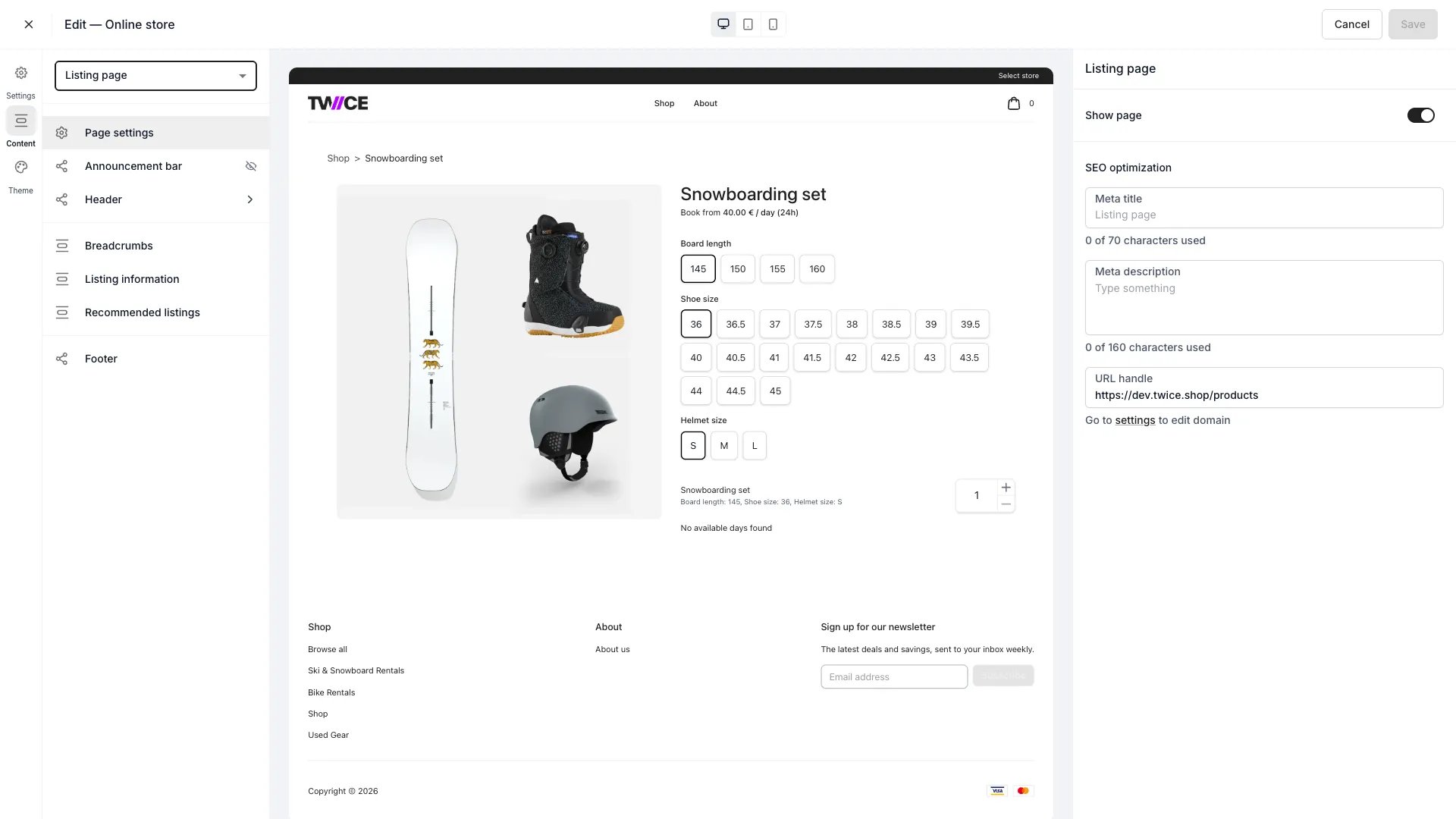
Theme Editor > Listing page
Sections
For rentals, the availability calendar shown here is styled in the Calendar settings; variant option pills in Variant pills.
Booking widget
The booking widget is the main interactive element on the listing page. It handles variant selection, date and time picking, quantity, add-ons, and add-to-cart for all purchase types.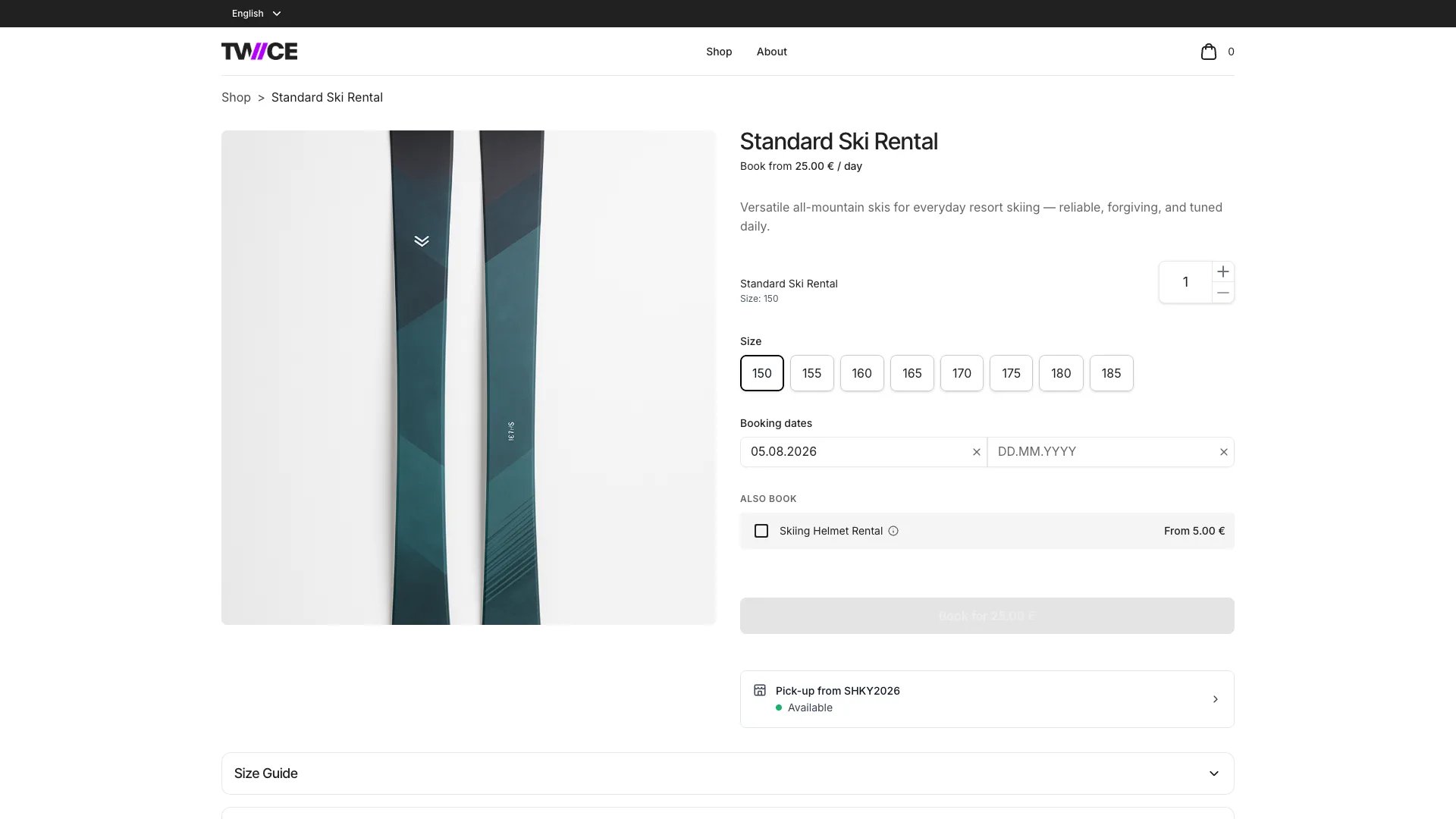
Purchase options
The widget presents the purchase options available for the listing:- Book — rental bookings with date/time selection and an availability calendar
- Buy — one-time sales with no date selection
- Subscribe — recurring subscription plans
Desktop and mobile layouts
On desktop, the booking widget renders inline in the right column of a two-column layout (images left, details and widget right). The widget sticks to the viewport as the customer scrolls. Tapping a purchase option expands the booking or purchase flow inline. On mobile, the listing page shows a fixed bottom bar with call-to-action buttons. Tapping any button opens a full-screen drawer containing the complete booking flow — variant selection, date/time pickers, quantity, add-ons, and the add-to-cart button.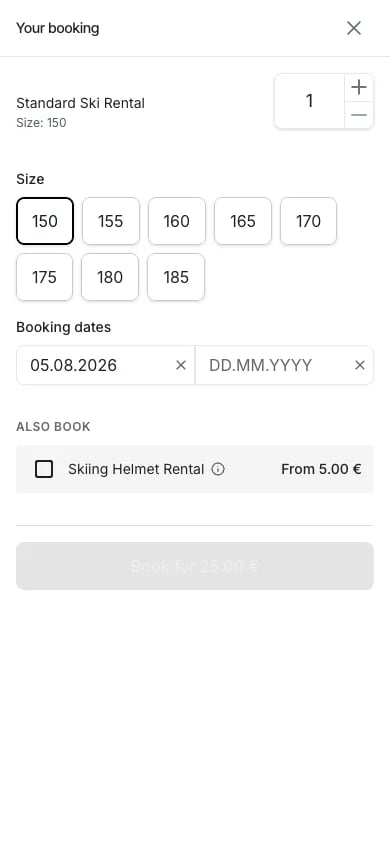
Variant selection
Variant selection happens inside the booking widget, not as a standalone element on the listing page. Each variant axis (such as Size or Colour) displays as a row of pill-shaped buttons. The customer taps a pill to select a value. When a variant axis has only one value, it is automatically selected — the customer does not need to interact with it. When multiple values exist, the first value is pre-selected and the customer can change it by tapping a different pill. Selecting a different variant value updates the availability calendar and pricing in real time. Add-ons only appear after all variant axes have a selection.Date and time selection
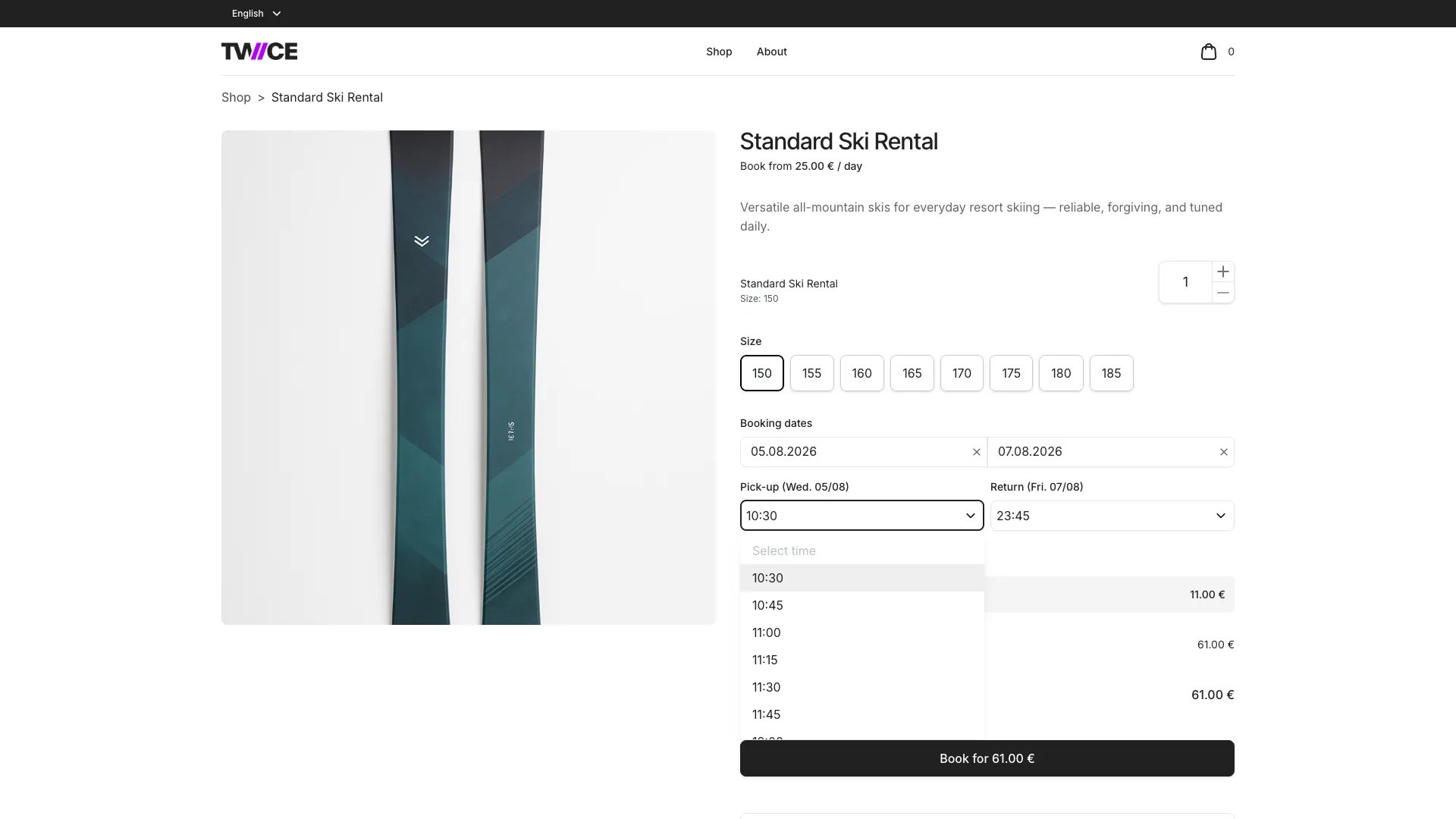
For booking purchases, the widget shows:- Duration options — fixed-length packages or a custom date range, depending on how the listing’s price table is configured. The order of the fixed-length options is a store setting — see Option order.
- Date picker — an availability calendar highlighting open and blocked dates. The first available date is pre-selected.
- Time pickers — pickup and return time dropdowns that appear after dates are selected. Unavailable time slots are hidden from the picker to keep the options clean. If a previously selected time becomes unavailable, it remains visible so the customer can see their selection needs to change.
Option order
The Booking options section sets the order of the fixed duration options in the booking widget. It is one setting for the whole store — it applies to every listing, and there is no per-listing override.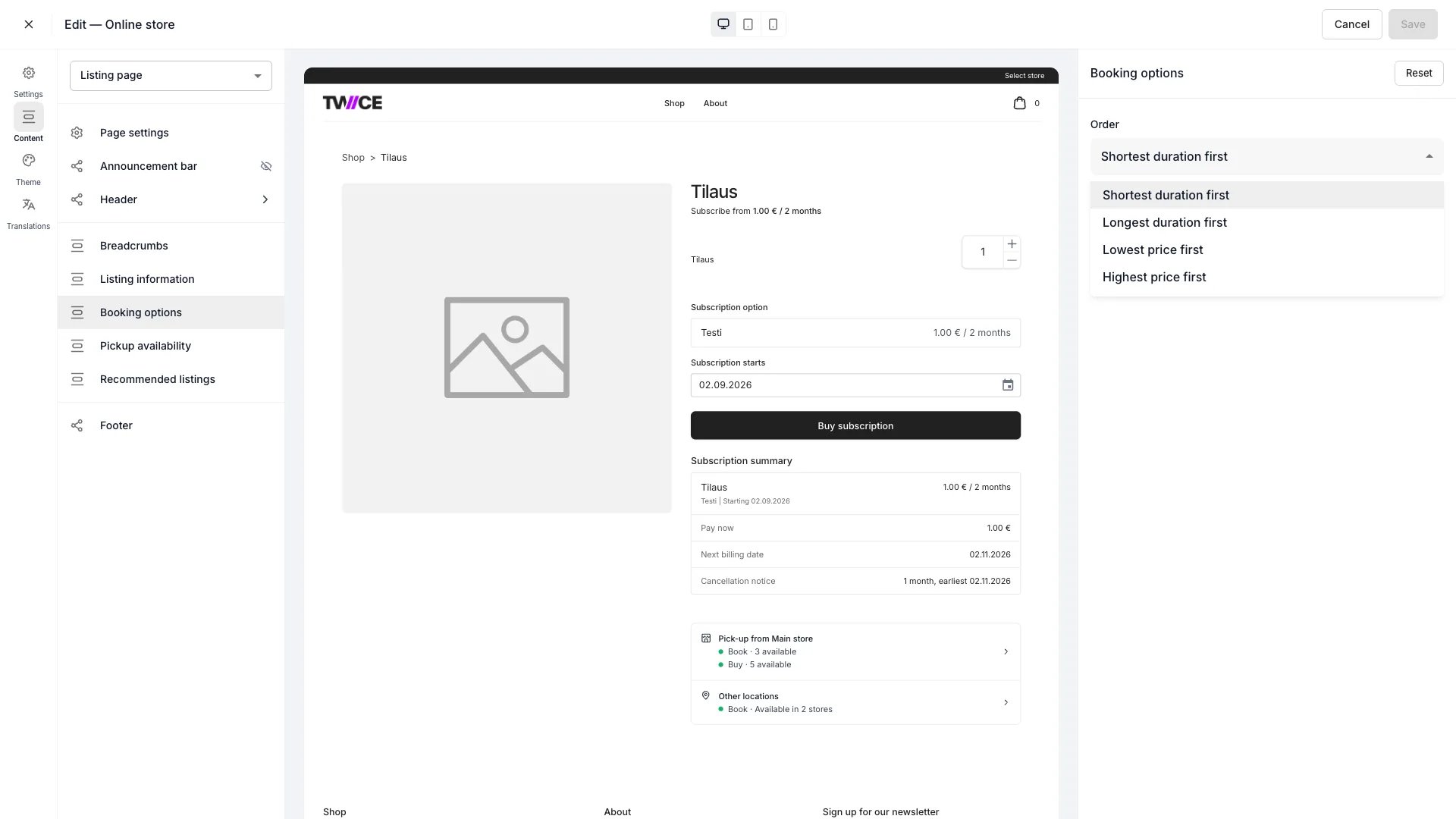
Theme Editor > Listing page > Booking options
The setting moves the fixed duration options and nothing else. These hold their place whichever value you pick:
- Purchase stays at the top of the list, with Choose your own dates directly under it.
- Subscription plans stay at the bottom, below every fixed option.
- An option that is unavailable for the selected date keeps its sort position rather than dropping to the bottom. See Booking options and the selected date for when an option greys out.
- The Book from price above the widget is unaffected — it always quotes the listing’s lowest booking price.
The order view in the admin always lists duration options shortest first, whatever this setting says.
Add to cart
When the customer confirms their selection, the widget validates that all required fields are complete (variants, dates, times, quantity) and sends the selection to the server for a final availability check. On success, the item is added to the cart.Shared blocks
The announcement bar, header, footer, and page settings apply across the store — see the Theme Editor overview.Related articles
Variant pills
Style the variant option selectors.
Calendar
Style the rental availability calendar.
Variants
Variant axes, values, and per-variant pricing.
Price Tables
Booking, sale, and subscription pricing configuration.