

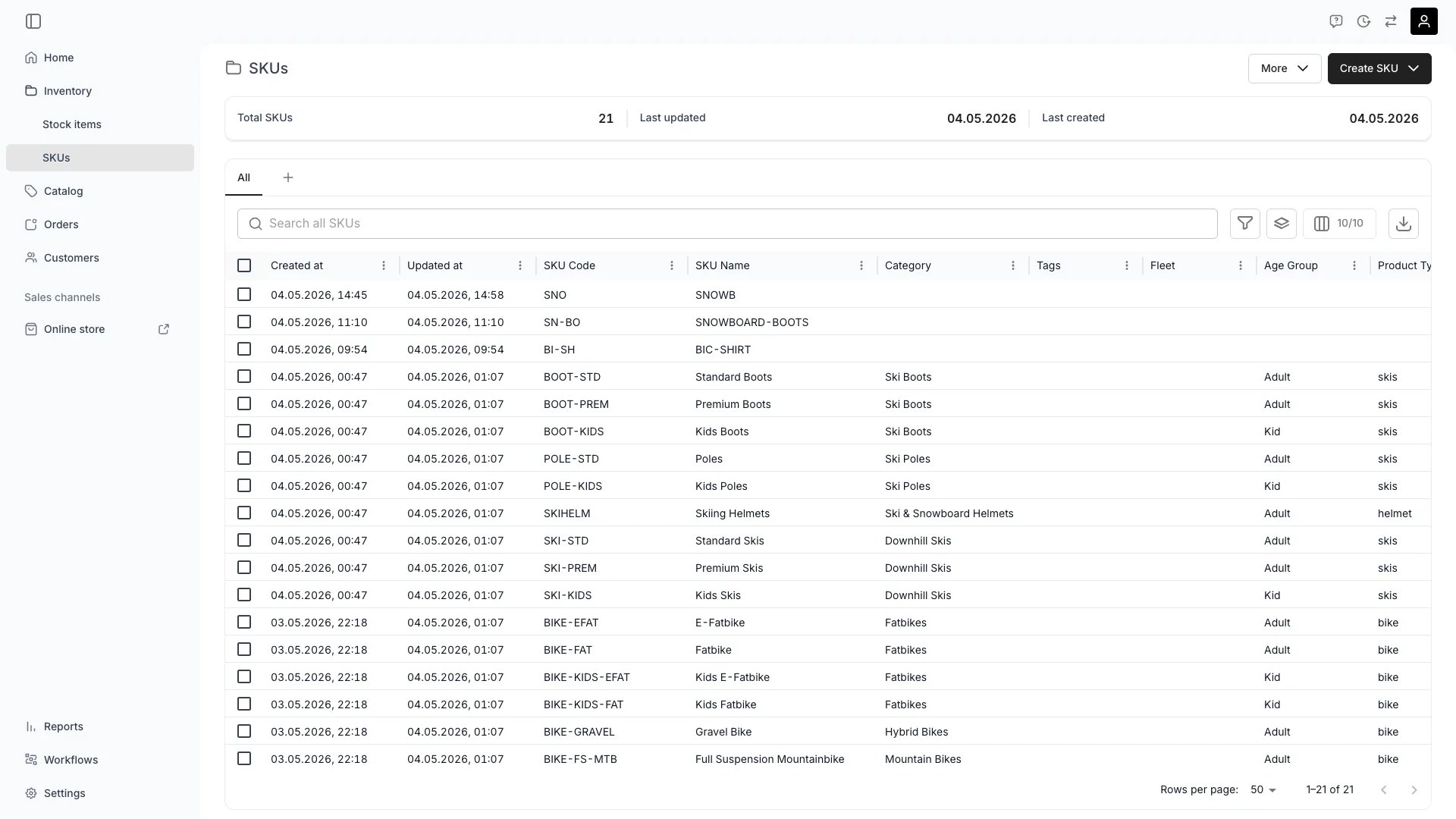
Inventory > SKUs
This view can look different dependent on your user role.
See Visibility and permissions for details.
See Visibility and permissions for details.
Open in TWICE Admin
inventory/skus
Primary purpose
The SKUs view lists every product definition in your inventory. SKUs group similar stock items under a shared template — attributes, descriptions, category, and default purchase price are defined once at the SKU level and inherited by each linked stock item.Create a SKU
Create a SKU
Add a new SKU manually, import from a CSV, or pull from a connected supplier feed. You can also create one without leaving the stock item registration dialog.Read more: How to register stock items
Bulk actions
Bulk actions
Select multiple SKUs to archive, unarchive, or delete them. Edit is disabled for a selection of more than one SKU — open each SKU on its own page to change its fields.Editing a single SKU is itself a bulk operation, because every stock item linked to it inherits what you change.Read more: How to bulk-edit stock items
Search & filter
Search & filter
Search by SKU code, name, or any custom attribute. Filter by category, tags, or attribute values.
Filter and sort by attributes
Filter and sort by attributes
Custom attributes defined at the SKU level appear as dynamic columns in the table. Each attribute column supports filtering and sorting based on its type — text, number, select, multi-select, or boolean. Use attribute columns to locate SKUs by specific properties like brand, material, or size.
Related concepts
SKU vs Stock Item
SKU vs Stock Item
A SKU is the product definition (template). A Stock Item is an individual physical unit linked to a SKU. One SKU can have many stock items.See Stock Item vs SKU.
SKU and Listings
SKU and Listings
SKUs are the internal product definition. Listings are the customer-facing offerings that reference SKUs.
Visibility and permissions
Inventory is a visible area for every system role, so the sidebar entry and this view appear for all of them. What the data itself is gated by is on theinventory resource, in four operations: , , , and .
A ✓ means all four operations. Every system role has full access to SKUs, including create and delete. The only inventory carve-out is
inventory:stock_item_cost, which Member lacks — it affects the cost figures on a linked stock item, not the SKU itself.
Read more: Users & Roles
Related articles
Register stock items
Connect new stock items to a SKU as you register them.
Bulk-edit stock items
Editing many items directly, and what a SKU edit reaches instead.