

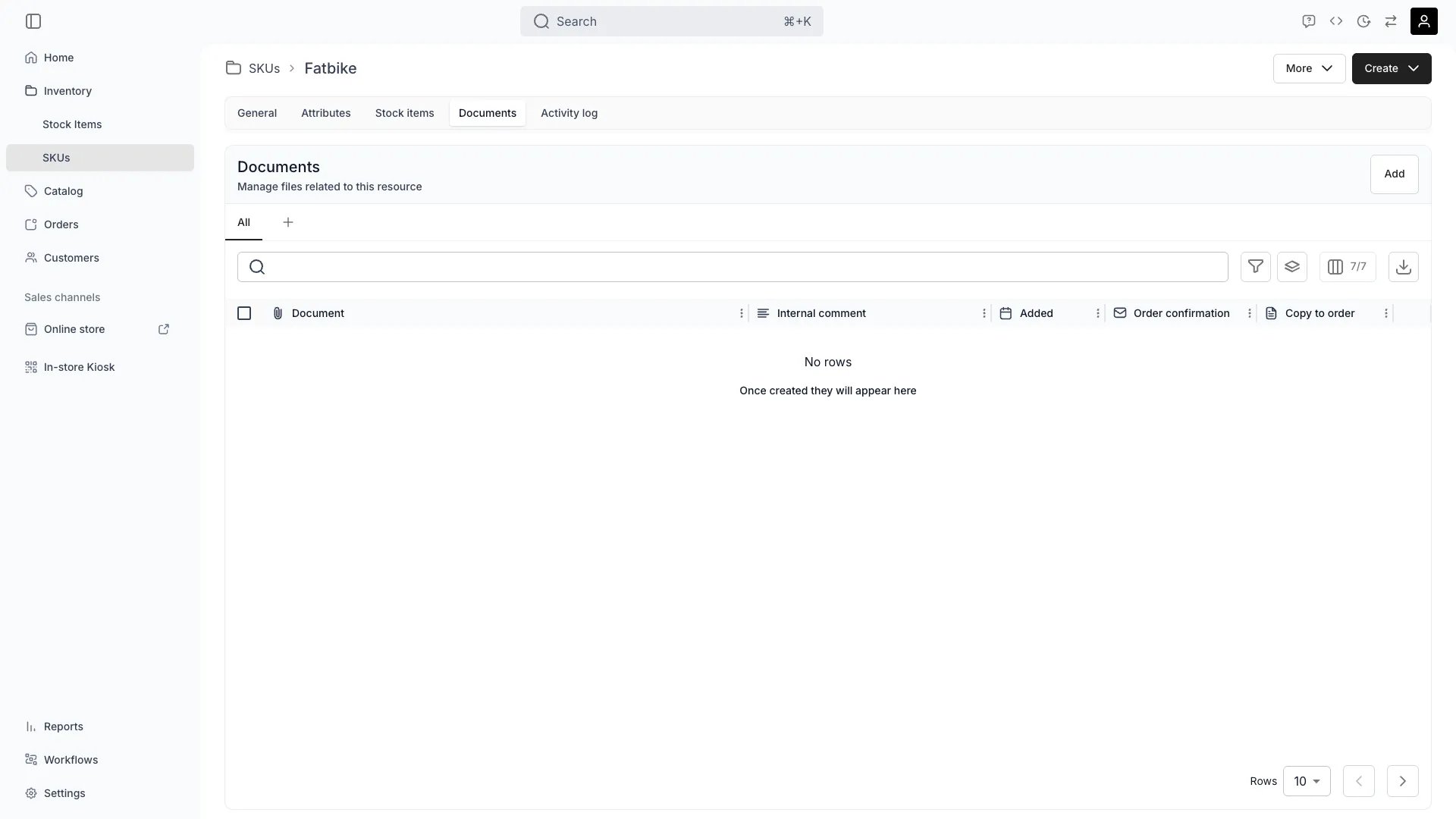
Inventory > SKUs > Documents
This view can look different dependent on your user role.
See Visibility and permissions for details.
See Visibility and permissions for details.
New to SKUs? Understand how Stock Items differ from SKUs - Stock Item vs SKU.
Primary purpose
The Documents tab allows you to attach and manage files that apply to all under this .Version Control
Version Control
Upload new versions of documents when specifications change, while maintaining history of previous versions for audit and compliance purposes.
Rename Files
Rename Files
Rename any uploaded file from the row actions menu. The file’s storage location stays the same — only the display name changes.
Copy to Order
Copy to Order
Flag a document Copy to order from the row actions menu, and TWICE Commerce copies it to the Documents tab of every order that includes a stock item of this SKU. A checkmark in the Copy to order column shows the flag is on, and turning it on backfills orders that already contain one of these stock items.Read more: Order Documents
Attach to Order Confirmation
Attach to Order Confirmation
Flag a document Attach to order confirmation from the row actions menu to attach it to the order emails TWICE Commerce sends for orders containing a stock item of this SKU — the admin and storefront order confirmations, and the checkout link email.This is a separate flag from Copy to order. One attaches the file to an email, the other places a copy on the order. Custom email templates carry only their own attachments and ignore this flag.
A stock item can override either flag for an inherited document. When a stock item carries its own copy of the file, its flags win over the SKU’s.
Related concepts
Here are a few key concepts of TWICE Commerce that relate to Documents at the SKU level.SKU-Level vs Item-Level Documents
SKU-Level vs Item-Level Documents
Documents attached at the SKU level apply to all stock items under that SKU. For item-specific documents (e.g., individual inspection reports), attach them directly to the stock item.Read more: Stock Item Documents
Document Inheritance
Document Inheritance
Stock items automatically have access to SKU-level documents, eliminating the need to upload the same file multiple times for identical products.
Customer-Facing Documents
Customer-Facing Documents
The Attach to order confirmation flag emails a document to the customer with the order confirmation. The Copy to order flag does not email anything — it places a copy on the order’s Documents tab.
Compliance & Certification
Compliance & Certification
Use SKU-level documents to maintain product certifications, safety data sheets, and compliance documentation that applies to all units of this product type.
Visibility and permissions
This tab is gated byinventory:sku_documents, in the four operations — , , and .
All four system roles — Owner, Admin, Manager and Member — hold every operation on this.
For what each operation means and the full role matrix, see Users & Roles.
Related articles
Item-Level Documents
Manage documents for individual stock items