

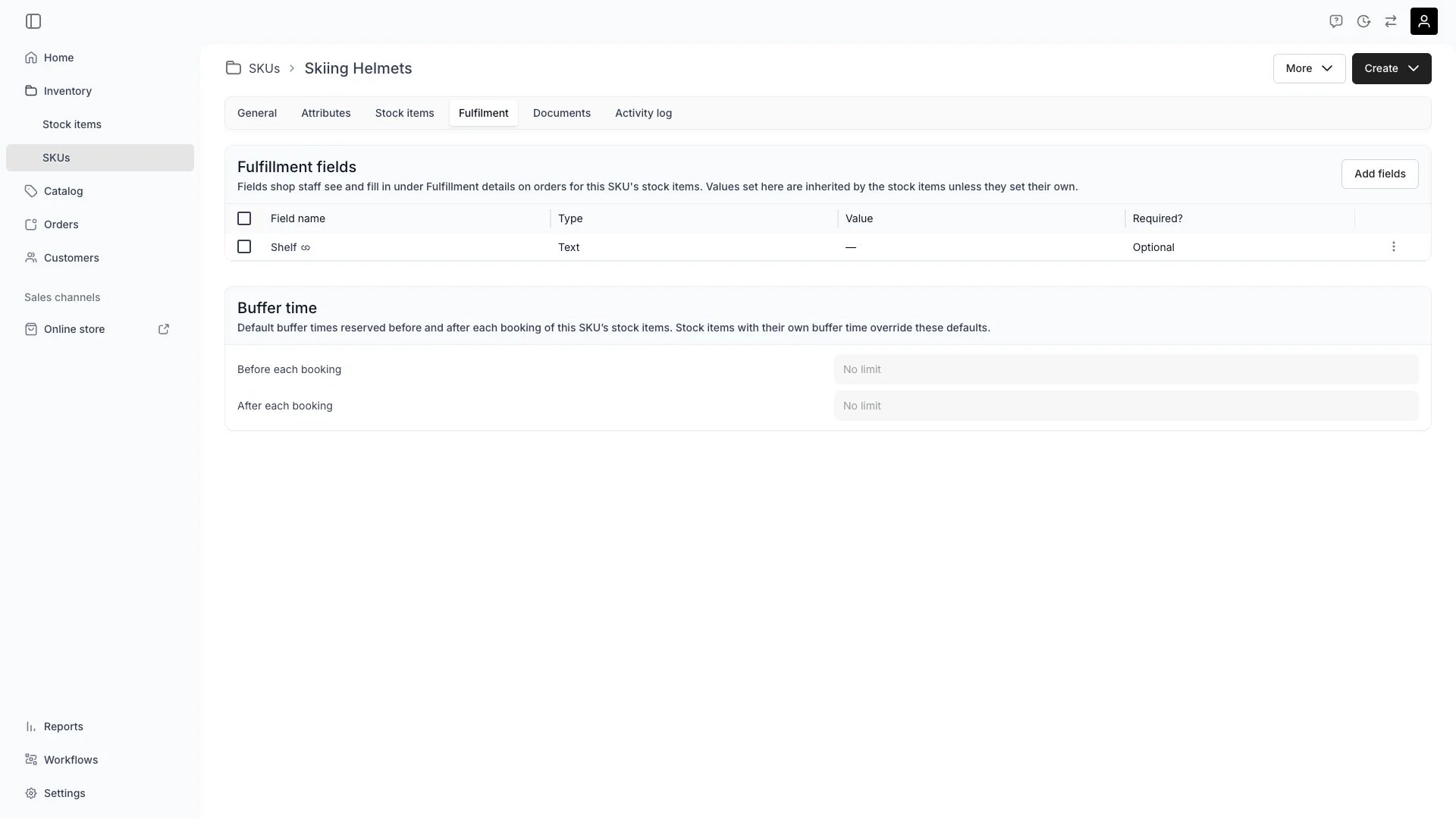
Inventory > SKUs > [SKU] > Fulfilment
This view can look different dependent on your user role.
See Visibility and permissions for details.
See Visibility and permissions for details.
Primary purpose
The Fulfilment tab on a SKU defines what every linked stock item inherits: the fulfillment fields staff fill in on the order, and the default buffer time.Attach fulfillment fields
Attach fulfillment fields
Press Add fields on the Fulfillment fields card to attach a field to this SKU. Every stock item linked to the SKU then carries it, so attach a field here when it applies to the product rather than to one unit.A value set here is inherited by those stock items. Each one can set its own value on its Fulfilment tab, and an order can override either.Define the fields first under Settings → Attributes & Tags → Fulfillment fields.Read more: Fulfillment fields
Set Default Buffer Time
Set Default Buffer Time
Define default buffer times that apply to every stock item under this SKU. Buffer time blocks availability around each booking in two independent directions:
- Before each booking — a preparation window before the customer’s booking starts. On the storefront, this also acts as a minimum lead time: a booking starting sooner than the buffer allows is rejected. Admin staff can bypass this.
- After each booking — a servicing window after the booking ends, for cleaning, inspection, maintenance, or transit time between orders.
Changing the SKU buffer time triggers a conflict check across all inheriting stock items. If upcoming bookings overlap with the new buffer window, you can choose to skip conflicting bookings or cancel the change.
Related concepts
Fulfillment field inheritance
Fulfillment field inheritance
A fulfillment field resolves in one direction on the order. The value a staff member typed there wins, then a smart field’s computed result, then the value it read from order data, then the assigned stock item’s value, and last this SKU’s. An overridden value shows the one it replaced on hover, and clearing the entry restores it.Only fields attached to the assigned stock item or its SKU appear on the order, plus any global field. A field the merchant defined but attached nowhere stays out of the way.
Buffer Time Inheritance
Buffer Time Inheritance
A stock item either inherits both buffers from the SKU or sets both itself. The card on its Fulfillment tab moves the two directions together, so the admin offers no way to inherit one and override the other.The stored values are per direction, so the stock item API reports an origin for each:
bufferTimeOriginBefore for the before-buffer and bufferTimeOrigin for the after-buffer.Effect on Availability
Effect on Availability
Both buffer directions extend the stock item’s unavailability on the calendar without changing the order’s dates. The before-buffer blocks availability before the booking starts; the after-buffer blocks it after the booking ends. Customers see both buffered periods as unavailable when browsing the storefront.The before-buffer also acts as a minimum lead time on the storefront — a customer cannot book a start time sooner than the buffer allows. Admin staff are exempt from this restriction.
Visibility and permissions
This tab is gated byinventory:sku_general, in the four operations — , , and .
All four system roles — Owner, Admin, Manager and Member — hold every operation on this.
For what each operation means and the full role matrix, see Users & Roles.