

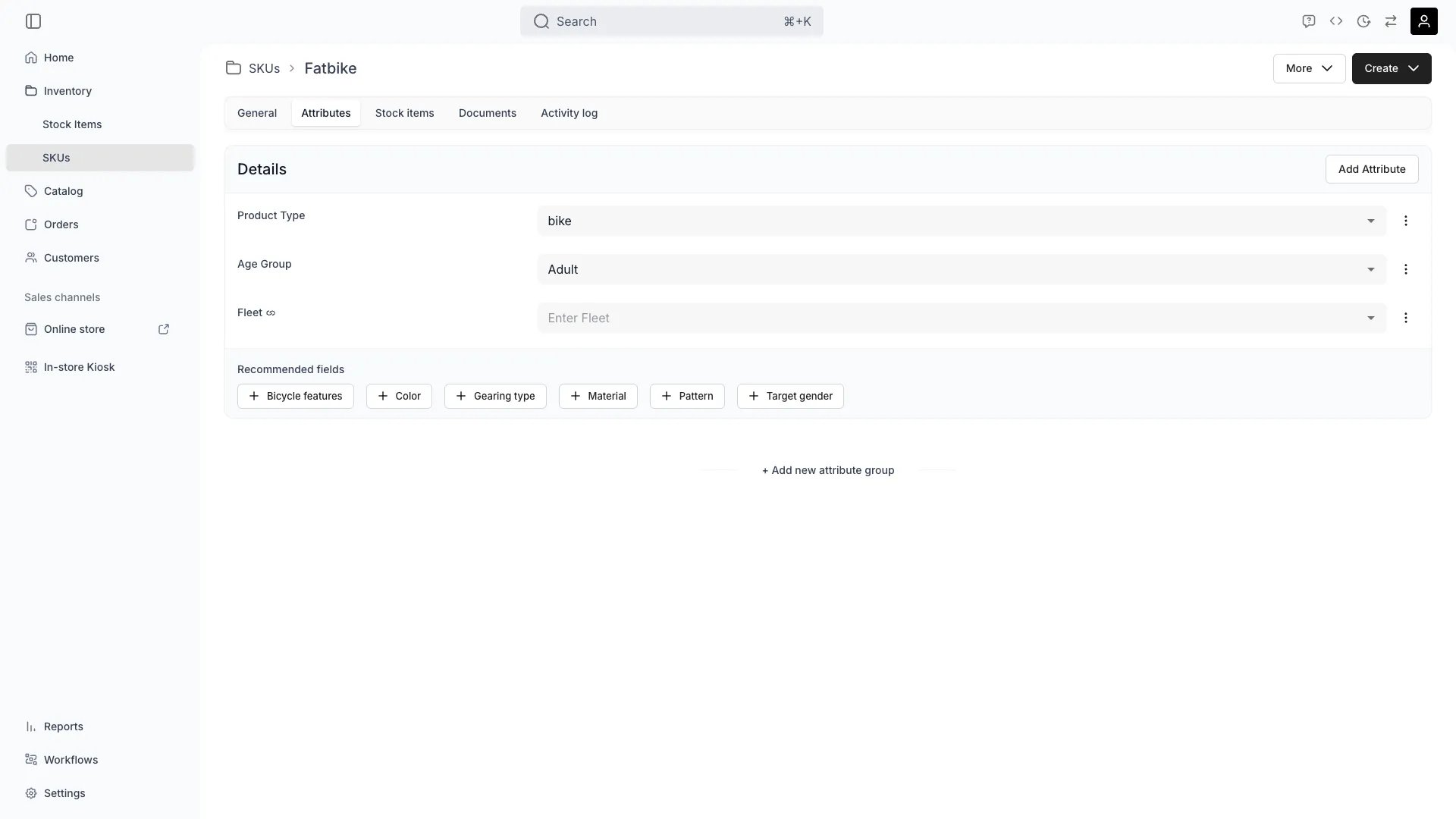
Inventory > SKUs > [SKU] > Attributes
This view can look different dependent on your user role.
See Visibility and permissions for details.
See Visibility and permissions for details.
Primary purpose
The Attributes tab defines custom field values at the SKU level. Stock items linked to this SKU inherit these values by default, so you can describe the entire product line in one place instead of repeating values across every unit.Override at the item level
Override at the item level
Stock items can override any SKU attribute with their own value (e.g. exact serial number, individual condition). See Stock Item Attributes.
Power filters and listings
Power filters and listings
SKU attributes appear as dedicated columns in the SKUs table, where you can filter and sort by attribute values directly. They also drive search filters in the storefront.
Related concepts
Attributes & Attribute Groups
Attributes & Attribute Groups
Learn how attributes are defined across the system in Attributes and grouped via Attribute Groups.
Visibility and permissions
This tab is gated byinventory:sku_attributes, in the four operations — , , and .
All four system roles — Owner, Admin, Manager and Member — hold every operation on this.
For what each operation means and the full role matrix, see Users & Roles.