

Activity Log
Definition
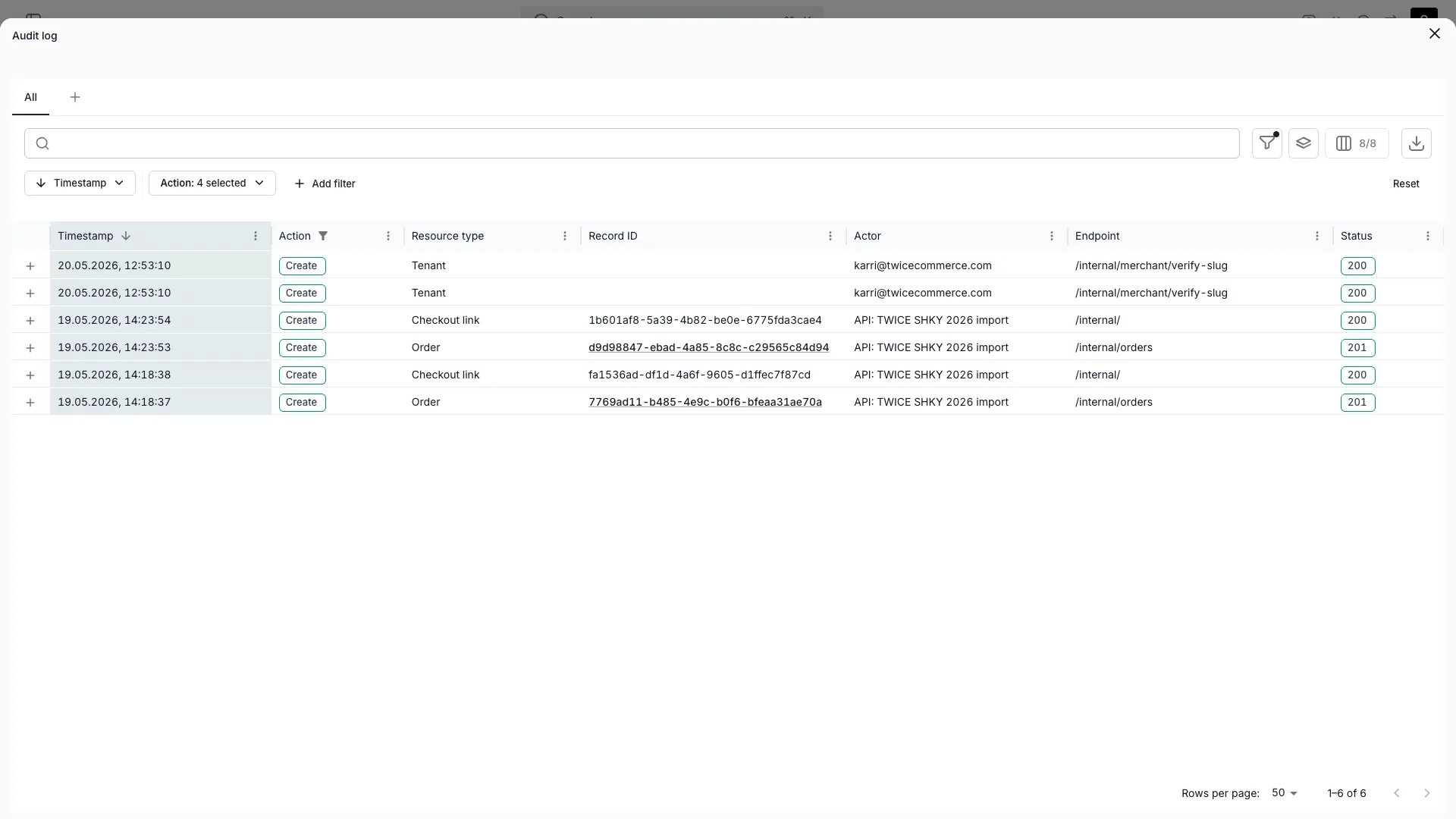
The Activity Log is the immutable record of every authenticated API request that touched your account. Each row corresponds to a single request: its actor, the endpoint that was hit, the resource it affected, and the response that came back. Because every action in the admin ultimately calls the same API your integrations use, the Activity Log captures human work, API-key calls, and system jobs in the same stream.Audit logs are available on the Standard and Enterprise plans. See plans.
Where Activity Logs appear
The five per-entity tabs are the same table component as the account-level view, pre-filtered to the entity ID. The User tab uses that same table with the opposite scope: it filters on the actor rather than on the affected record.
Why an API-shaped log? Every admin action is also an API call. Logging at the request boundary catches anything that mutates state (keyboard, API integration, scheduled job) in one place, with no gaps to bridge.
The per-user tab
Open it from Settings → Users & Roles, select a user, then Activity log. It answers “what has this person done”, where the per-entity tabs answer “what happened to this record”.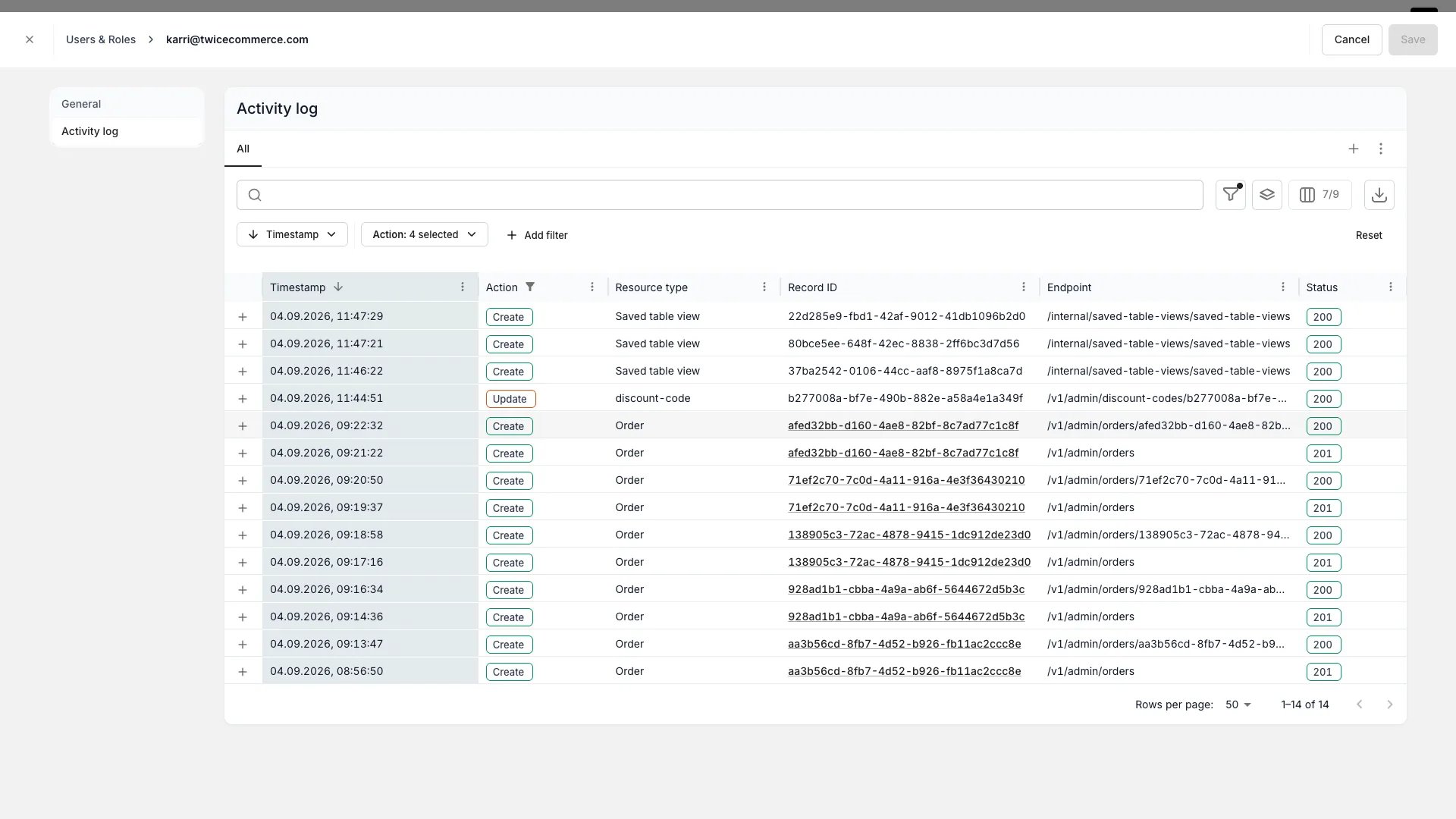
Settings > Users & Roles > [user] > Activity log
- The Actor column is hidden, and an Actor filter cannot widen the scope. The table is fixed to the user whose page you are on, so a filter typed into the toolbar is not applied to the actor. Compare actors from the account-level Activity Log instead.
- The tab appears only for users who have an email address. Entries are attributed by actor email, so a membership with no email on record has nothing to match against.
The tab is gated on
account_settings:general:view, the same permission as the account-level Activity Log. Reaching the Users & Roles page takes account_settings:users_and_roles:view, which does not imply it: a custom role holding the second without the first opens a user and sees no Activity log tab.The tab adds no gate of its own, and its history reaches as far back as it does everywhere else.What gets logged
A log entry is written for every authenticated request that hits the server. Each entry records both the inbound request and the response that came back.Actor types
Three actor types appear in the log:Recognised resource types
The Resource type column shows a friendly label per resource. The current set includes: Article (Stock Item), Article ledger, Audit log, Auth, Catalog, Change history, Checkout link, Collection, Customer, Event, File, Inventory report, Order, Payment, Payment account, Pricing table, Report, Saved table view, Search, Service location, SKU, Storefront customization, Tag, Tax, Taxonomy, Tenant, Unavailability, Upload URL, User, Variant. When a request affects a resource type with a detail page (Article, Catalog, Collection, Customer, Order, SKU), the Record ID column renders as a link.Filters and search
The table can be filtered server-side on:
Filtering by Record ID isn’t a direct column filter: the per-entity Activity Log tabs handle that by pre-applying the affected-record filter.
The filter operators that surface in the UI match what the audit-logs backend can answer efficiently: additional operators are intentionally hidden rather than silently ignored.
Immutability
Once written, log entries cannot be modified or deleted from the admin. The Activity Log is append-only by design, and that is what makes it usable for after-the-fact audit and incident review.Retention
Activity Log entries are stored in BigQuery and surfaced through the API. How far back the log reaches depends on your plan:
If your agreement sets different terms, the agreement is what applies.
For longer-term archival, export the log to CSV from the table (the export honors the current filter set) and keep the file in your own storage.
Read more: TWICE pricing
Rate limits
Reading the Activity Log issues a BigQuery query per page. The endpoint is rate-limited per IP, per tenant, and globally to keep cost and noisy clients in check. In practice this means:- ~1 request per second sustained per IP, with a small burst
- ~2 requests per second sustained per tenant
- Exceeding the limit blocks the caller for 5 minutes
API access
The same data the UI shows is available over the API. Pagination is cursor-based. CombineresourceTypes, affectedRecords, methods, userEmails, urls, and statusCodes to scope the query. Operators map 1:1 to the UI filters described above.
Activity Log vs. Events
Activity Log and Events sit next to each other and are easy to confuse:
Use the Activity Log when you need to answer “who changed this and when”. Use Events when you need to plan or display “what’s happening to this Stock Item across time”.
Related articles
Events
Inventory-side timeline of reservations, pickups, returns and notes
Integrations
API keys and webhook subscriptions: both appear as actors in the Activity Log
Webhooks
Push events from TWICE to your systems
Users & roles
Who can see the Activity Log and which scopes they can filter on