

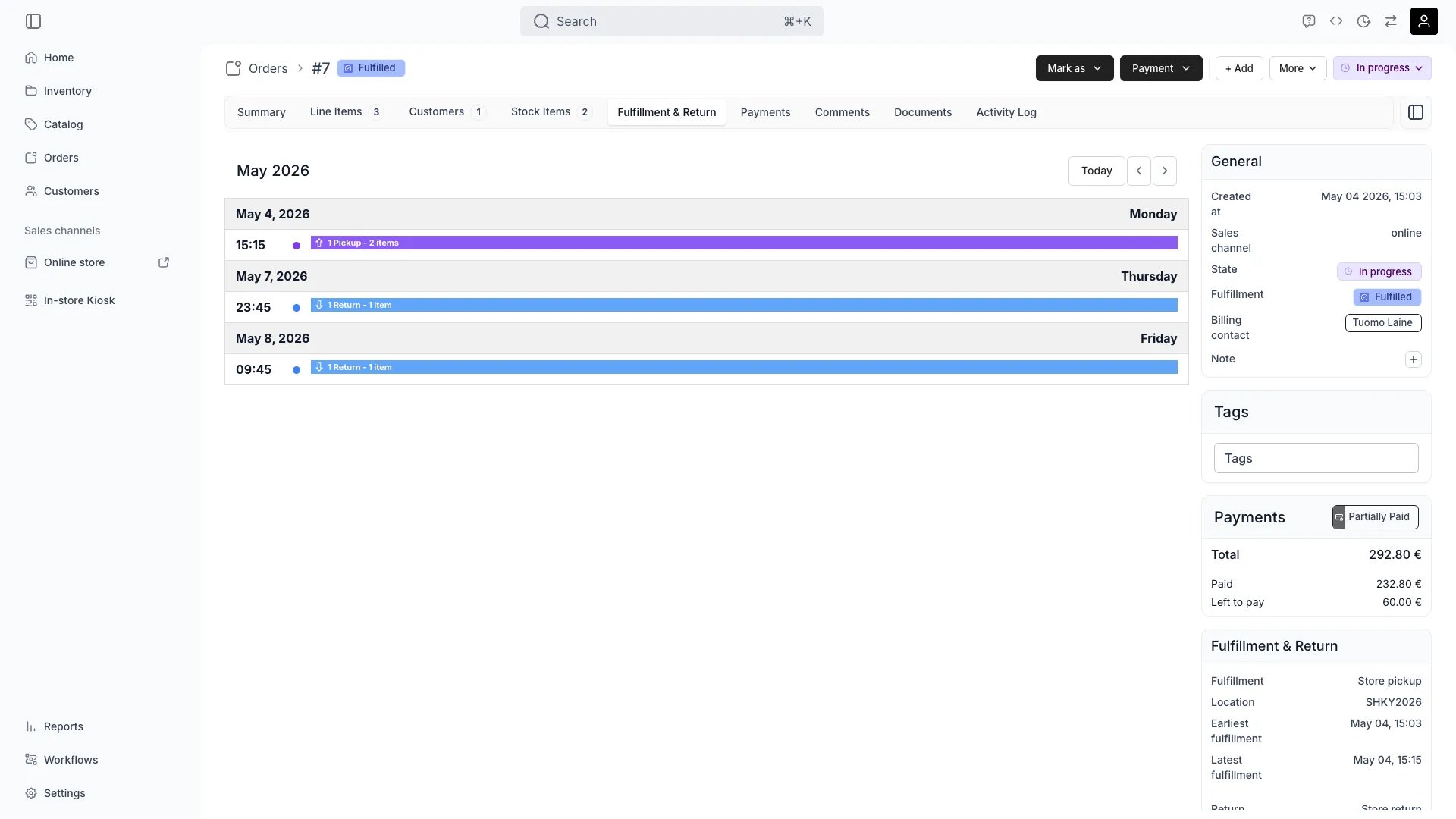
Orders > [Order] > Fulfillment & Return
This view can look different dependent on your user role.
See Visibility & Permissions for details.
See Visibility & Permissions for details.
Open in TWICE Admin
orders/[order-id]/fulfillment-and-return
Primary Purpose
The Fulfillment & Return tab manages all logistics for an order — pickup times, delivery arrangements, and return scheduling for items that come back.Calendar view
Calendar view
The tab is a calendar of this order’s stock items, one event per scheduled pickup and return. It is fixed to the month-long list view, so there is no layout control and no view buttons — only Today and the arrows, to move the range.Clicking an event opens the same popup the Orders calendar uses, listing Pickup or Return, the time, and the number of stock items. The rows here carry no order reference, no customer, and no chevron, and they do not link anywhere: the order they would open is the one already on screen.An order with no items to fulfill shows a message in place of the calendar.
Schedule pickup
Schedule pickup
Set pickup times, locations, and special instructions for customer collection or delivery handoff. Admin users can schedule pickups outside the location’s configured fulfillment hours — the storefront enforces those hours, but the admin does not.
Track delivery
Track delivery
Monitor delivery status, carrier information, and estimated arrival times for shipped orders.
Manage returns
Manage returns
Schedule return pickups, set expected return dates, and track return completion.
Handle logistics issues
Handle logistics issues
Document delays, reschedule appointments, or arrange alternative fulfillment methods when needed.
Related Concepts
Fulfillment methods
Fulfillment methods
Orders can be fulfilled through in-store pickup, local delivery, or shipping depending on business model and customer preference.
Returns
Returns
Orders whose items come back require return scheduling and tracking to ensure they arrive on time and in good condition.
Visibility and Permissions
This tab is gated byorders:order_fulfillment, in the four operations — , , and .
All four system roles — Owner, Admin, Manager and Member — hold every operation on this.
For what each operation means and the full role matrix, see Users & Roles.
Related articles
The day's pickups and returns
Building the daily working views, and the overdue list nothing flags.
Handle a return
Partial, late and damaged returns, and charging for them.