

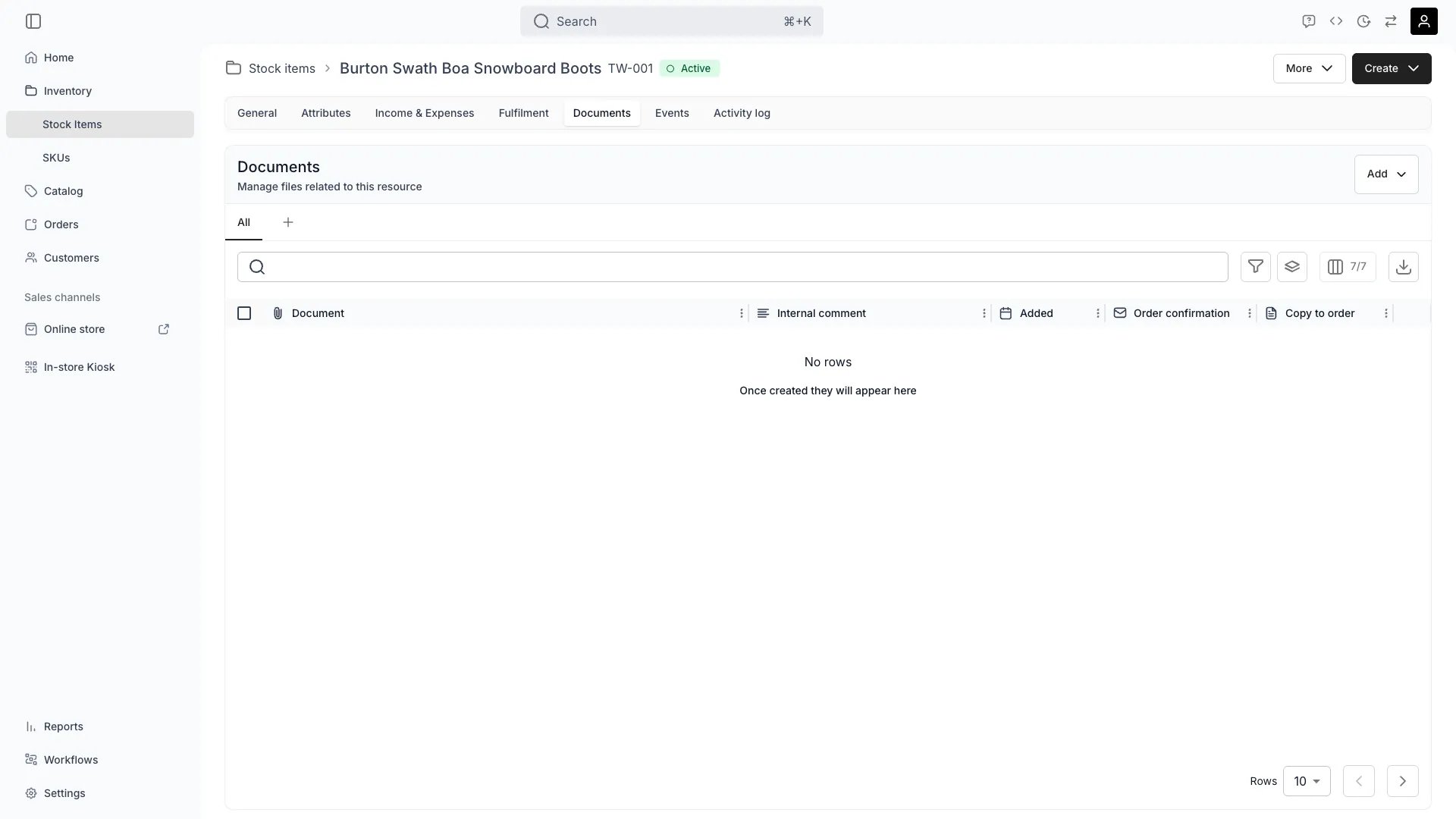
Inventory > Stock Items > [Item] > Documents
This view can look different dependent on your user role.
See Visibility and permissions for details.
See Visibility and permissions for details.
New to Stock Items? Understand how Stock Items differ from SKUs in our Stock Item vs SKU guide.
Primary purpose
The Documents tab allows you to attach and manage files related to individual stock items.Upload Documents
Upload Documents
Attach files such as certificates, manuals, receipts, warranties, or inspection reports to stock items for easy reference.
Version Control
Version Control
Upload new versions of documents while maintaining history of previous versions for audit and compliance purposes.
Rename Files
Rename Files
Rename any uploaded file from the row actions menu. The file’s storage location stays the same — only the display name changes. Documents inherited from the parent SKU cannot be renamed here — rename them on the SKU Documents tab instead.
Copy to Order
Copy to Order
Flag a document Copy to order from the row actions menu, and TWICE Commerce copies it to the Documents tab of every order this stock item joins — however the stock item got there: the Add stock item dialog, the stock item drawer, a scanned stock code, or auto-assignment.A checkmark in the Copy to order column shows the flag is on. Turning it on also backfills orders that already contain this stock item.Read more: Order Documents
Attach to Order Confirmation
Attach to Order Confirmation
Flag a document Attach to order confirmation from the row actions menu to attach it to the order emails TWICE Commerce sends for orders containing this stock item — the admin and storefront order confirmations, and the checkout link email.This is a separate flag from Copy to order. One attaches the file to an email, the other places a copy on the order. Custom email templates carry only their own attachments and ignore this flag.
Documents inherited from the parent SKU can be flagged here too. Flagging an inherited document promotes it to a document of this stock item, and the stock item’s flags then take precedence over the SKU’s for that file.
Related concepts
Here are a few key concepts of TWICE Commerce that relate to Documents.Compliance & Auditing
Compliance & Auditing
Maintaining proper documentation for items helps with regulatory compliance, insurance claims, and audit trails.
File Management
File Management
All uploaded documents are stored securely in TWICE’s .
Visibility and permissions
This tab is gated byinventory:stock_item_documents, in the four operations — , , and .
All four system roles — Owner, Admin, Manager and Member — hold every operation on this.
For what each operation means and the full role matrix, see Users & Roles.