

Open in TWICE Admin
orders
Prerequisites
Have ready before you start:
- A reserved deposit with nothing captured from it. A capture gives back the rest of the hold by itself, so a deposit you captured from has nothing left to release.
- The item back and checked. A release cannot be undone, and the deposit cannot be reserved again on the same order.
The walkthrough
1
Open the order
Open the order from Orders. Check the location selector in the top-left corner first if you have more than one location, because the table lists only that location’s orders. The order opens on its Summary tab.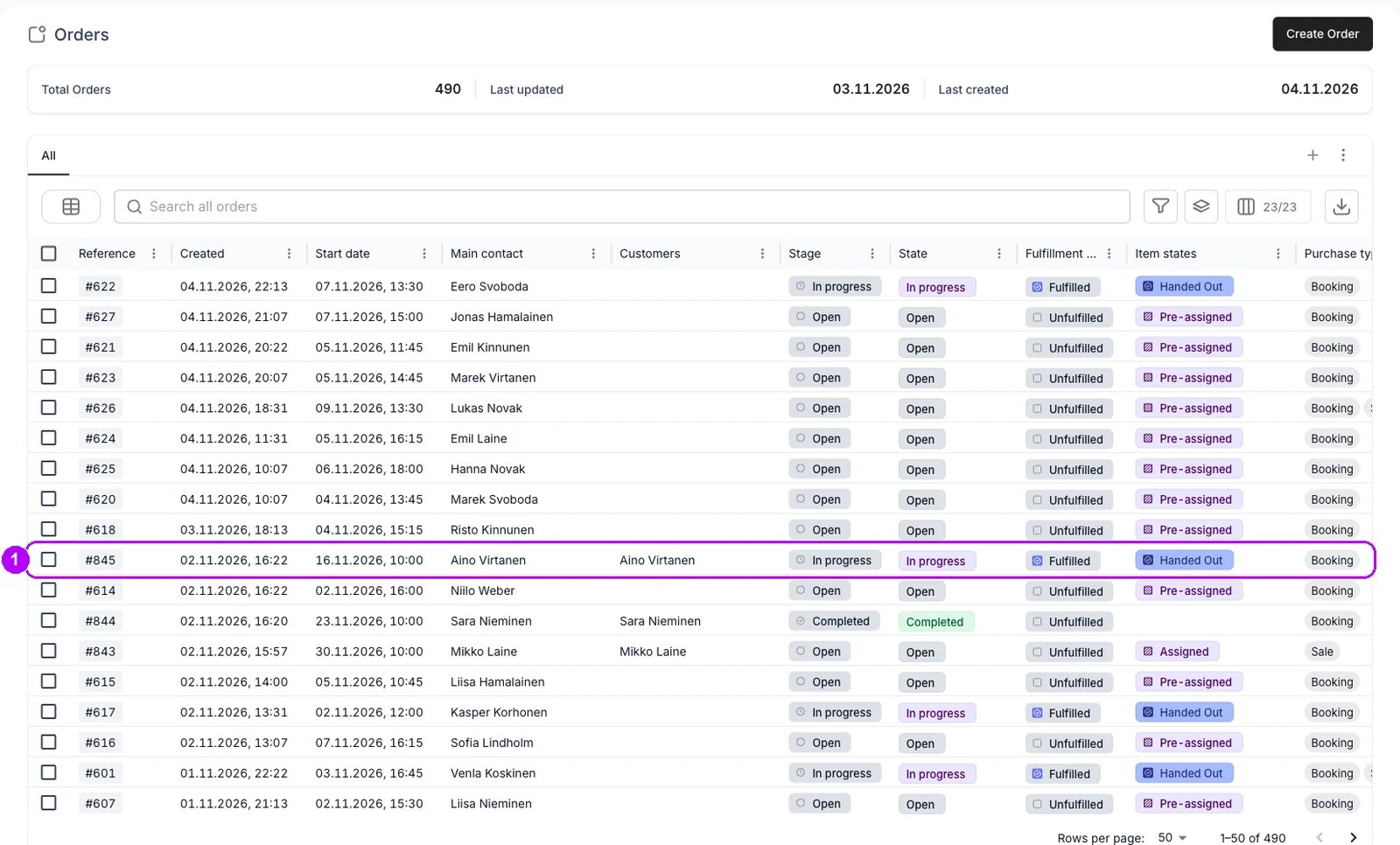
2
Find the deposit on the Payments tab
Click the Payments tab at the top of the order and scroll to the Deposit table at the bottom. The hold is the row of type Deposit Auth. It reads Succeeded while the whole hold is still in place.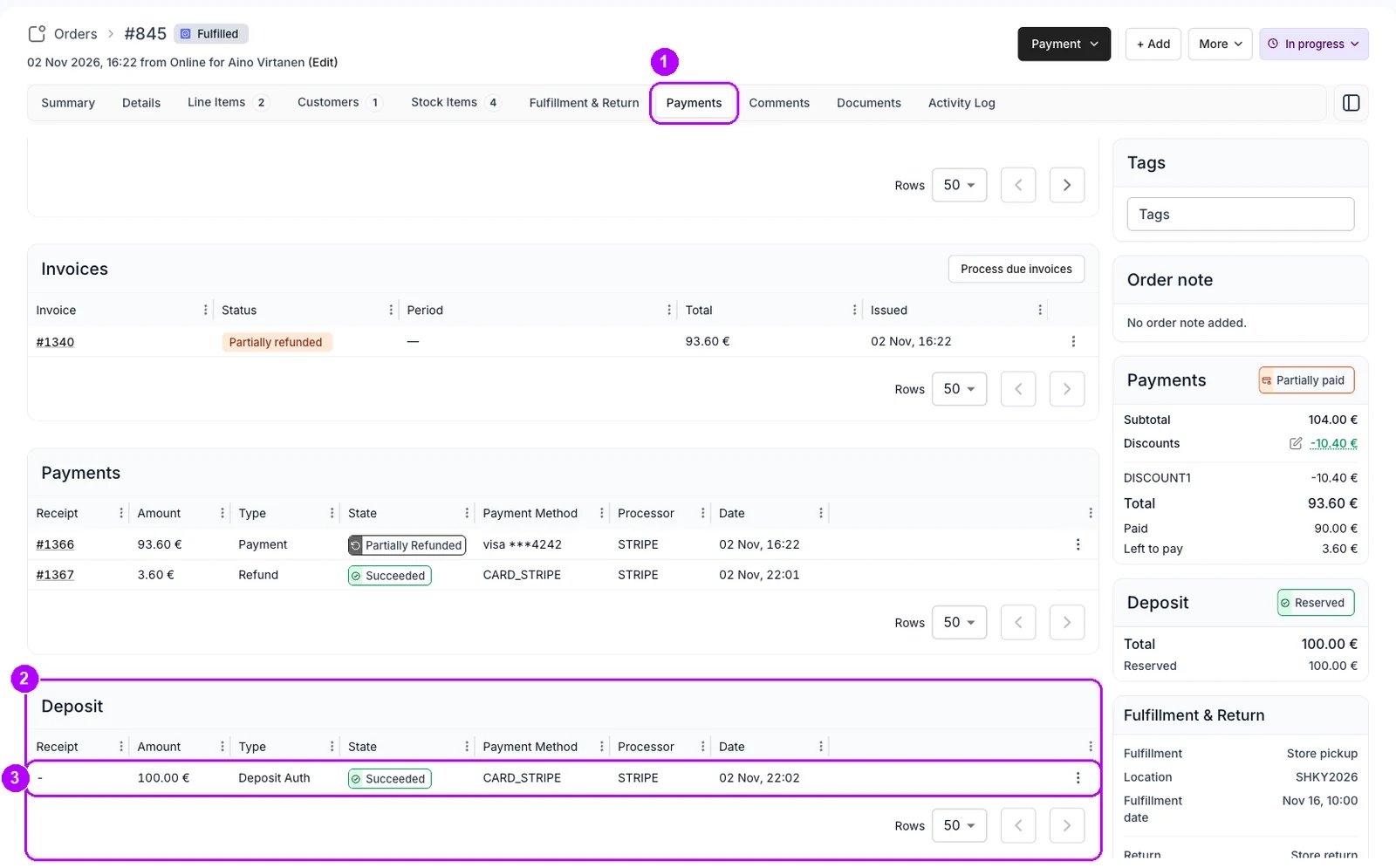
3
Open Release deposit
Click the three-dot menu at the end of the Deposit Auth row and choose Release deposit. The “Release deposit hold?” window opens.
4
Release the hold
Read the window: it says the hold goes back to the customer and that this cannot be undone. On a deposit marked as reserved by hand, a notice above it says no payment is processed, so hand the money back yourself. Click Release hold in the bottom-right corner.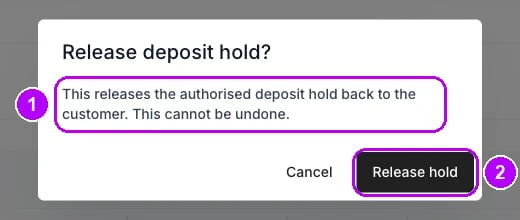
5
Check the result
Deposit hold released confirms it. In the Deposit table, the Deposit Auth row now reads Cancelled, and a row of type Cancellation is added for the amount. The Deposit card in the sidebar reads Cancelled, with the released amount on its Cancelled row.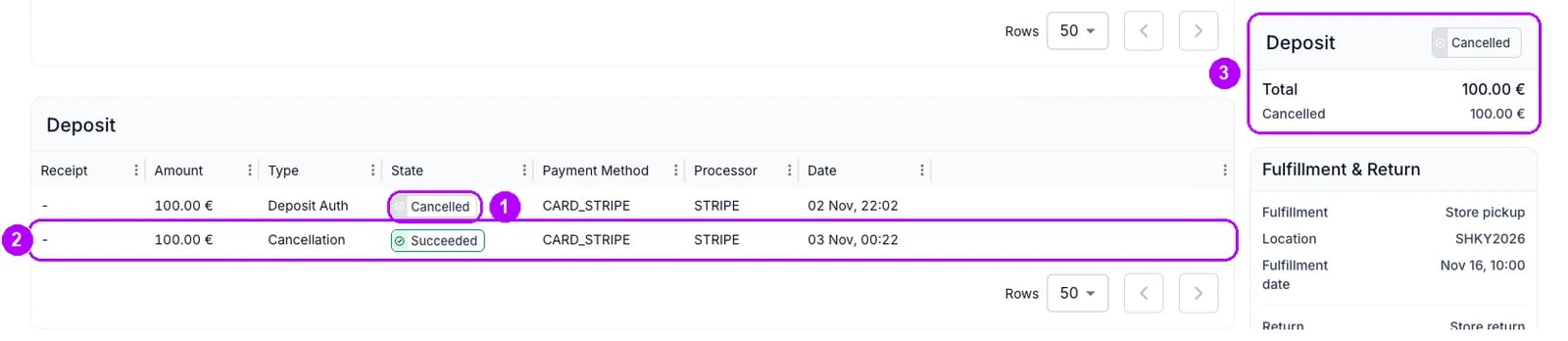
How do I know it worked?
- The Deposit card reads Cancelled, with the released amount on its Cancelled row.
- The Deposit table shows the Deposit Auth row at Cancelled and a Cancellation row for the amount.
- The Deposit Auth row has no menu any more, because nothing is left on the hold.
- TWICE sends the customer no email about a release. Tell them yourself if they ask.
Troubleshooting / common pitfalls
The order was completed before you released the deposit
The order was completed before you released the deposit
Completing an order releases its deposit holds, so there is nothing left to release. Check the Deposit table for the Cancellation row. See Order Lifecycle.
You released a deposit you meant to keep part of
You released a deposit you meant to keep part of
A release cannot be undone, and the deposit cannot be reserved again. Charge what is owed as a new payment, for example with a checkout link. See Security deposits.
Related articles
Security deposits
Holds, captures, releases, and what each status means.
Payments and deposits
Every walkthrough for taking money and handling deposits on an order.
Capture a deposit
Keeping some or all of the deposit instead.
Reserve a deposit
Checking the deposit at pickup and reserving it when it is not held.