

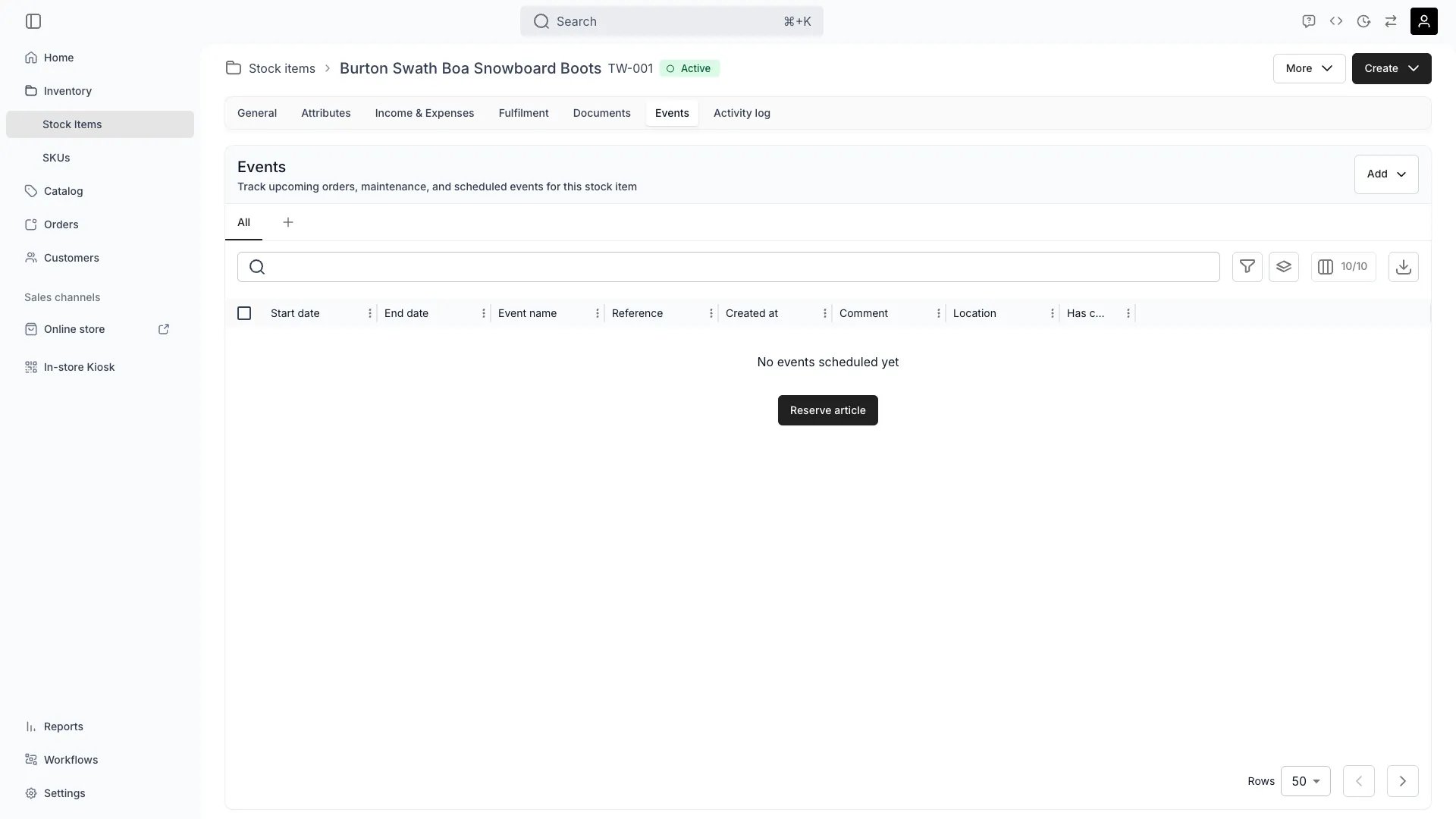
Inventory > Stock Items > [Item] > Events
This view can look different dependent on your user role.
See Visibility and permissions for details.
See Visibility and permissions for details.
New to Stock Items? Understand how Stock Items differ from SKUs in our Stock Item vs SKU guide.
Primary purpose
The Events tab provides a chronological view of all in a stock item’s lifecycle, from creation to current status.Reserve the Item
Reserve the Item
Add → Reservation blocks the item for a window — maintenance, a repair, internal use — without changing the item’s status. The reservation shows in this timeline alongside the item’s orders, and can carry the costs it incurred.Read more: How to reserve a stock item
Filter by Event Type
Filter by Event Type
Review specific events by filtering for Orders, Reservations, or Notes to focus on customer bookings, internal reservations, or documentation entries.
Search by Event Name
Search by Event Name
Quickly find events by searching for specific names, descriptions, or comments associated with each activity.
Review by Date Range
Review by Date Range
Focus on specific time periods by filtering events within custom date ranges to analyze seasonal patterns or specific timeframes.
Related concepts
Here are a few key concepts of TWICE Commerce that relate to Events.Temporal Data
Temporal Data
Events use to provide historical context for all item activities.
Event Types
Event Types
Different are displayed: Orders block availability and are managed under ‘Orders’, Reservations block availability and are managed in the Events tab, and Notes don’t block availability and are managed in the Events tab.
Utilization Analysis
Utilization Analysis
Event data feeds into for business intelligence.
Visibility and permissions
This tab is gated byinventory:stock_item_events, in the four operations — , , and .
All four system roles — Owner, Admin, Manager and Member — hold every operation on this.
For what each operation means and the full role matrix, see Users & Roles.
Related articles
Reserve a stock item
Create a reservation, and see what it displaces.
Stock item events
Event types, attachments, and how they affect availability.