

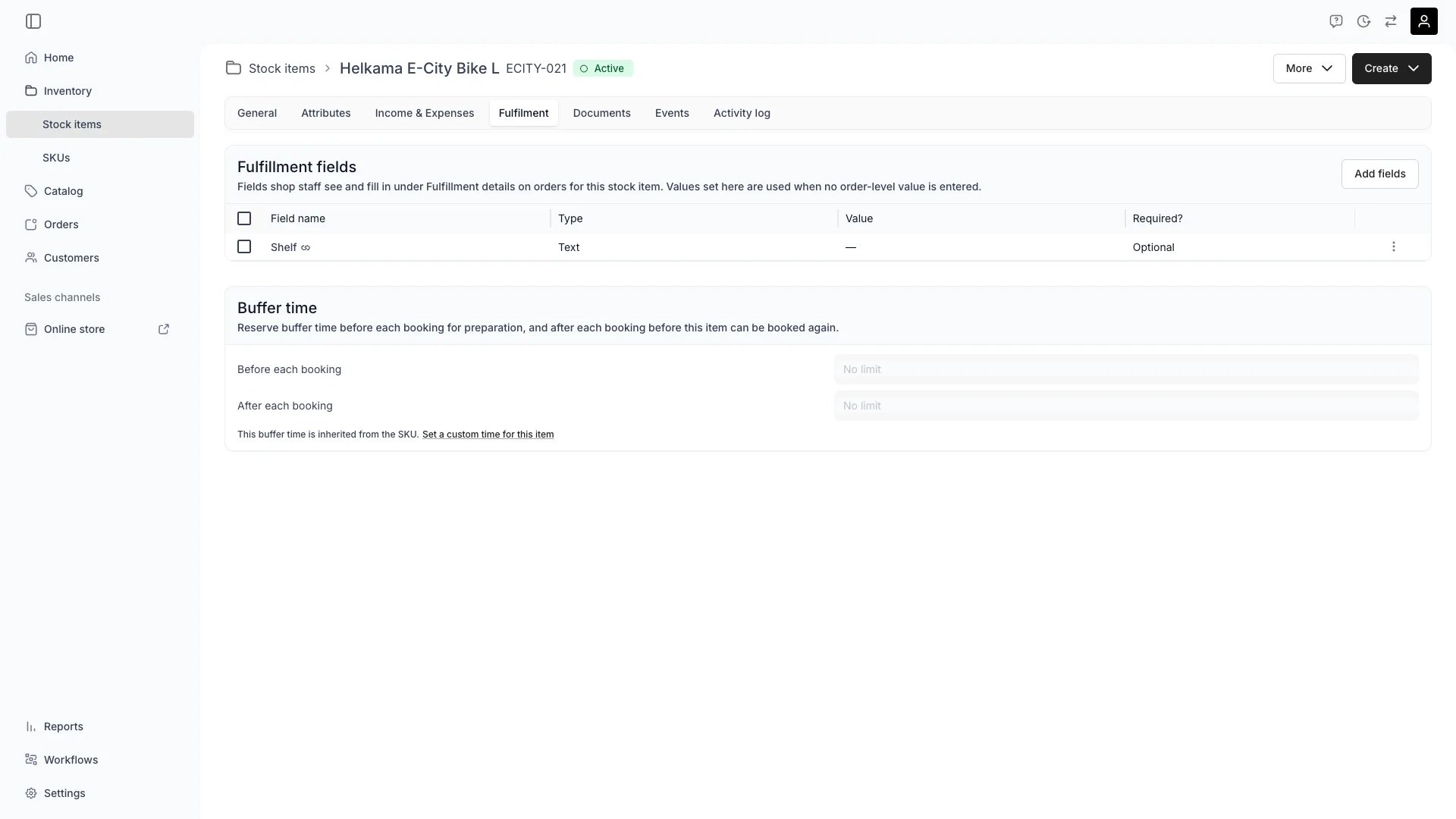
Inventory > Stock Items > [Item] > Fulfilment
This view can look different dependent on your user role.
See Visibility and permissions for details.
See Visibility and permissions for details.
New to Stock Items? Understand how Stock Items differ from SKUs - Stock Item vs SKU.
Primary purpose
The Fulfilment tab carries what staff need at handover: the fulfillment fields they fill in on the order, and the buffer time that keeps the unit free around each booking.Add fulfillment fields
Add fulfillment fields
Attach the fields staff fill in while fulfilling an order: a fitting number, a lock code, a meter reading. Press Add fields on the Fulfillment fields card to pick a field that already exists or to define a new one.Define the fields once under Settings → Attributes & Tags → Fulfillment fields, then attach them here to the items they apply to. A field marked as a global field needs no attaching: it applies to every stock item.Set a value here to give the field a starting value. The order shows it until someone types a different one on the order, and clearing that entry brings this value back. Fields the item inherits from its SKU, and global fields, carry a link icon and are attached elsewhere.A field that is a smart field takes no value here: it is computed on the order, from the order’s own data or from your API.Read more: Fulfillment fields
Define Fallback Items
Define Fallback Items
Configure suggested alternatives that can be shown to staff and customers when the original item is unavailable, using attribute-based criteria for smart substitution.
Configure Buffer Time
Configure Buffer Time
Buffer time blocks availability around each booking in two independent directions:
- Before each booking — a preparation window before the customer’s booking starts. On the storefront, this also acts as a minimum lead time: a booking starting sooner than the buffer allows is rejected. Admin staff can bypass this and book within the buffer.
- After each booking — a servicing window after the booking ends. Use it for cleaning, inspection, maintenance, or transit between orders.
To give an item no buffer where its SKU sets one, take the override and clear the picker. That is a value you set, not a third mode.Both buffers extend the item’s unavailability on the calendar without changing the order’s dates. A booking with a before-buffer of 1 hour and an after-buffer of 2 hours blocks the stock item from 1 hour before pickup through 2 hours after return. Customers see the buffered periods as unavailable when browsing.
Changing buffer time triggers a conflict check. If upcoming bookings overlap with the new buffer window, you can choose to skip conflicting bookings or cancel the change.
Related concepts
Here are a few key concepts of TWICE Commerce that relate to Fulfillment.Attribute-Based Substitution
Attribute-Based Substitution
Fallback items are not automatically assigned but shown as suggestions based on attribute criteria you define (e.g., brand, size, performance capability).
Fulfillment Efficiency
Fulfillment Efficiency
These settings reduce manual coordination and back-and-forth communication, making fulfillment predictable and efficient across multiple locations.
Computed fulfillment values
Computed fulfillment values
A fulfillment field takes every format except formula, so a value worked out from the other values on this item stays a formula attribute.A value worked out from the order instead can be a fulfillment field. A smart field reads the customer’s checkout answers, the other units sold with this one, or a reply from your own API.That is where a fitting value derived from height, weight and experience level belongs. It is computed per unit on the order rather than per item here.
Visibility and permissions
This tab is gated byinventory:stock_item_fulfilment, in the four operations — , , and .
All four system roles — Owner, Admin, Manager and Member — hold every operation on this.
For what each operation means and the full role matrix, see Users & Roles.
Related articles
Buffer times and fulfillment fields
Setting both, and pairing a buffer with the listing’s order deadline.