

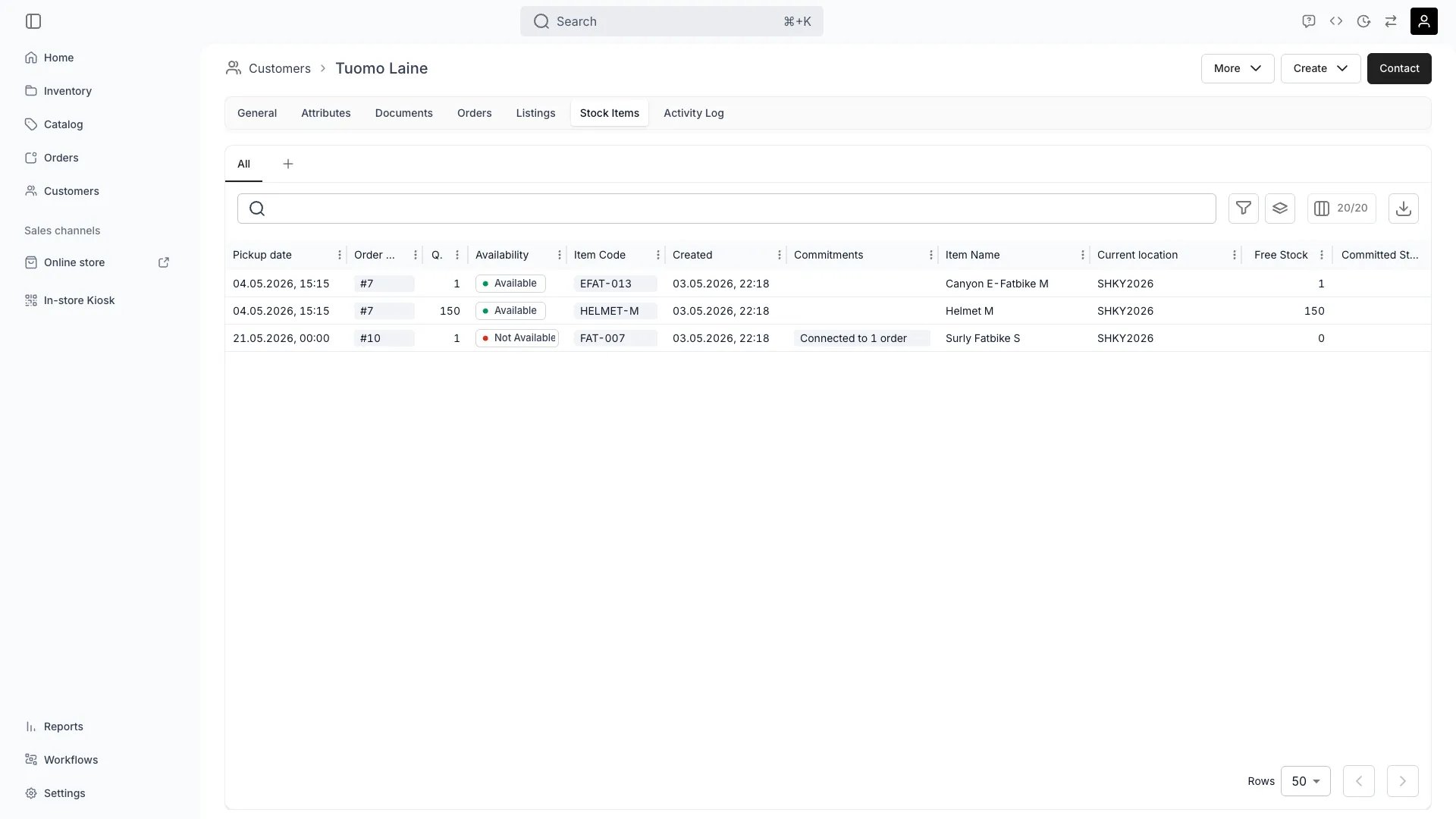
Customers > [Customer] > Stock Items
This view can look different dependent on your user role.
See Visibility and permissions for details.
See Visibility and permissions for details.
Open in TWICE Admin
customers/[customer-id]/stock-items
Primary purpose
The Stock Items tab shows which specific inventory items the customer has ordered or used.View Item History
View Item History
See all specific the customer has interacted with.
Track Item Condition
Track Item Condition
Review how items were returned and any damage reports associated with this customer.
Monitor Usage Patterns
Monitor Usage Patterns
Identify if the customer consistently orders certain items or categories.
Manage Item Restrictions
Manage Item Restrictions
Set restrictions on specific items this customer cannot order based on history.
Related concepts
Here are a few key concepts of TWICE Commerce that relate to Customer Stock Items.Serialized Tracking
Serialized Tracking
The system tracks which exact items each customer has used, enabling accountability and traceability.
Damage History
Damage History
Item condition reports linked to customers help identify patterns and manage risk.
Visibility and permissions
This tab is gated bycustomers:customer_stock_items, in the four operations — , , and .
All four system roles — Owner, Admin, Manager and Member — hold every operation on this.
For what each operation means and the full role matrix, see Users & Roles.