

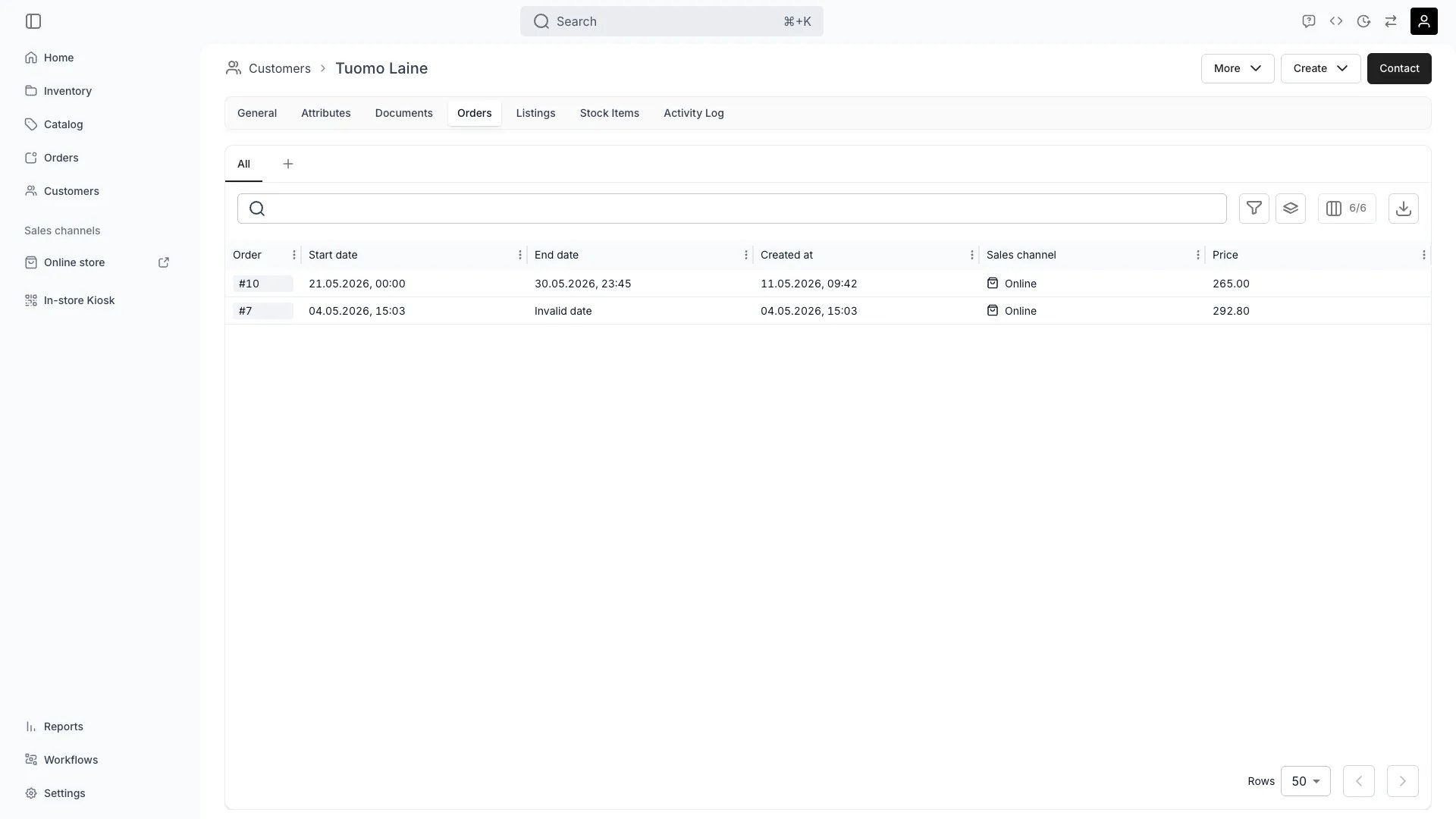
Customers > [Customer] > Orders
This view can look different dependent on your user role.
See Visibility and permissions for details.
See Visibility and permissions for details.
Open in TWICE Admin
customers/[customer-id]/orders
Primary purpose
The Orders tab displays the complete order history for a customer, enabling relationship management and insights.View Order History
View Order History
See all past and current orders with dates, statuses, and total values.
Analyze Purchase Patterns
Analyze Purchase Patterns
Identify favorite products, order frequency, average order value, and seasonal trends.
Track Lifetime Value
Track Lifetime Value
Calculate total revenue generated by the customer across all orders.
Quick Order Access
Quick Order Access
Jump directly to any order for detailed review or to address customer inquiries.
Related concepts
Here are a few key concepts of TWICE Commerce that relate to Customer Orders.Customer Lifetime Value
Customer Lifetime Value
Order history enables calculation of CLV metrics for marketing and retention strategies.
Repeat Customers
Repeat Customers
Track order frequency and repeat purchase behavior to identify loyal customers.
Visibility and permissions
This tab is gated bycustomers:customer_orders, in the four operations — , , and .
All four system roles — Owner, Admin, Manager and Member — hold every operation on this.
For what each operation means and the full role matrix, see Users & Roles.
Related articles
Read a customer's history
Reading this tab together with Listings and Stock Items.