

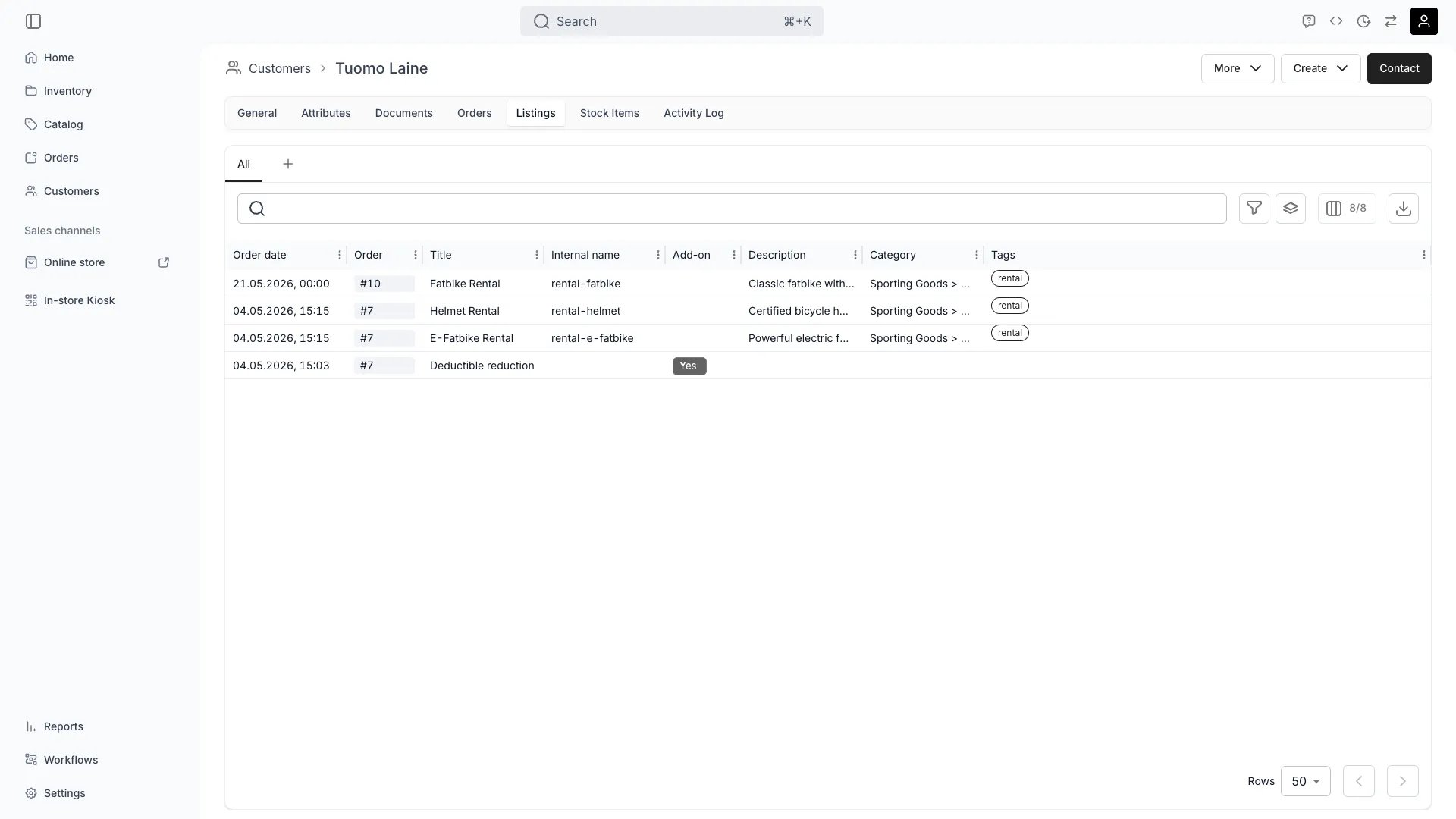
Customers > [Customer] > Listings
This view can look different dependent on your user role.
See Visibility and permissions for details.
See Visibility and permissions for details.
Open in TWICE Admin
customers/[customer-id]/listings
Primary purpose
The Listings tab shows which listings the customer has ordered or shown interest in.View Listing History
View Listing History
See all the customer has previously ordered.
Track Favorites
Track Favorites
Identify listings the customer has saved, wishlisted, or ordered repeatedly.
Analyze Preferences
Analyze Preferences
Understand listing categories, brands, and features the customer prefers.
Enable Personalization
Enable Personalization
Use listing history to recommend relevant listings and personalize marketing.
Related concepts
Here are a few key concepts of TWICE Commerce that relate to Customer Listings.Listing Recommendations
Listing Recommendations
Listing history enables personalized listing recommendations based on past behavior.
Customer Segmentation
Customer Segmentation
Listing preferences help segment customers for targeted campaigns and promotions.
Visibility and permissions
This tab is gated bycustomers:customer_listings, in the four operations — , , and .
All four system roles — Owner, Admin, Manager and Member — hold every operation on this.
For what each operation means and the full role matrix, see Users & Roles.