

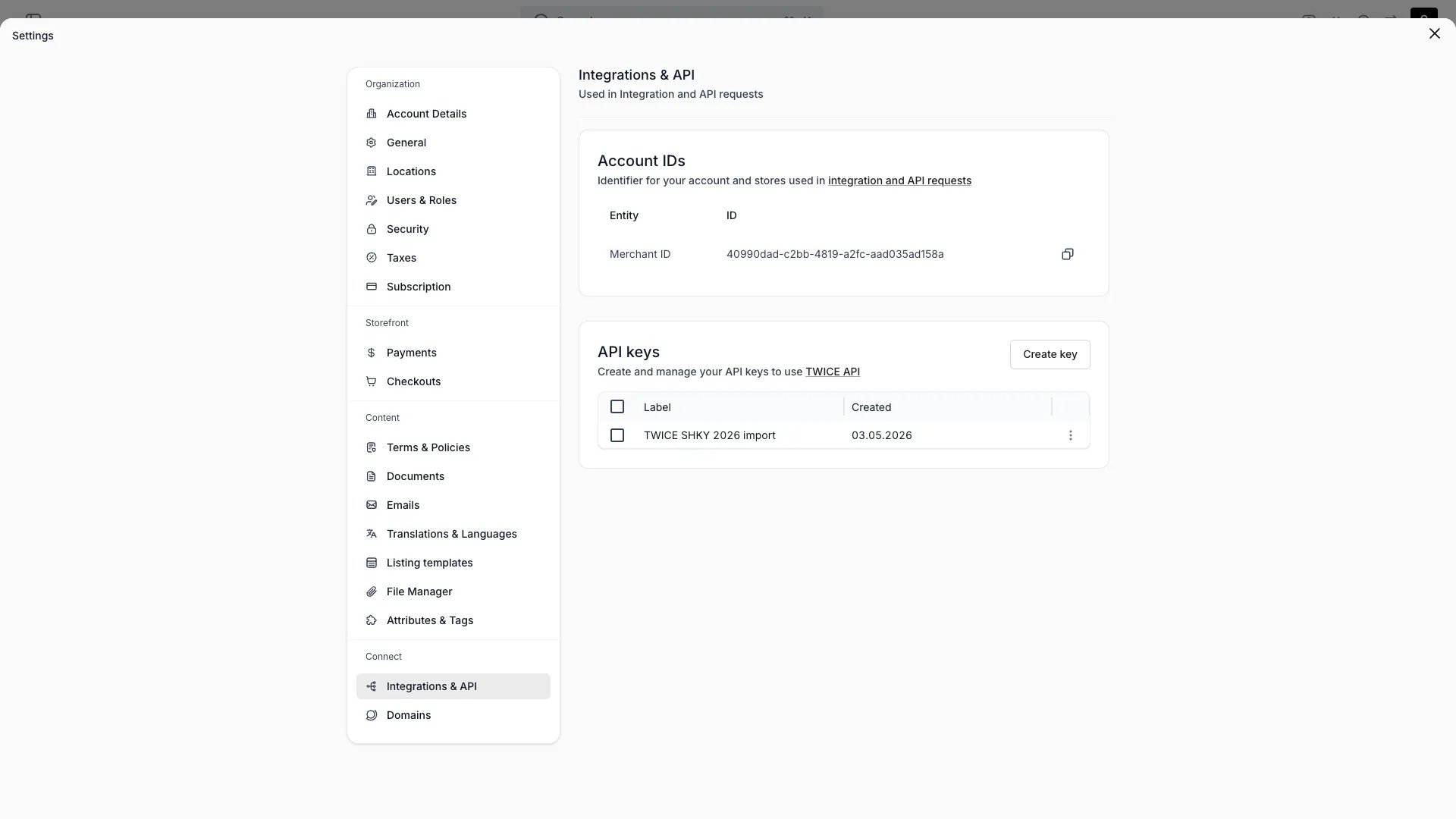
Settings > Integrations
Definition
The Settings → Integrations & API page is where you wire TWICE into the rest of your stack. It surfaces the identifier, credentials, and webhook endpoints external systems need in order to read from or push data into TWICE.What ships in the admin
Payment providers are configured separately under Settings → Payments, not here.
Account ID
Every API call and webhook payload references your Merchant ID (the tenant identifier). The Account ID card displays it with one-click copy. Share it with any partner or developer integrating against your account.API keys
Create one key per integration under API keys, and give it only the areas that integration reads or writes.- Press Create key, name the key, pick when it Expires, and set its Access: Full access, or Limited access with each area at Read or Write. The full key is shown once.
- The table lists each key’s Label, Created time, Access and Expires date.
- Change a key from the menu on its row: Edit access, Duplicate to replace its secret, or Delete. A deleted key stops authenticating immediately, and deleting cannot be undone.
- Calls made with an API key are attributed to that key in the Activity Log (the actor renders as
API: <label>).
403 a key gets when it lacks one, and rate limits.
Webhooks
Webhooks push events from TWICE to your systems in near real-time. Each webhook has:
A webhook listens to exactly one event type and applies account-wide. Create one webhook per event you want to receive. The order lifecycle events are emitted today:
order.created, order.updated, and order.deleted. See Webhooks for the payload format.
How integration data flows
Inbound requests authenticate via API key; outbound events flow over webhooks. The Merchant ID scopes both directions to your account.Related articles
API keys
Authenticate and call the Admin API
Webhooks
Subscribe to events
Bulk creation
Create many records in one call