

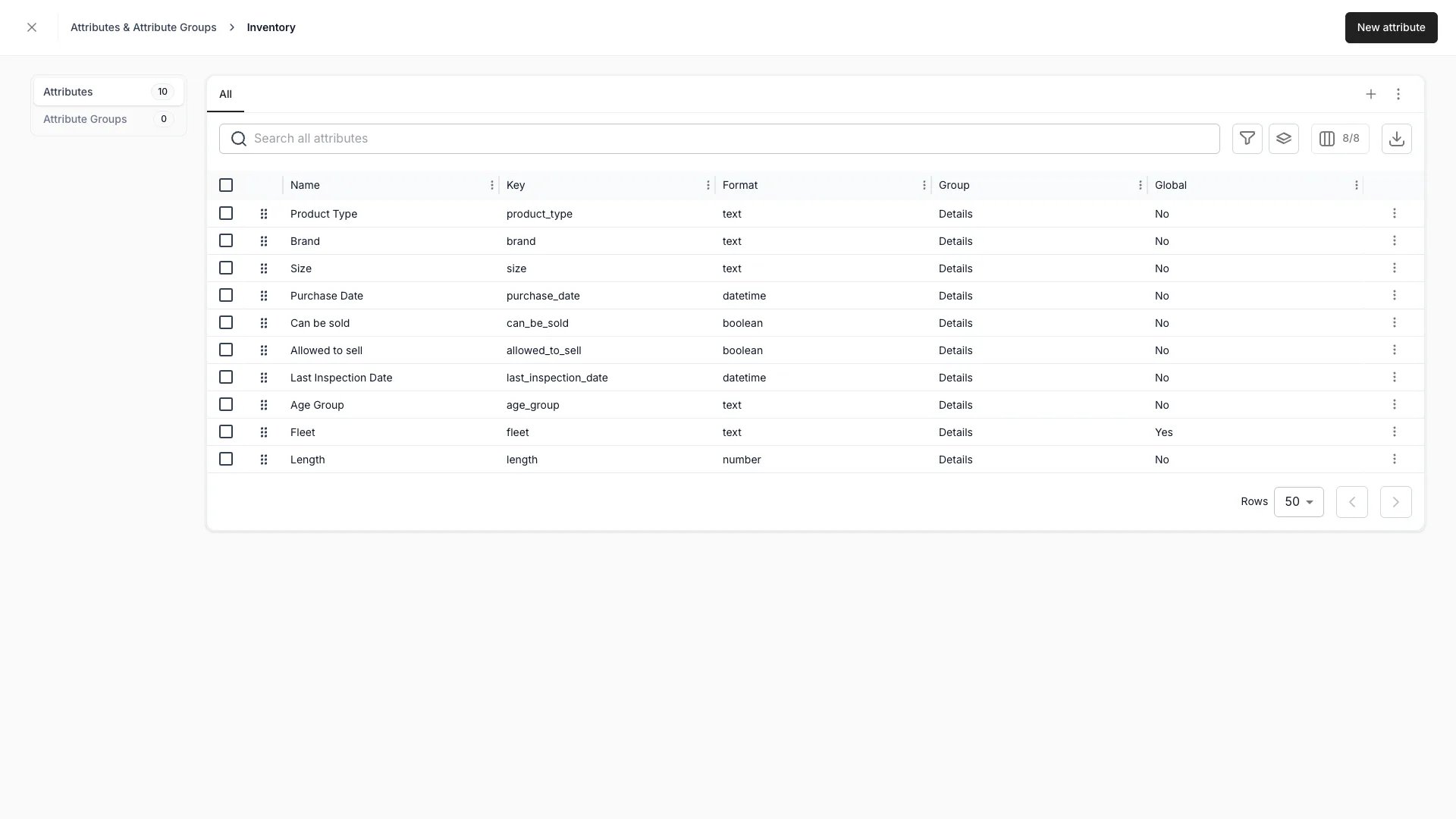
Settings > Attributes & Tags > Inventory
Attribute types
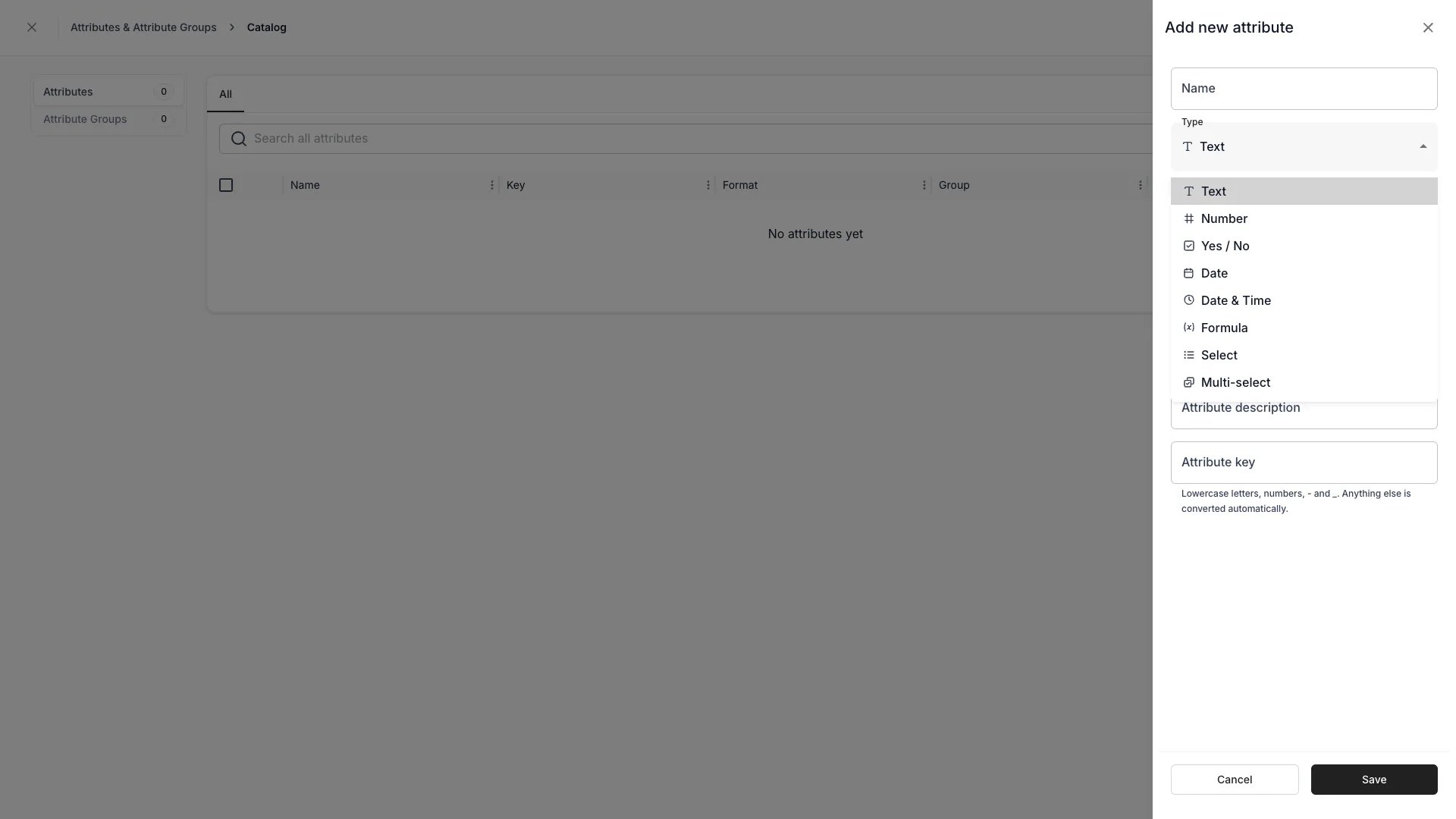
Settings > Attributes & Tags > [resource] > New attribute
The list column labelled Format shows the stored format rather than the type’s display name, so a Yes / No attribute reads
boolean and a Date & Time attribute reads datetime.
There are nine types and no others. There is no currency, percent, long-text, file, relation, or external type — use Number for currency and percent values, Text for emails and URLs, and Documents for file attachments. See Attribute formats for what each format stores.
text only.
Formula attributes compute their value from other fields on the same resource, so a residual value can follow purchase price, age, and usage hours without anyone maintaining it. See Formulas.
Smart field attributes take their value from further away: one value already on the order, the customer or the units sold together, or a reply from your own API through a connector.
Choosing the type opens the steps that define the request, and an extra Output type setting decides the format the value is stored as. Orders do not offer the type, and a smart field cannot be a global attribute. See Smart fields.
What the list shows
Attribute groups
Attributes can be organised into groups, which decide how they are arranged in the admin. A group separates related information so a long list of fields reads as a few short ones. Typical groups on a stock item:- Product details
- Technical specifications
- Sustainability information
- Size and fit
Related
Attributes
Formats, input masks, keys, inheritance, and API access.
Attribute Groups
How groups scope to a resource and affect the UI.
Attributes & Tags settings
Where attributes, groups, and tags are managed.
Formulas
Writing the expressions behind formula attributes.
Smart fields
Sources, placeholders, output types, and when a value recomputes.