

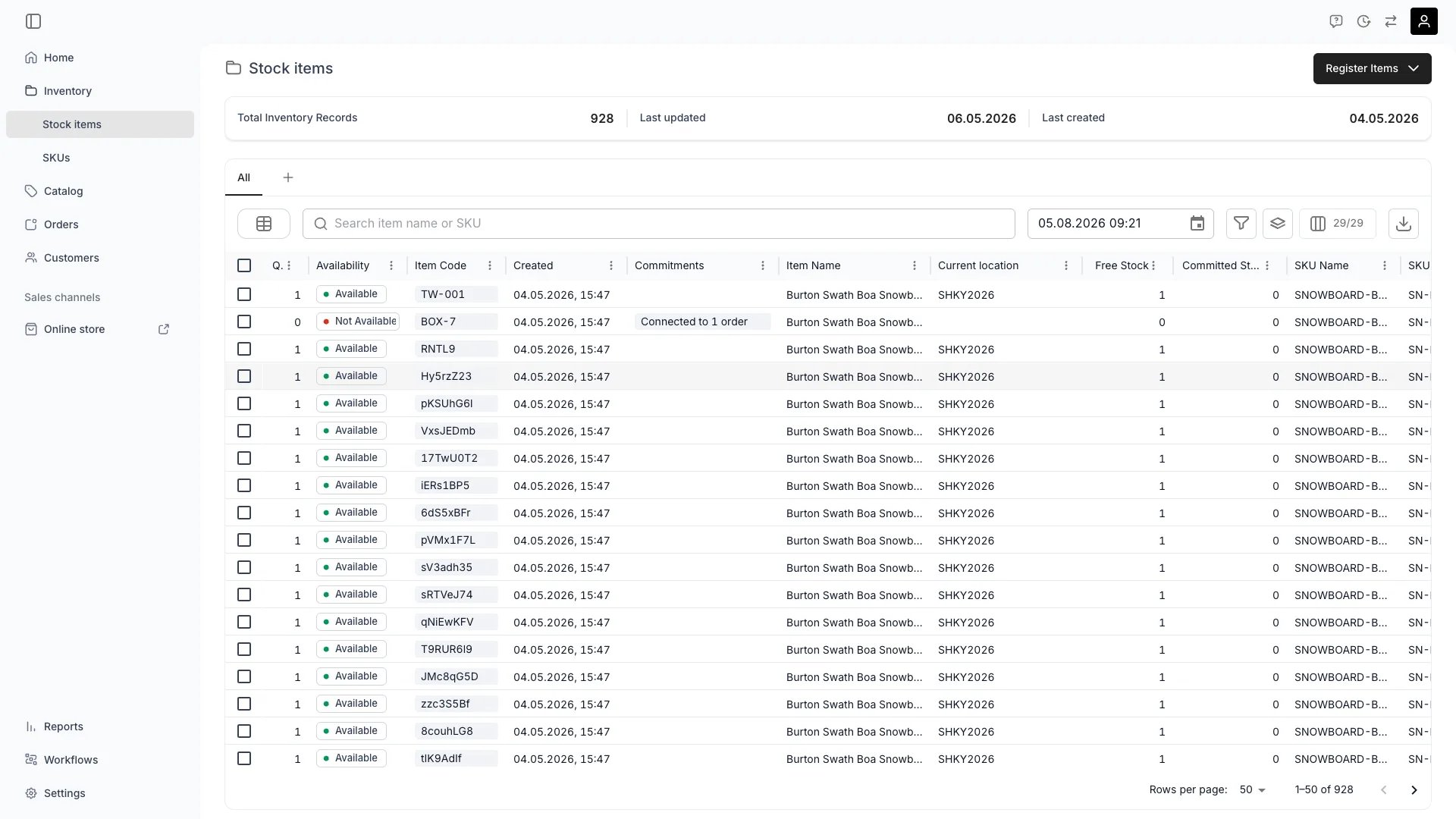
Inventory > Stock Items
Definition
TWICE Commerce supports two distinct inventory tracking methods. You choose the mode when registering stock: the Track individually toggle (trackIndividually in the create request) decides whether each stock item gets its own inventory record or whether one record covers the whole quantity.
- Serialized inventory — . Every stock item gets its own inventory record with its own codes, condition, income and expenses, and event timeline.
- Pooled inventory — . Tracking is aggregated — you know the pool’s total income, expenses, and utilisation, but not per unit.
Where do I use it?
You set the tracking method when creating a Stock Item — in the Register stock items dialog (the Track individually checkbox) or via the API (trackIndividually on the create request body; defaults to true).
- Track individually checked + quantity
N→ createsNinventory records, one per stock item. - Track individually unchecked + quantity
N→ creates one inventory record coveringNstock items.
trackIndividually exists only on the create request — it controls how many records are inserted. It is not stored and does not appear on Article responses. On responses, quantity is an object with total and a byLocation breakdown; a serialized item reports quantity.total = 1, a pool reports quantity.total = N.
Read more: Register stock items.
Quick comparison
When to use each method
Use Serialized (Qty = 1) when
High-value items
High-value items
Bikes, skis, boards, e-scooters, cameras, drones, lift systems. Any unit where the ROI question is interesting per-unit, not just for the pool.
Rentable items
Rentable items
Anything that goes Out with a customer and comes back. The In/Out state model and
handed_out / returned events only carry their full value when each unit is its own record.Unique items
Unique items
One-of-a-kind: vintage gear, used inventory at different price points, customised products.
Warranty and service tracking
Warranty and service tracking
Per-item maintenance history, depreciation, and warranty windows.
Condition variability
Condition variability
Refurbished or recommerce items where condition varies between units.
Compliance and auditing
Compliance and auditing
Regulatory requirements for traceability of specific units.
Use Pooled (Qty > 1) when
Identical, low-value, interchangeable items
Identical, low-value, interchangeable items
Helmets, locks, lanyards, cable ties, generic accessories. Customers care about getting a helmet, not which helmet.
Consumables
Consumables
Items used up and replaced rather than rented and returned: packaging, fuel canisters, single-use lift tickets.
Sales-only stock
Sales-only stock
Products you sell rather than rent, with no per-unit lifecycle tracking required.
Simplified operations
Simplified operations
Reducing data noise when item-level history adds nothing. A bin of 200 carabiners does not need 200 records.
Data implications
What you gain with serialized
- Precise attribution — know exactly which unit produced specific income or incurred specific costs via its Income & Expenses records.
- Individual lifecycles — full audit log per unit: when it was bought, where it has been, who has used it, when it was serviced.
- Detailed timeline — every order, reservation, and note attaches to a specific unit.
- Item-level ROI — pull per-unit profitability and identify under-performers to retire or refurbish.
- Maintenance history — service events tied to the unit they describe.
- Recommerce ready — when you eventually sell the unit, the full provenance is attached.
What you lose with pooled
- No individual attribution — cannot say which helmet in the pool earned which revenue or needed which repair.
- Aggregated timeline — events log count changes (“3 units handed out”) not identity changes.
- Pool-level ROI only — you can calculate average ROI per unit but not per-instance.
- No per-unit condition tracking — one condition value for the whole pool.
Example side-by-side
Serialized. Stock Itemart_bike_1234 (qty 1):
- Codes:
BIKE-1234,SN240501234. - Income & Expenses:
+€500rental income;-€150repair on Jan 10. - Activity log: 15
handed_outand 15returnedevents. profitability:€350. You know it earned this specifically.
art_helmet_pool (qty 50):
- Codes:
HELMET-POOL. - Income & Expenses:
+€5,000total helmet rental income;-€300for replacement helmets purchased. - Activity log: count deltas (e.g. “10 units out”, “9 units returned, 1 lost”).
profitability:€4,700for the whole pool. You know what the pool did, not what helmet #17 did.
Choosing the right mode at creation
The mode is decided at creation. In-place conversion between modes is not supported — if you need to change, create new records in the desired mode and migrate. That makes the choice important up front. Use this checklist:- Is this item rentable? → Serialized.
- Does it have a serial number you care about? → Serialized.
- Does it depreciate or need maintenance individually? → Serialized.
- Is it one of 50 identical low-value consumables? → Pooled.
- Are you fine with pool-level ROI? → Pooled.
Migration between modes
There is no in-place conversion. To switch:- Serialized → Pooled. Create a new pooled Stock Item with the desired quantity, retire the existing serialized items by setting their status to Inactive. Historical income and expense entries stay attached to the retired records and continue to count in reports.
- Pooled → Serialized. Create new serialized Stock Items (one per physical unit) using the same SKU. Reduce the pool quantity via
POST /articles/:id/decrease-quantityonce the new records exist.
Impact on availability calculations
Both modes feed the same ATS engine, but differently.- Serialized. ATS counts the number of individual Stock Items at a location whose status is Active and that are not committed (via order or reservation) to overlapping ranges.
- Pooled. ATS reads the pool’s total quantity (
quantity.total), subtracts the count of units currently committed (via orders consuming from the pool or reservations applied to the pool), and the remainder is available.
Impact on reporting
Reports that group by Stock Item show one row per serialized unit but only one row per pool. To compare apples to apples across modes:- Group by SKU — both serialized items and pools roll up under their SKU.
- Filter on the
quantityfield when you specifically need one mode — pools have a quantity greater than 1. - For per-unit insights on pooled stock, you generally need to convert to serialized first.
Relationships
FAQs
Can I convert serialized items to pooled or vice versa?
Can I convert serialized items to pooled or vice versa?
Not in place.
trackIndividually is a create-time choice, not a stored field you can edit. To switch, create new records in the target mode and retire the originals via status changes. Historical data is preserved on the retired records.Which method is better for my business?
Which method is better for my business?
Choose serialized for any rentable, trackable, or high-value item — and for anything you might want to analyse per unit. Choose pooled for identical, interchangeable, low-value items where pool-level data is enough. Most TWICE merchants use both.
Does pooled inventory support reservations?
Does pooled inventory support reservations?
Yes. Reservations on a pool consume N units rather than pinning a specific unit. The pool ATS during the reservation range drops by
N.How does this affect my API integrations?
How does this affect my API integrations?
Both modes use the same Article resource — no field on the response marks the mode. Read the
quantity object: serialized items report quantity.total = 1, pooled items report quantity.total > 1, with a per-location breakdown in quantity.byLocation. The codes array works on both. Reservations are driven by the orders that include the item; for a pooled item, each reserving order consumes a number of units from the pool.Can I have both methods in the same business?
Can I have both methods in the same business?
Yes — that is the common case. Use serialized for the fleet you actually want to track per unit and pooled for accessories or supplies.
Do SKUs care about the tracking method?
Do SKUs care about the tracking method?
No. A single SKU can have a mix of serialized Stock Items and pooled Stock Items — for example, a
HELMET-MD SKU could have one pooled Stock Item with quantity = 50 and a few serialized items for the premium helmets that you actually want to track per unit. SKU rollups sum across both.What about increasing or decreasing pooled quantity?
What about increasing or decreasing pooled quantity?
Use
POST /articles/:id/increase-quantity to add units (optionally with a fromDate) and POST /articles/:id/decrease-quantity to remove them. Always call GET /articles/:id/plan-quantity-change first when decreasing — it returns blockingUnavailabilities, moves, and removedSlotIds so you know what your change will impact before you commit it.Developer Reference
Tracking mode is set on creation viatrackIndividually on the articles endpoints. To create many records at once, see Bulk creation.
API: Articles
Open the endpoint in the API reference.
Related articles
Stock Items
Full Stock Item model and lifecycle
Stock Item Events
Timeline behaves differently per mode
Stock Codes
Codes on serialized vs pooled items