

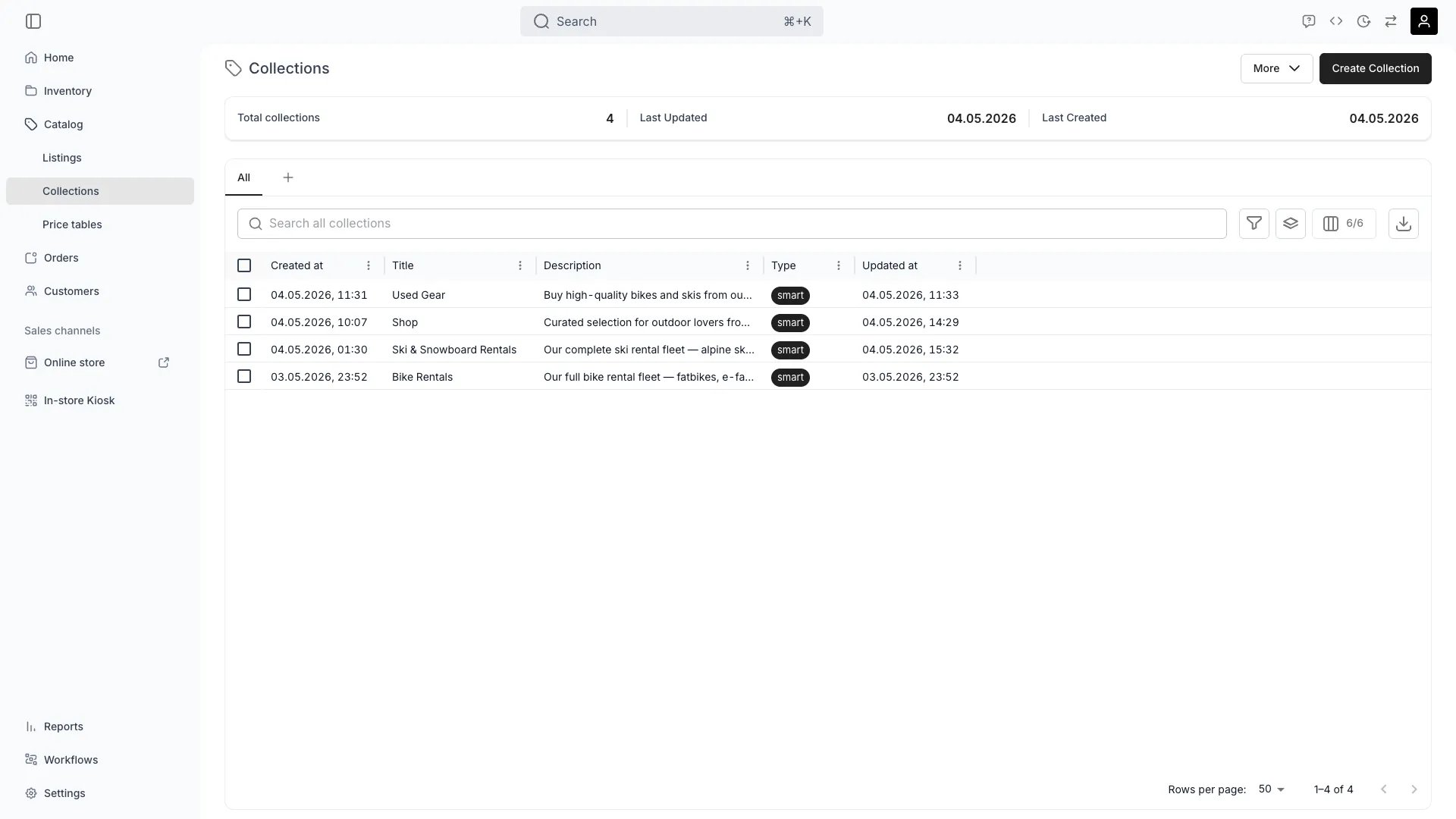
Catalog > Collections
Definition
The Analogy: A Collection is a playlist. It groups Listings into a themed unit so customers can browse, filter, and land on a category page on the Online Store.
Where do I use it?
- Online Store navigation — Each Collection renders a category page at
/collections/{slug} - Storefront merchandising — Promote a seasonal or themed set on the home page
- Filtered browsing — Customers shop a curated slice of the Catalog instead of the full inventory
- Tag-driven automation — A Smart Collection stays in sync as Listings get re-tagged
- SEO entry points — Each Collection has its own page title, meta description and OpenGraph metadata
- Bulk operations — Use a Collection as the selection set for Price-Table linking or bulk edits
Manual vs. Smart
Thetype field is the discriminator between the two membership models.
A Collection’s
type cannot be flipped after creation — pick the right type up front. Smart Collections match against catalog-scope Tags only (the only scope shown in the admin’s smart-rule picker).
Smart Collection conditions
A Smart Collection holds an array ofsmartConditions. Each condition is a reference to one Tag.
A CollectionSmartCondition has the following fields:
There is no operator field on a condition — the predicate is always “Listing has this tag”. Operators like
not equals, contains or attribute comparisons are not part of the model today.
The combinator between conditions is set on the Collection itself via tagMatchType:
tagMatchType is editable any time; membership recomputes on the next read.
Publishing
A Sales channel is a place where a catalog entity is offered to customers. A Collection is offered on Admin (the order-creation browser) and on Online store (the storefront). Published to a channel is the per-channel switch saying whether the Collection is offered on that channel.salesChannelAdmin and salesChannelOnline are both true on a new Collection, and a merchant unpublishes one to take the Collection off that channel while it stays fully editable in the admin.
Unpublishing removes the Collection from the channel, not its member Listings: each Listing’s own publishing decides where the Listing appears, so an unpublished Collection’s Listings keep selling on their own.
Two neighbouring concepts are deliberately separate:
- Publishing status — the Public / Draft state on a Listing’s General tab, which takes it off every channel at once. Listings only; a Collection has no draft state, only its per-channel switches.
- Archived — the out-of-use state shared by every major asset: hidden from admin lists and the storefront, still readable by id, reversible with Unarchive. Take a Collection off the Online Store for a season by unpublishing it, not by archiving it.
Key Properties
Relationships
Contains Listings
Contains Listings
A Collection groups Listings. A single Listing can belong to any number of Collections — there is no cardinality constraint.
Surfaces on Sales Channels
Surfaces on Sales Channels
A Collection is published to Sales Channels of its own, Admin and Online Store, and renders on the Online Store at
/collections/{urlHandle} while it is published there. Whether each member Listing appears depends on that Listing’s own sales-channel flags, which the Collection’s publishing never overrides. See the Online Store concept.Linked to Media files
Linked to Media files
Each
CollectionMediaLinks row attaches a FileResource (hero image, banner) ordered by orderIndex. The first image is used as a fallback for the social-share preview.Collection detail tabs
When you open a Collection in the admin:Performance considerations
- Smart Collections recompute on read. The current implementation resolves membership at query time by joining Listing tags to Collection conditions. There is no materialised “membership” table to keep in sync.
- Cross-Collection membership is free. A Listing can be in any number of Collections without storage overhead, because Manual rows are simple join records and Smart matches are computed.
- Tag operations cascade. Renaming or deleting a Tag affects every Smart Collection that references it. Renames are safe; deletes will silently shrink Collection membership.
- Pagination matters for large Collections. Use the
listCatalogItemsendpoint per Collection to retrieve members in pages rather than reading the entire Collection object.
Lifecycle
1
Create
POST /collections with title, type, and (for Smart) an initial tagMatchType.Can I change a Manual collection to a Smart collection later?
Can I change a Manual collection to a Smart collection later?
No.
type is fixed at creation. To convert, create a new Collection of the desired type and migrate.2
Populate
For Manual: add Listings with
POST /collections/:id/items. For Smart: add tags with POST /collections/:id/conditions and set tagMatchType.3
Publish on the Online Store
A new Collection is published to both channels, and renders on the Online Store at its
urlHandle (or by ID if no handle is set). Set salesChannelOnline to false on the Publishing tab to take it off the storefront, and back to true to bring it back.4
Maintain
For Manual: add and remove items as merchandising changes. For Smart: maintain the underlying Tag taxonomy — the Collection follows automatically.
5
Retire
DELETE /collections/:id removes the Collection. Member Listings are not affected — only the Collection rows.Frequently asked questions
Can a Listing belong to multiple Collections?
Can a Listing belong to multiple Collections?
Yes, any number. There is no cap and no exclusivity rule.
What's the difference between a Collection and a Category Taxonomy?
What's the difference between a Collection and a Category Taxonomy?
Categories are a structural classification of what a Listing is (a single canonical tree). Collections are a merchandising overlay of how Listings are grouped for sale. A Listing has one taxonomy category but can be in many Collections.
Do Smart Collections support not contains or attribute matching?
Do Smart Collections support not contains or attribute matching?
Not today. Conditions are positive tag matches only, combined by
any or all.What happens when I delete a Tag used by a Smart Collection?
What happens when I delete a Tag used by a Smart Collection?
The corresponding
smartConditions row is removed, and Listings previously matched only by that tag fall out of the Collection on the next read.How is sort order controlled inside a Collection?
How is sort order controlled inside a Collection?
By the shopper, on the storefront. Membership rows carry no order of their own in either Collection type, so both are ordered by the storefront’s sort control: name, price, or newest and oldest. Toggle that control per page in the Theme Editor collection page settings.
Developer Reference
Collections are exposed ascollections in the API.
API: Collections
Open the endpoint in the API reference.
Related articles
Listings
The Catalog rows a Collection groups
Online Store
Where Collection pages render
Category Taxonomy
Structural classification, complementary to Collections
Price Tables
Apply a shared Price Table to every Listing in a Collection