

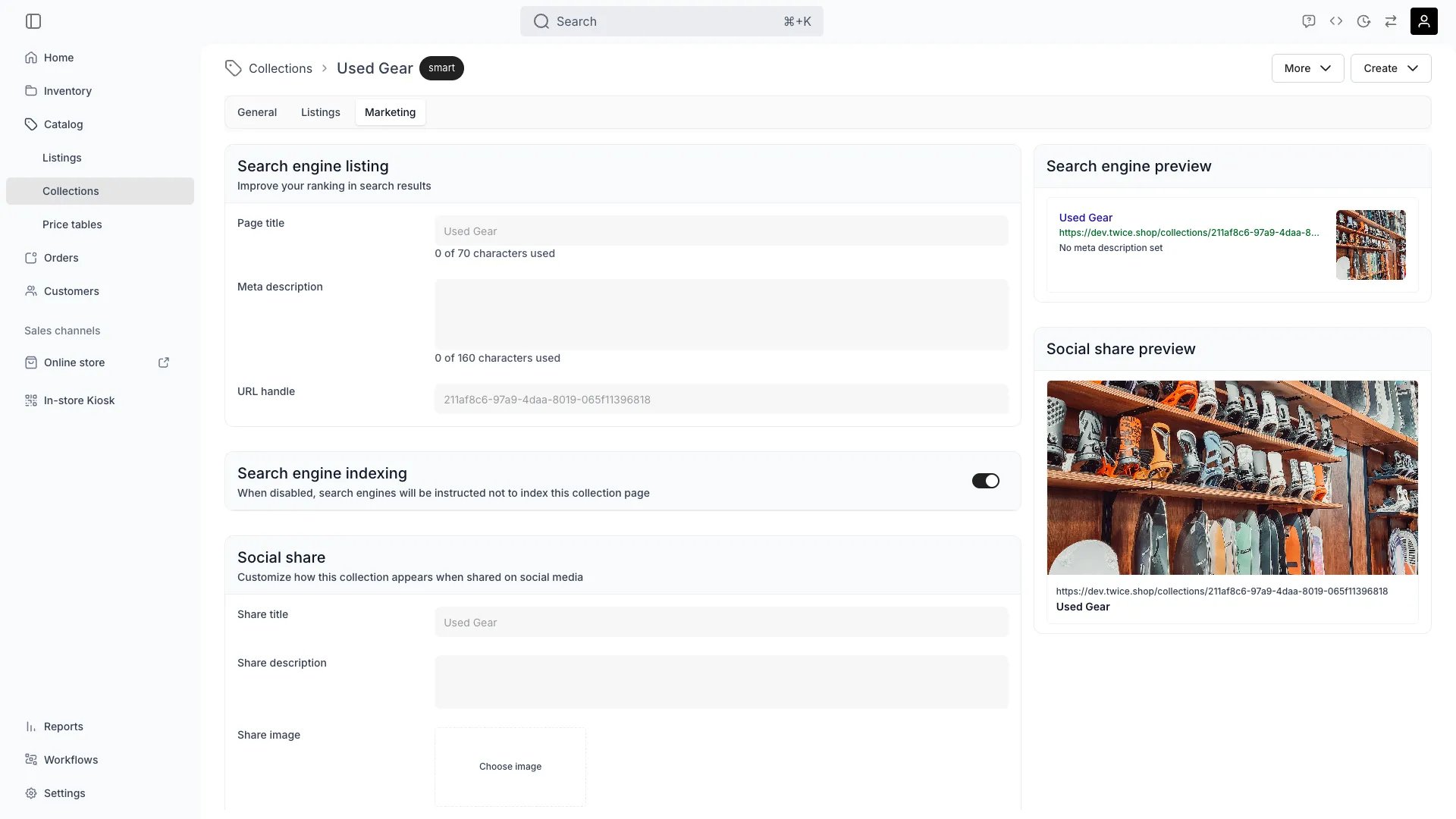
Catalog > Collections > [Collection] > Marketing
This view can look different dependent on your user role.
See Visibility and permissions for details.
See Visibility and permissions for details.
Primary purpose
Set how this collection reads in search results and in a shared link. The tab holds two cards, Search engine listing and Social share, and previews each one live below them.Search engine listing
The storefront generates
<link rel="canonical"> and og:url for the page. With a primary custom domain set, both point at that domain, so alternate addresses consolidate onto one URL.
Social share
Set Share title, Share description and Share image to control the link preview on Facebook, X, LinkedIn and anywhere else that reads Open Graph tags. Select Choose image to pick the image.The two previews
Search engine preview draws the collection as a search result, and Social share preview draws it as a shared card. Both follow what you type, and both fall back to the collection’s own title and address while the fields are empty.Visibility and permissions
This tab is gated bycatalog:collection_seo, in the four operations: , , and .
Owner, Admin and Manager hold every operation. Member does not hold it at all.
For what each operation means and the full role matrix, see Users & Roles.