

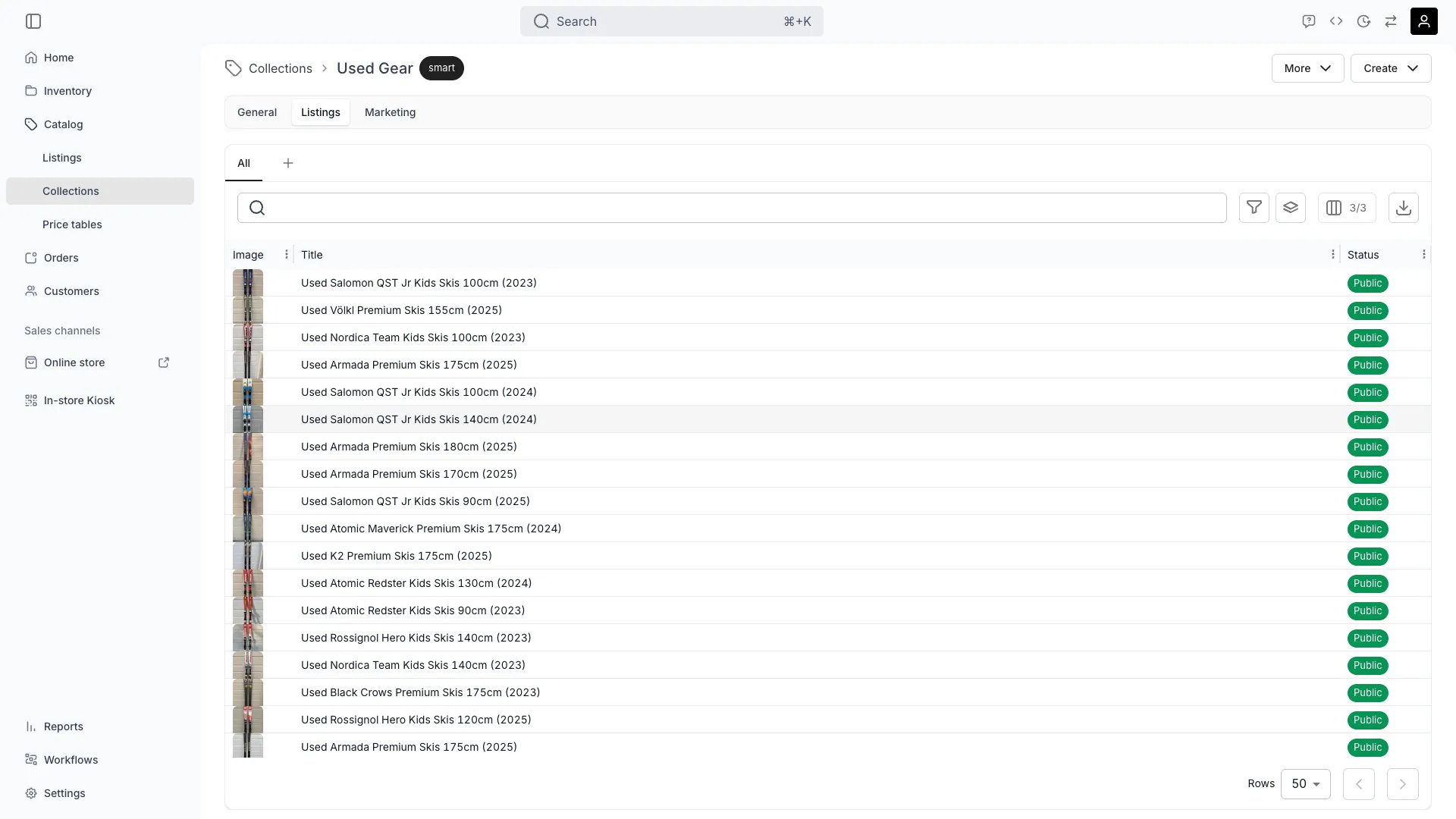
Catalog > Collections > [Collection] > Listings
This view can look different dependent on your user role.
See Visibility and permissions for details.
See Visibility and permissions for details.
Primary purpose
The Listings tab controls which listings belong to this collection. For manual collections, you add or remove listings directly. For smart collections, you define the rules that determine membership.Manual membership
Manual membership
Add and remove listings one by one. Useful for curated collections like featured products or editorial selections.
Smart rules
Smart rules
Define conditions (by tag, attribute, category, etc.) so listings are added automatically when they match. Match logic can require ALL or ANY of the rules.
Preview membership
Preview membership
Check which listings the collection resolves to, each with its title and status, and open a row to jump to that listing.Sorting happens on the storefront, where a shopper orders the grid by name, price, or newest and oldest, from a fixed set of six options. Choose whether that control appears at all in the Theme Editor collection page settings.
Visibility and permissions
This tab is gated bycatalog:collection_listings, in the four operations — , , and .
All four system roles — Owner, Admin, Manager and Member — hold every operation on this.
For what each operation means and the full role matrix, see Users & Roles.