

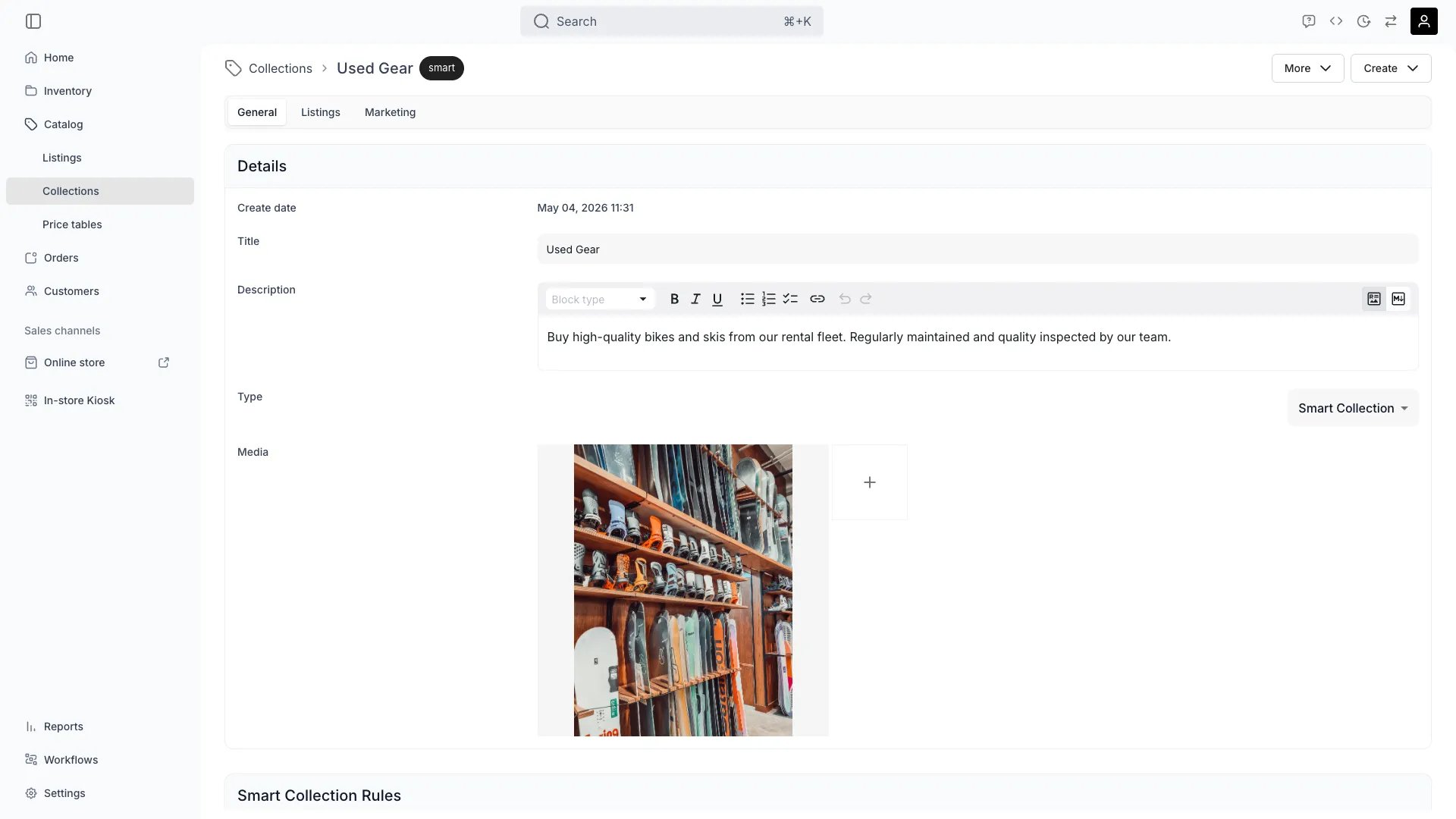
Catalog > Collections > [Collection] > General
This view can look different dependent on your user role.
See Visibility and permissions for details.
See Visibility and permissions for details.
Primary purpose
The General tab defines the core properties of a collection — its name, description, type (manual or smart), and images. On a smart collection, the membership rules are set here too.Name & description
Name & description
Set the customer-facing name and a description used in collection landing pages and meta tags.
Type: manual or smart
Type: manual or smart
Switch between manually curated membership and rule-based smart membership. Choosing smart adds a rules card to this tab, where you pick the tags a listing must carry and whether it has to match all of the conditions or any of them.
Media
Media
Add, reorder, and remove the collection’s images.
Where a collection is shown is set on the Publishing tab, not here. Which collections the storefront links to from its header is a separate decision, made through the header navigation items in the theme editor — see Pages and navigation.
Visibility and permissions
This tab is gated bycatalog:collection, in the four operations — , , and .
All four system roles — Owner, Admin, Manager and Member — hold every operation on this.
For what each operation means and the full role matrix, see Users & Roles.