

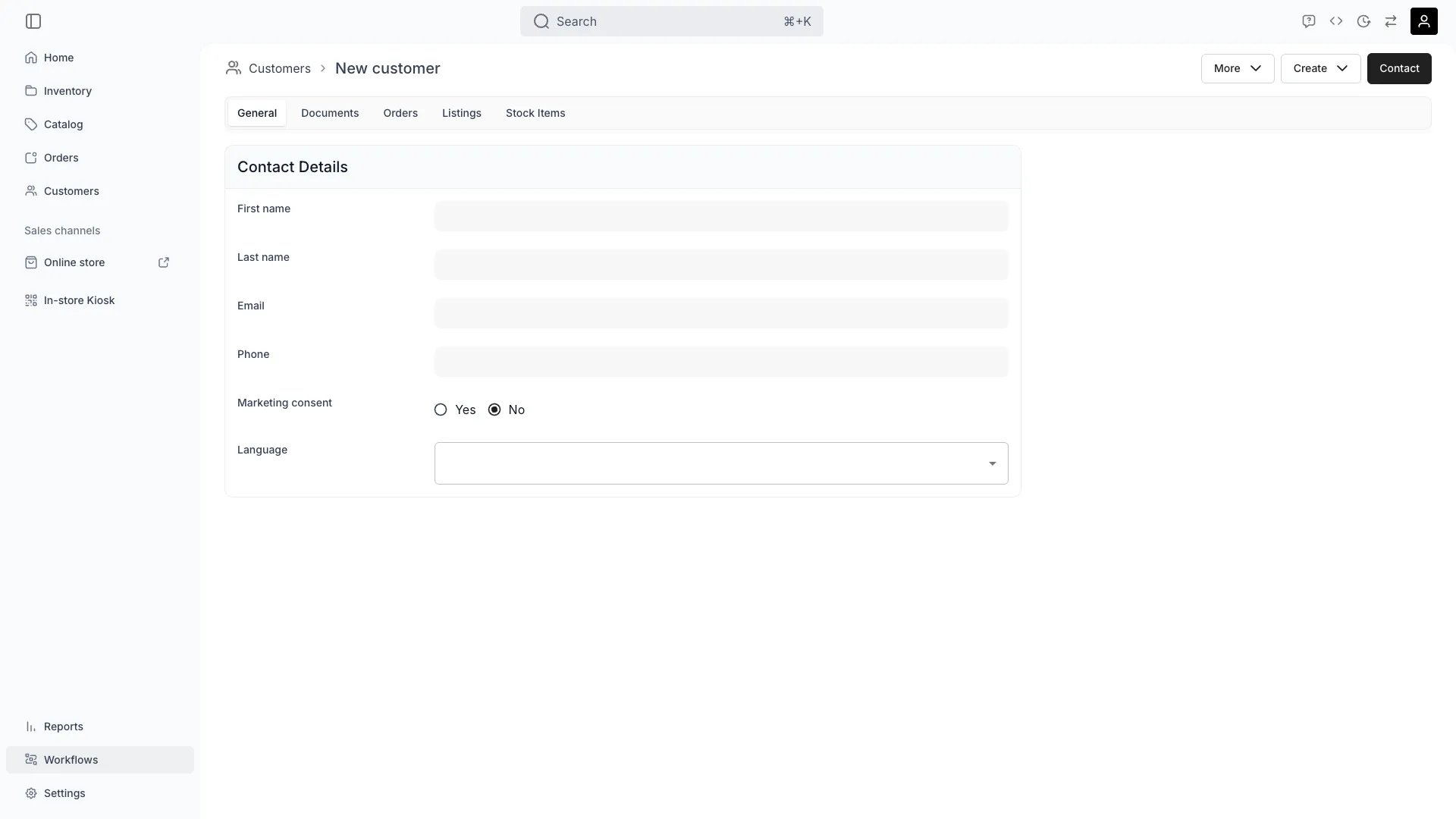
Customers > Create customer
Open in TWICE Admin
customers
Prerequisites
Have ready before you start:
- A name and an email. Add everything else later. These two make the record findable and contactable.
- Whether this is a person or a company. It sets the Customer type, which changes the fields you get. See Set up business customers.
- Any custom fields you expect to use. Create the attribute before you can set a value on it. See Attributes.
The walkthrough
1
Create the record
From Customers, press Create Customer. Mid-order, use + Add → Customer and then Create new customer, which makes the record and attaches it to the order in one move.Create from the order at a counter. It saves a step and guarantees the profile ends up on the order rather than sitting unattached.
2
Enter the built-in fields
Set the fields every profile carries. None of them can be removed:
3
Enter the two addresses
Set Billing address and Shipping address separately. They are two independent sets, so an invoice and a delivery can go to different places.
4
Set the custom fields you care about
Use a customer attribute for anything beyond the built-ins: a field you define once and then set per customer. Licence number, membership tier, shoe size, whatever your operation asks people.Set attributes on the profile’s Attributes tab. An attribute can be filtered and sorted in the customers table, which is what makes a customer findable later, and which a value typed into a note cannot do. See Segment customers.Use Tags for the other axis: a flat label you apply to many customers to form a group. Attributes describe one customer; tags collect several. See Customer groups.
5
Attach the customer to the order
On the order, use + Add → Customer, which searches your existing profiles as you type. Pick one and press Add selected.Add several where a group is ordering together, since line items can be assigned per person. The person who pays is tracked separately.
6
Decide who is the billing contact
Two roles answer different questions:
- Order customer. Who is taking the goods. Line items can be assigned to them individually.
- Billing contact. Who is paying. Add them with Add billing contact, and this is the identity that lands on the money side of the order.
How do I know it worked?
- The profile is findable in the customers table by name or email.
- The order shows the customer on its Customers tab, and the billing contact where you set one.
- The order appears on the customer’s own Orders tab. The link runs both ways, which is what makes reading their history possible.
- Marketing consent reads what you intended, because nothing will correct it for you later.
Troubleshooting / common pitfalls
The email is refused as already in use
The email is refused as already in use
Emails are unique per customer, so the address already belongs to another profile.Check for it before you create a second record. The existing profile is almost always the one you want, and two profiles for one person split their history in two.
I cannot find the field I need
I cannot find the field I need
It is not a built-in field, and no attribute exists for it yet.Create the attribute first, then set the value. Attributes are defined once for all customers rather than per profile. See Create attributes and attribute groups.
I put the customer on the order but the invoice has the wrong name
I put the customer on the order but the invoice has the wrong name
You set an order customer and no billing contact, or the wrong one of the two.Add or change the billing contact on the order. The order customer is who takes the goods; it does not decide who is billed.
Marketing consent is off and I expected it on
Marketing consent is off and I expected it on
Consent is off unless something sets it, and nothing infers it.Set it only where you actually hold the consent. A customer created at a counter has not consented to marketing by turning up, and your exports depend on this flag meaning what it says.
Related articles
Set up business customers
Company records, tax IDs, and billing versus shipping.
Import customers from a CSV
Bringing an existing list in in bulk.
Read a customer's history
What this customer has had, and how it came back.
Customer Profile
Every field the record carries.