

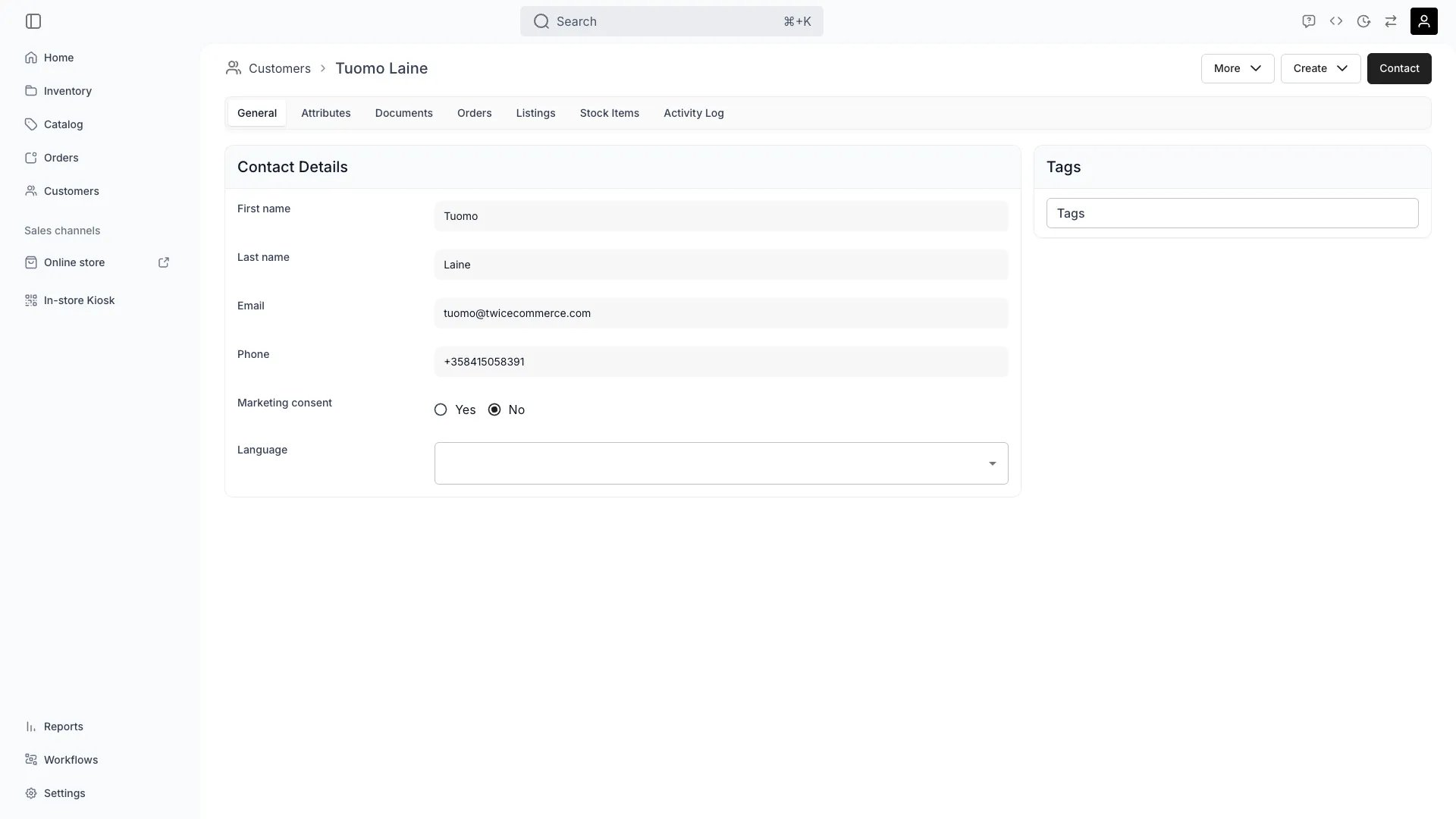
Customers > [customer] > General
Open in TWICE Admin
customers
Prerequisites
Have ready before you start:
- The company’s legal name and tax or VAT ID, as they should appear on an invoice.
- Both addresses, if they differ: where invoices go, and where goods go.
- Who the contact person is. A company record still needs a human to email.
The walkthrough
1
Set the Customer type to Business
On the profile, set Customer type to Business. The default is Individual.Choosing Business reveals two fields that stay hidden on an individual:
- Company name. The legal entity.
- Tax / VAT ID. The number your invoices and tax reporting need.
2
Keep the contact person on the same record
Enter First name, Last name, Email and Phone with the person you actually deal with. A business profile still carries them, and checkout links, receipts and documents go to that email rather than to the company.Company name identifies who is liable. The name fields identify who answers the phone.
3
Decide how to handle a company with several contacts
One profile holds one contact. If a company has several people who book independently, choose between two options:
TWICE does not model a company with several contacts under one record.
4
Set both addresses
Enter both addresses whenever they differ, because B2B is the case they exist for:
- Billing address. Where the invoice goes. Usually head office or a finance department.
- Shipping address. Where the goods go. Usually a site, a depot, or an event.
5
Decide who pays on the order
Set the two roles per order rather than on the profile. This is the part that makes B2B work:
- Add the employee as the order customer, since they are taking the goods and line items can be assigned to them.
- Add the company as the billing contact, with Add billing contact on the order.
6
Settle how they will actually pay
Agree the payment route before you promise terms. TWICE has no pay-on-invoice flow: no payment terms, no due dates outside subscription billing, no reminders and no dunning.Use a custom manual payment method instead, named Invoice, and record it against the order when the money arrives. Send the document from a template. The reconciliation is yours to do by hand.
Full invoicing is planned but not shipped. Until it is, leave the order unpaid, send the customer a document, and record a manual payment on arrival. See Take payment and deposits and Payments settings.
How do I know it worked?
- The profile reads Business, with a company name and tax ID that match the entity’s registration.
- The order separates the two roles. The employee is the order customer and the company is the billing contact.
- Documents carry the company details, not only the contact’s name.
- The customers table can find them. Filter or group on Customer type, Company name or Tax / VAT ID, all of which are columns.
Troubleshooting / common pitfalls
Company name and Tax / VAT ID are not on the form
Company name and Tax / VAT ID are not on the form
Customer type is still Individual, and the two fields only appear on a Business record.Switch the type. Existing profiles can be switched at any time, and nothing is lost.
The invoice went to the wrong address
The invoice went to the wrong address
Only one address is filled, or the goods address was entered as the billing one.Enter Billing address with where the invoice goes and Shipping address with where the goods go, even when that feels redundant. The two sets are independent.
A company has several people booking and the histories are tangled
A company has several people booking and the histories are tangled
One profile holds one contact, and there is no company-with-many-contacts record.Decide which you need more. Separate profiles give you per-person history at the cost of repeating the company details; one shared profile keeps the company single and merges everyone’s history. Pick deliberately rather than drifting into a mix of both.
I need to charge the company but the employee is at the counter
I need to charge the company but the employee is at the counter
Add the employee as the order customer and the company as the billing contact. That is what the billing contact is for.Give the company a manual payment method where they should never pay by card at the counter, and leave the order unpaid until the transfer lands.
Where do I set payment terms for this company?
Where do I set payment terms for this company?
Nowhere. Payment terms, due dates, reminders and dunning do not exist outside subscription billing.Agree terms outside TWICE and track them yourself. Record the payment against the order when it arrives.
Related articles
Create a customer profile
The fields, and attaching a customer to an order.
Take payment and deposits
Manual payment methods, and what is not automated.
Customer Profile
Every field the record carries.
Read a customer's history
What a company has had across all its orders.