

Open in TWICE Admin
settings/storefront/payments
Prerequisites
Have ready before you start:
- The name customers see at checkout, for example Room bill or Pay by invoice.
- What the customer does instead of paying online, in a sentence or two, such as giving their room number at reception.
The walkthrough
1
Open Manual payment methods
Open Settings → Payments and scroll to Manual payment methods at the bottom of the page. It lists Pay on pickup and every method you added, each with a switch to the left of its name.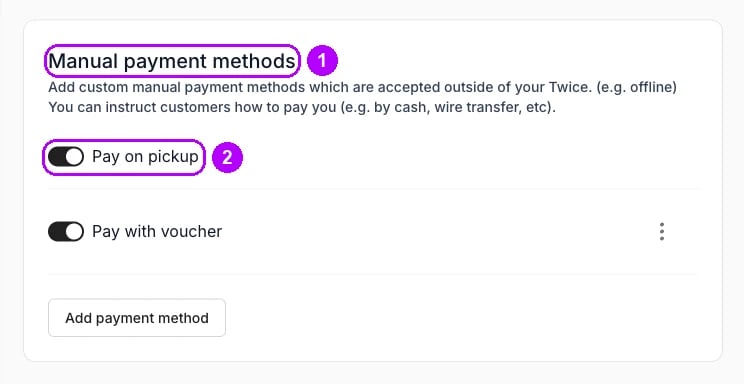
2
Add a method
Click Add payment method under the list. A dialog of the same name opens with two fields, Name and Additional details.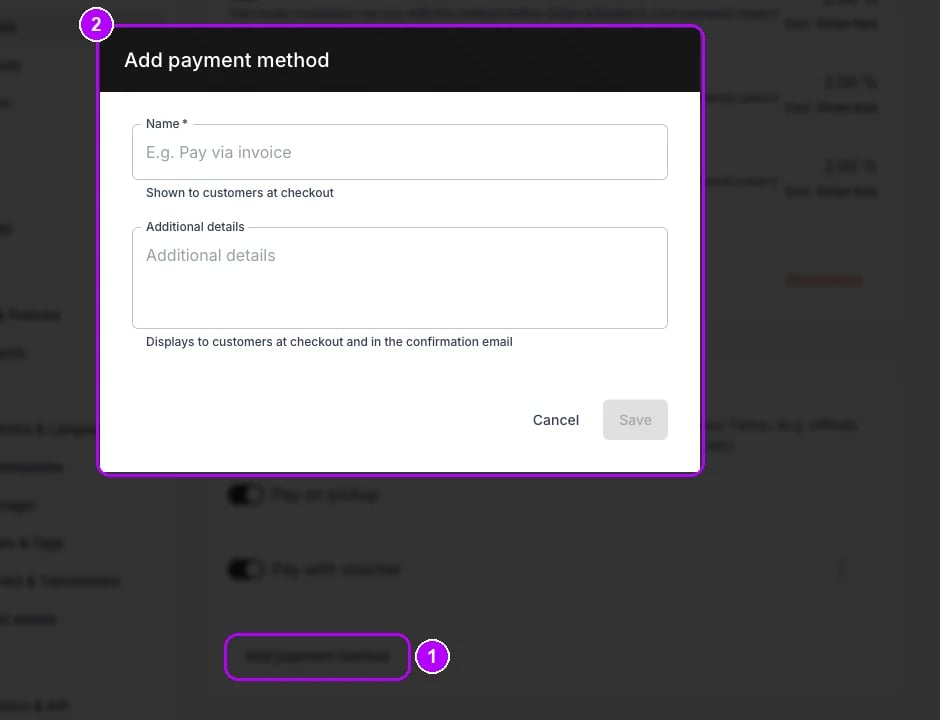
3
Name and describe the method
Enter Name, which customers see on the method at checkout, for example Room bill. Under Additional details, write what the customer does instead, for example: Charged to your room. Give your room number at reception. Checkout shows it under the name.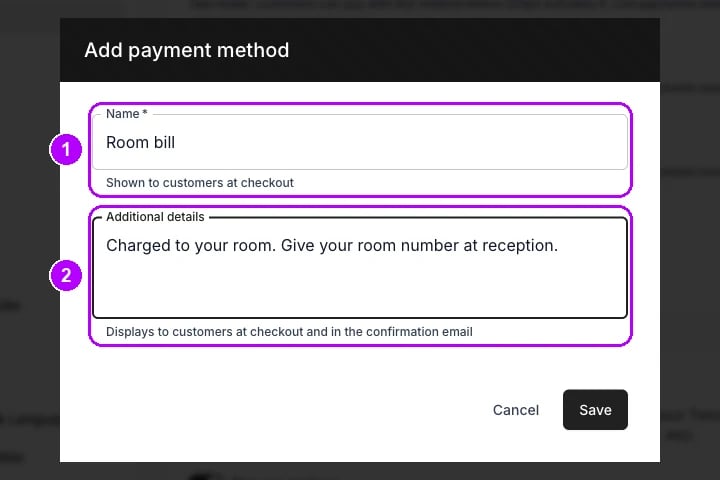
4
Save the method
Click Save at the bottom of the dialog. The dialog closes, and the method joins the list under Manual payment methods with its details under the name and its switch off.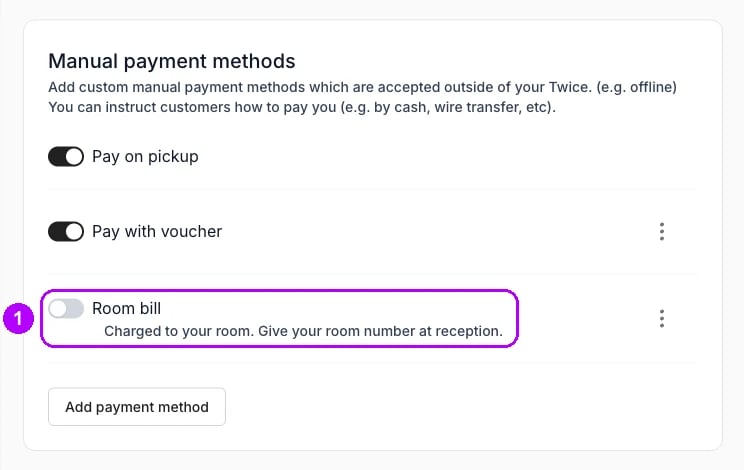
5
Switch it on
Click the switch to the left of the method’s name. Checkout offers the method once its switch is on, and staff can choose it under Payment method when they record a manual payment on an order.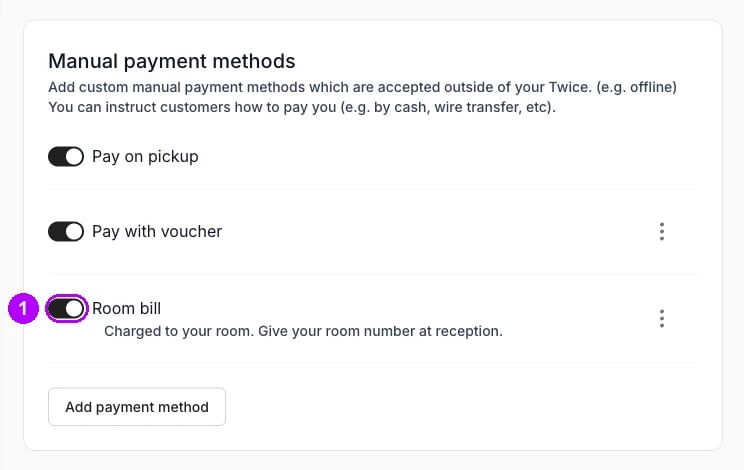
How do I know it worked?
- The method’s switch is on under Manual payment methods.
- The storefront checkout offers it. Its Payment step shows a tile with the method’s name and details, and a Confirm button.
- An order placed with it reads Unpaid on its Payments card, until you record the payment against it with this method.
Troubleshooting / common pitfalls
The method is missing from checkout
The method is missing from checkout
The checkout offers only the methods its Payment step allows. Tick the method there, or tick the box that allows every available method. See Checkout steps.
Staff cannot find the method when they record a payment
Staff cannot find the method when they record a payment
Its switch is off, so it is missing from the Payment method list on the order. Switch it on under Manual payment methods. See Record a manual payment.
Related articles
How payments work
Manual methods, receipts, and what a payment records.
Record a manual payment
Recording what the customer paid outside TWICE against the order.
Checkout steps
Which payment methods each checkout offers.
Settings - Payments
Card payments and manual methods in one place.