

Open in TWICE Admin
catalog/listings
/collections/ and the slug, such as /collections/used-bikes. The TWICE Rentals app for Wix is a separate route that runs on TWICE 1.0.
Prerequisites
Have ready before you start:
- Your subdomain connected and set as primary under Settings → Domains, such as
book.yourbrand.com. Your website keeps its own domain. Owner and Admin can connect one. See Set up the online store. - The listing on sale in the online store, so its page opens. See Where a listing sells.
- Access to your website builder, to change the button’s link.
The walkthrough
1
Open the listing
Open Catalog in the main menu and choose Listings. Find the listing the button should open and click its row. The listing opens on its General tab.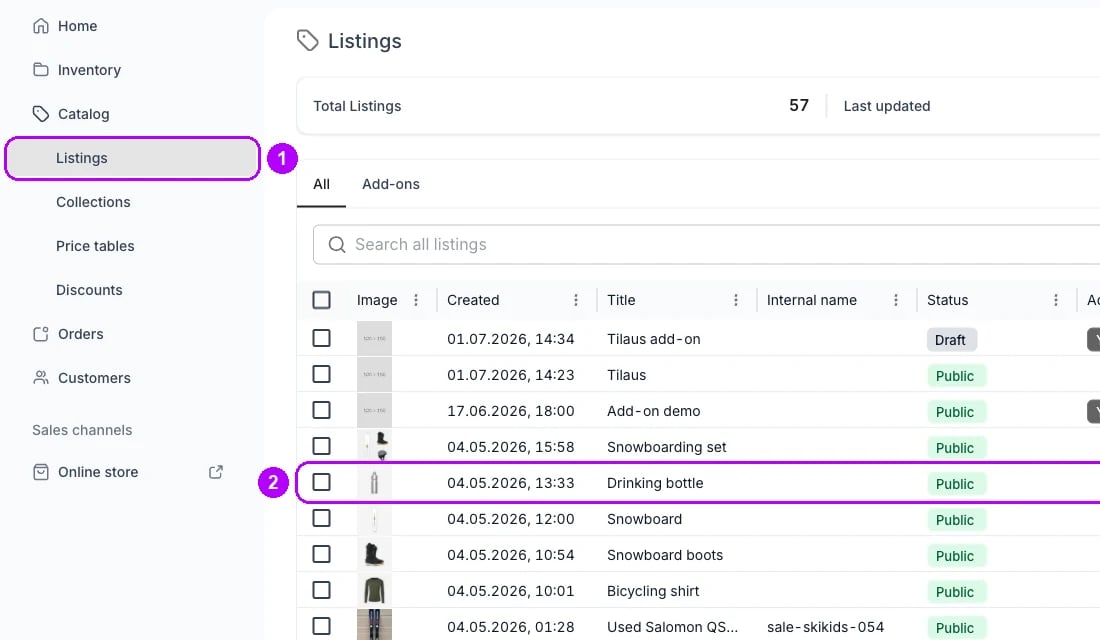
2
Open the Marketing tab
Click Marketing in the row of tabs at the top of the listing. The Search engine listing card opens with Slug below the meta description. The field shows your storefront’s address in front of the slug.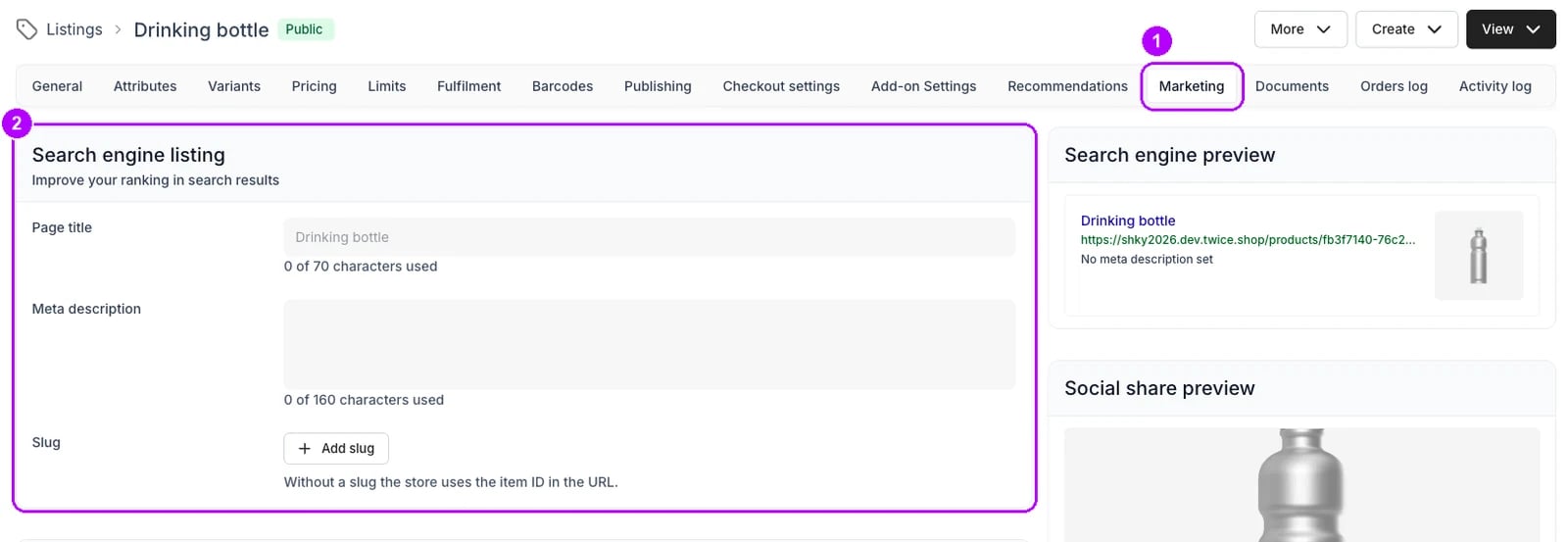
3
Set the slug
Check the slug in the field marked Primary. A listing gets one from its name when it is created, and an older listing may have none. Change it now if it reads poorly, before any button uses it, for example to 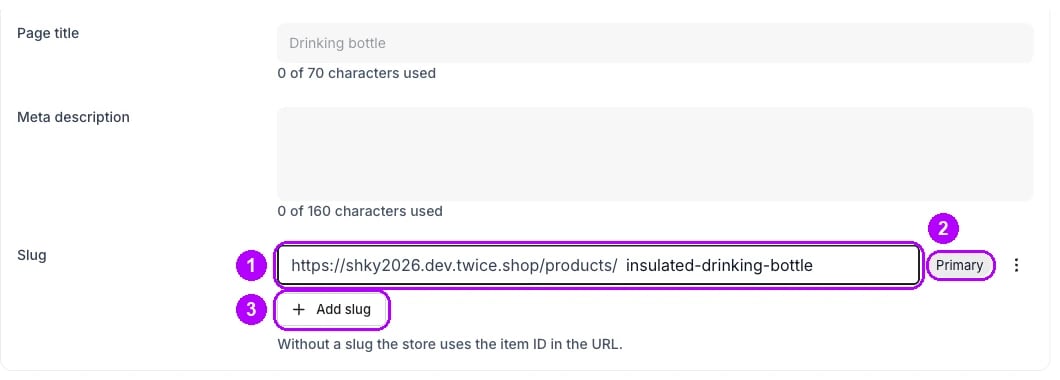
event-space-half-day. If there is no field, click Add slug and type one.4
Save the slug
If you changed the slug, click Save changes in the bar across the top of the page. The bar closes and the field keeps the new slug.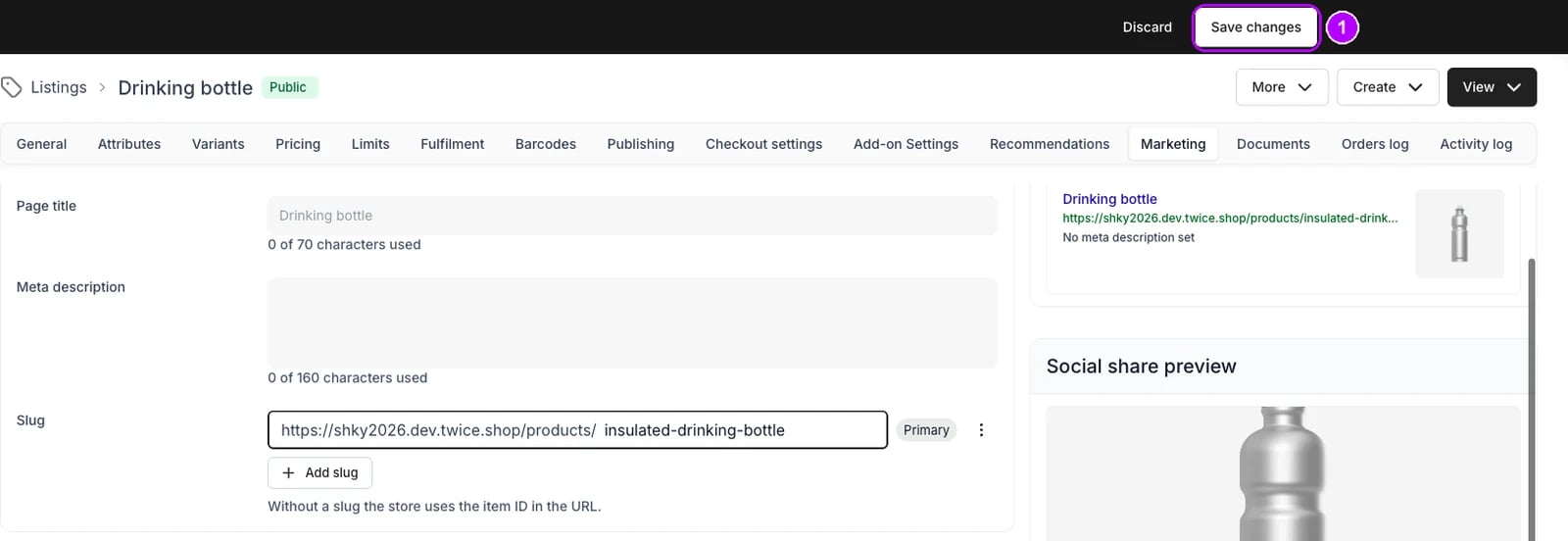
5
Put the link on your button
In your website builder, set the button’s link to the address in front of the field followed by the slug, such as 
https://book.yourbrand.com/products/event-space-half-day. Switch off the builder’s option to open the link in a new tab, then publish your website.6
Test the button
Click the button on your published website, on a phone as well as a computer. The listing’s page opens on your subdomain in the same tab, with its name at the top and its options to book or buy. Checkout runs on the same address.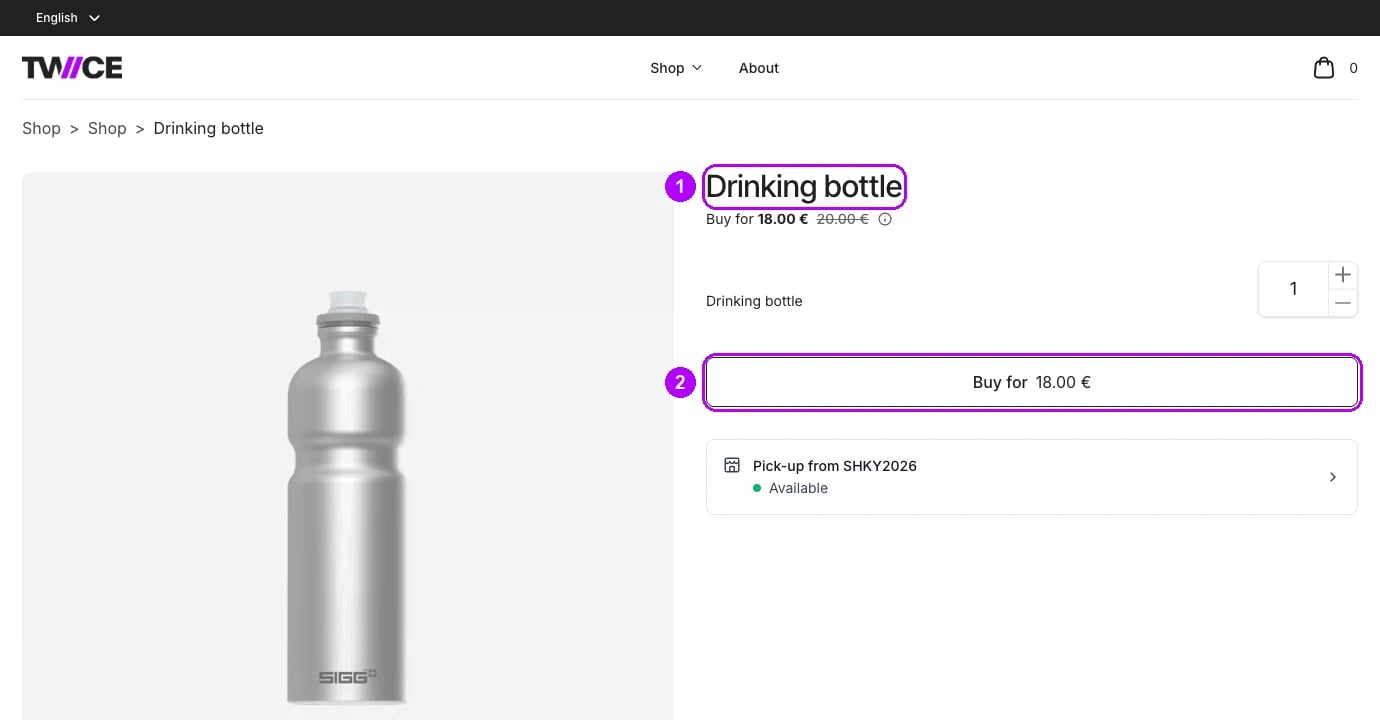
How do I know it worked?
- The button opens the listing’s page on your subdomain, not on a twice.shop address.
- The page opens in the same tab, so the browser’s back button returns to your website.
- A test order placed from that page reaches checkout on the same address and shows in Orders.
Troubleshooting / common pitfalls
The address in front of the slug ends in twice.shop
The address in front of the slug ends in twice.shop
Your subdomain is connected but not primary. Choose Set as primary on its row under Settings → Domains. See Domains.
Customers cannot get back to your website
Customers cannot get back to your website
Add your website to the storefront header. In the theme editor’s Header block, click Add external link, enter your website’s address and switch off Open in new tab. See Pages and navigation.
Related articles
Online Store
How the storefront is served, and the pages it is made of.
Listing marketing and SEO settings
Slugs, page titles and share previews, field by field.
Set up the online store
Connect your subdomain and make it primary.
Pages and navigation
Wire the header and footer, including a link back to your website.
Design the storefront
Match the storefront’s logo, colours and type to your website.