

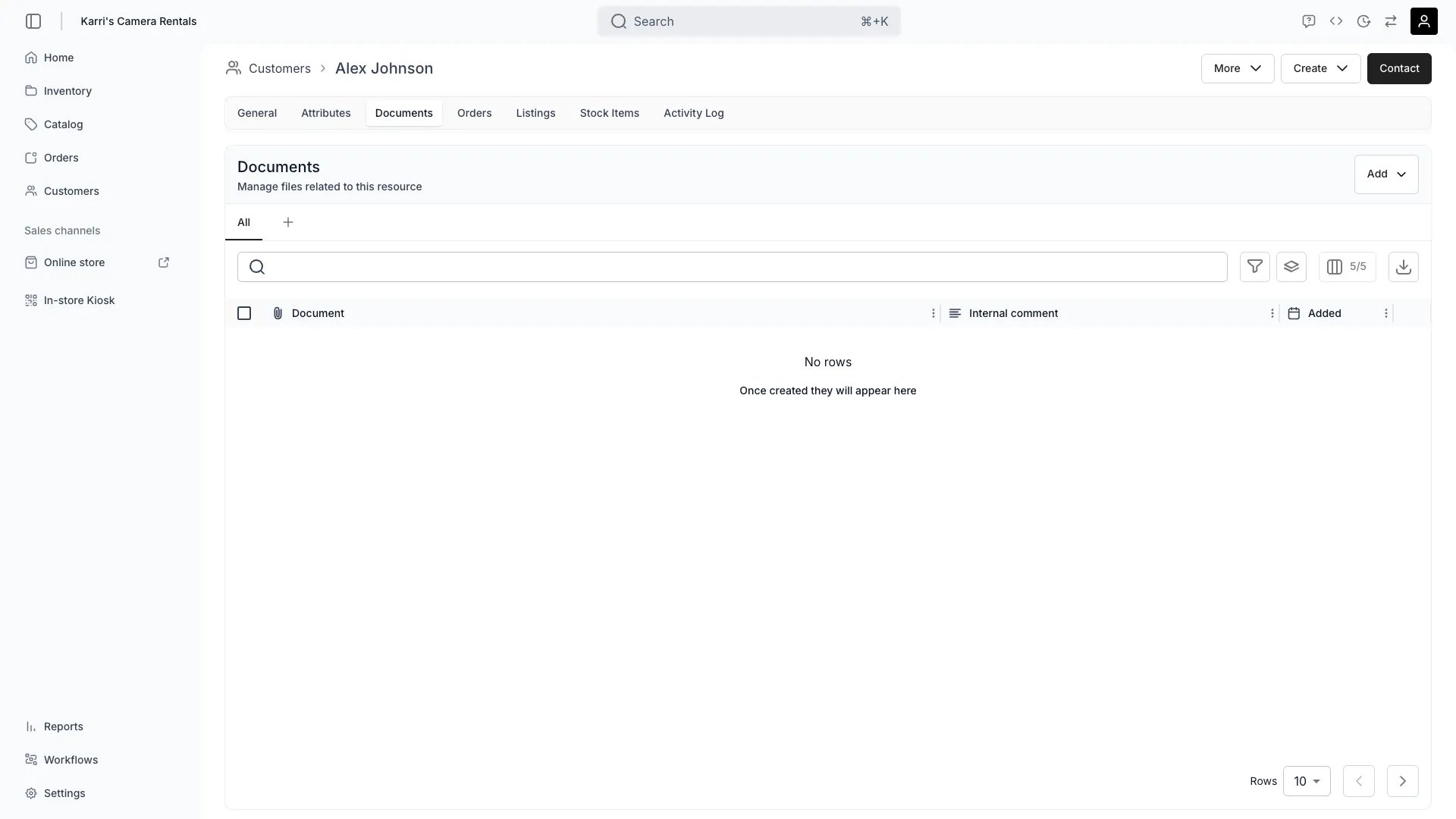
Customers > [customer] > Documents
Open in TWICE Admin
customers
Prerequisites
Settle before you start:
- Your legal basis for holding identity documents at all, and for how long.
- How long you keep them. Nothing expires or deletes them for you.
- Whether you need the document or only the check. Frequently you need to have looked rather than to have kept a copy. See the first step.
The walkthrough
1
Decide whether to store the document at all
Decide this first, because the upload button makes it easy to skip. Three positions, in increasing risk:
2
Prefer recording the fact over keeping the file
Record the check as a customer attribute wherever you can. It gives you an auditable, filterable record of what happened and when, without storing a passport image. See Segment customers.Take the third option only when something actually requires the copy.
3
Upload the document
Upload the file on the customer’s Documents tab, and give it a name that will still make sense to a colleague in a year, such as driving-licence-2026-03 rather than scan1.Rename a file later from the row actions menu. Renaming changes the display name only and leaves the stored file where it is. Full detail is on the Documents tab page.
4
Record the check as well as the file
Record the outcome as an attribute even when you keep the document: verified yes or no, and the date.The reason is retrieval. A document is a file somebody has to open and read; an attribute is a column you can filter, so “which customers have an unexpired licence check” is answerable in one query rather than by opening profiles one at a time. The document is the evidence and the attribute is the index.
5
Know what the record shows afterwards
Read the customer’s Activity Log for the trail of who attached what and when, since it records documents being added.Expect none of the following:
- No verified state on the profile. Nothing marks a customer as verified, which is what your attribute is for.
- No expiry. A licence that expires next month keeps its document and its attribute unless you change them.
- No enforcement. Nothing prevents an order for a customer with no document, or with an expired one.
6
Set a retention rule and actually run it
Decide the period, write it down, and put a recurring review in whatever your team actually uses. Nothing deletes these files, so a document uploaded today is there in five years unless somebody removes it.Two practical shapes:
- Delete on return, for a check needed only to release the goods. The lowest-risk option.
- Delete after a fixed period, where a rule requires retention. Use a date attribute for the review date so the customers table can list what is due.
7
Check who can read the documents you keep
Identity documents are usually the most sensitive data in a TWICE account, and every system role can read them. Where that is wrong for your operation, the lever is a custom role that withholds
customers:customer_documents. See Users & Roles.Custom roles only ever add permissions to a system role, so this needs the right system role underneath.How do I know it worked?
- The document is on the profile, named so a colleague can identify it without opening it.
- An attribute records the outcome and the date, so the check is findable in the table.
- The Activity Log shows who added it, which is the trail an audit asks for.
- You can say how long you keep it, and someone owns the review.
Troubleshooting / common pitfalls
Where do I mark the customer as verified?
Where do I mark the customer as verified?
There is no verified state. Nothing on the profile represents verification, and no workflow sets one.Create a customer attribute for it, a yes/no or a date. That is both the record and the thing you can filter on.
Can TWICE stop an order for an unverified customer?
Can TWICE stop an order for an unverified customer?
No. Nothing checks documents or attributes before an order is taken, and nothing blocks a checkout on them.Keep the gate procedural: staff check before handing over. TWICE does not enforce it in software today.
A licence has expired and nothing told us
A licence has expired and nothing told us
There is no expiry tracking. A document and its attribute stay as they are indefinitely.Record the expiry as a date attribute, then keep a saved view filtered to dates in the past. That turns expiry into something the table surfaces rather than something you remember.
Everyone on the team can see identity documents
Everyone on the team can see identity documents
All four system roles hold
customers:customer_documents in full.Treat this as role design rather than a setting on the tab. See Users & Roles. Reducing what you store is the other lever, and often the easier one.A customer has asked us to delete their ID copy
A customer has asked us to delete their ID copy
Delete the file from the Documents tab, which is a per-file action.Handle it as part of the wider request rather than in isolation, since they may be asking about more than the document. See Export or erase a customer’s data.
Related articles
Export or erase a customer's data
Responding to an access or erasure request.
Customer Documents tab
The tab, control by control.
Segment customers
Recording and finding the outcome of a check.
Users & Roles
Who can read what.