> ## Documentation Index
> Fetch the complete documentation index at: https://www.twicecommerce.com/docs/llms.txt
> Use this file to discover all available pages before exploring further.
# Settings - Taxes
> Define tax rates and whether your prices include or exclude tax.
export const userRoleDefinition = "What a user can see and do. Each user has one built-in system role — Owner, Admin, Manager, or Member — and can also be assigned any number of custom roles you create with specific permissions. Effective access is the combination of all their roles.";
 This view can look different dependent on your user role.
See [Visibility & Permissions](#visibility-and-permissions) for details.
## Primary Purpose
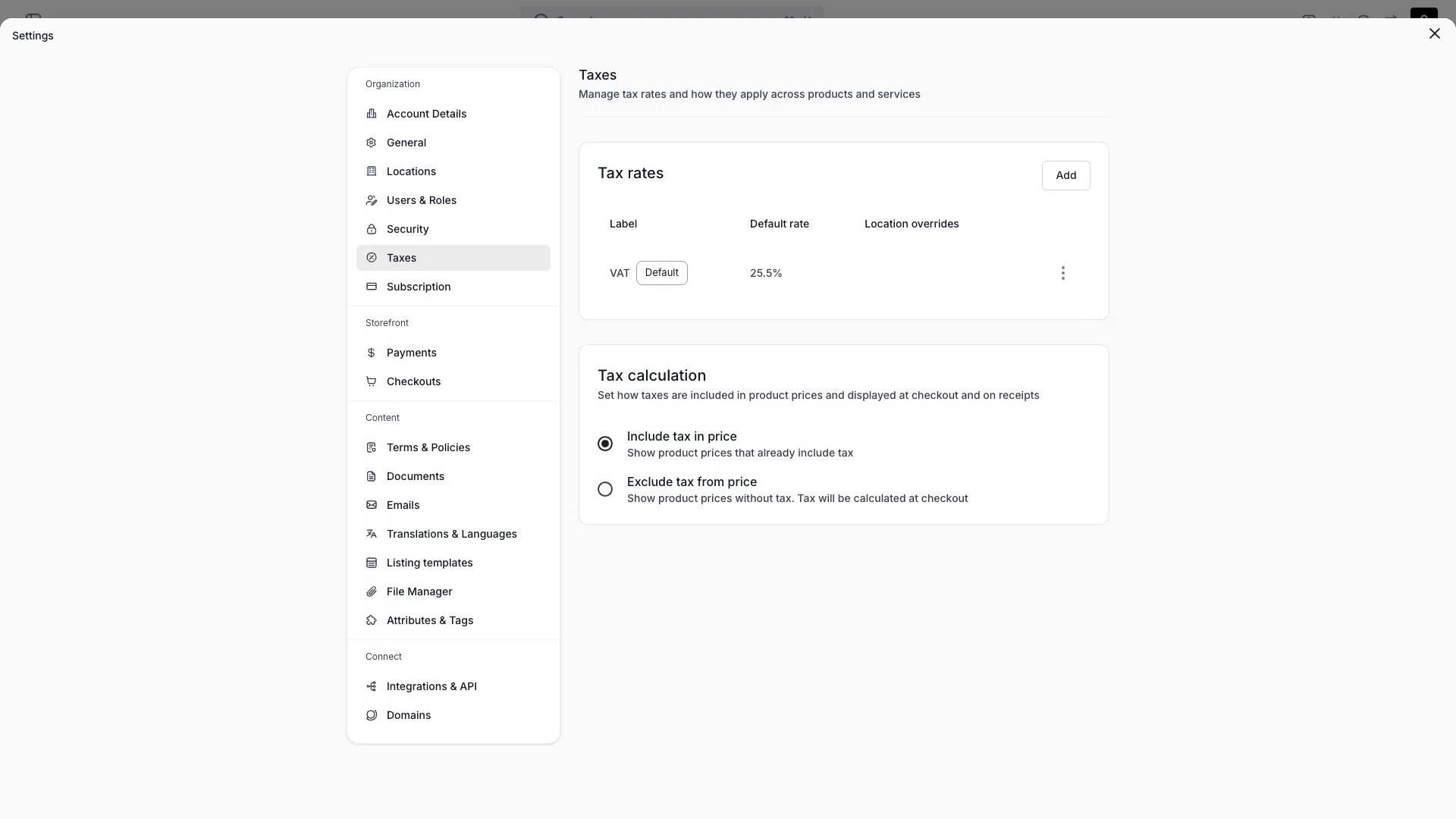
Define the tax rates applied to orders and whether your listing prices include or exclude tax.
Create named rates with a percentage — for example "VAT 24%". Mark one rate as the default.
Choose, for the whole account, whether listing prices already include tax or have tax added at checkout. This controls how prices display and total.
Override the rate for a specific [location](/docs/settings/locations). Locations without an override use the default rate.
Taxes are configured at the account and location level. There are no per-product, per-category, or postcode-level tax rules.
## Visibility and Permissions
Access to this view is controlled by your user role.
| Feature | Admin | Manager | Member |
| ------------- | :---: | :-----: | :----: |
| View settings | ✓ | ✗ | ✗ |
| Edit settings | ✓ | ✗ | ✗ |