> ## Documentation Index
> Fetch the complete documentation index at: https://www.twicecommerce.com/docs/llms.txt
> Use this file to discover all available pages before exploring further.
# Settings - General
> Workspace defaults — currency, number and date formatting, timezone, and your logo.
export const userRoleDefinition = "What a user can see and do. Each user has one built-in system role — Owner, Admin, Manager, or Member — and can also be assigned any number of custom roles you create with specific permissions. Effective access is the combination of all their roles.";
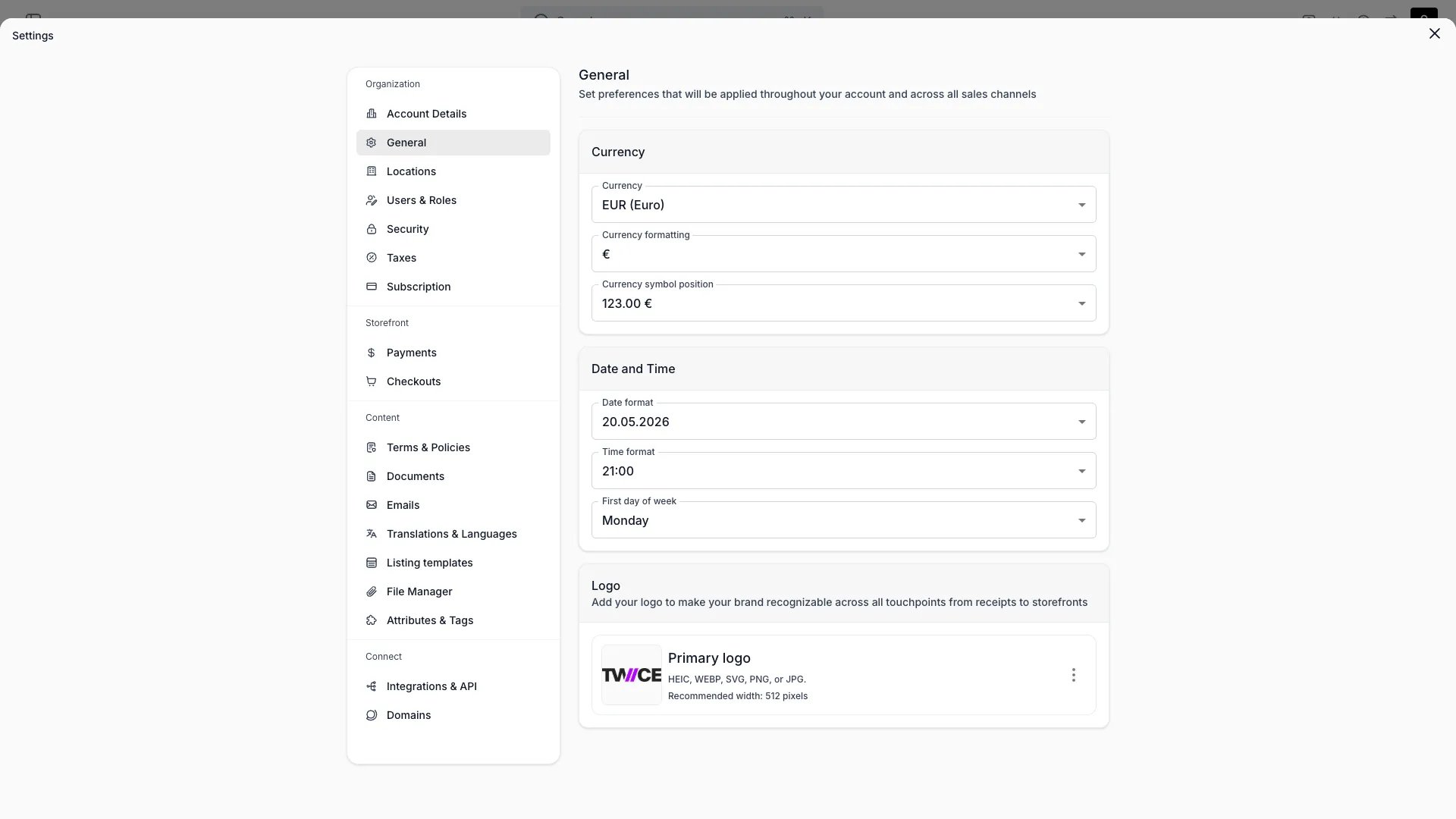 This view can look different dependent on your user role.
See [Visibility & Permissions](#visibility-and-permissions) for details.
## Primary Purpose
General workspace defaults applied across the admin and customer-facing surfaces.
Set your currency code, symbol, and how the symbol is positioned (prefix or suffix, with or without a space).
Choose your date and time format and which day the week starts on.
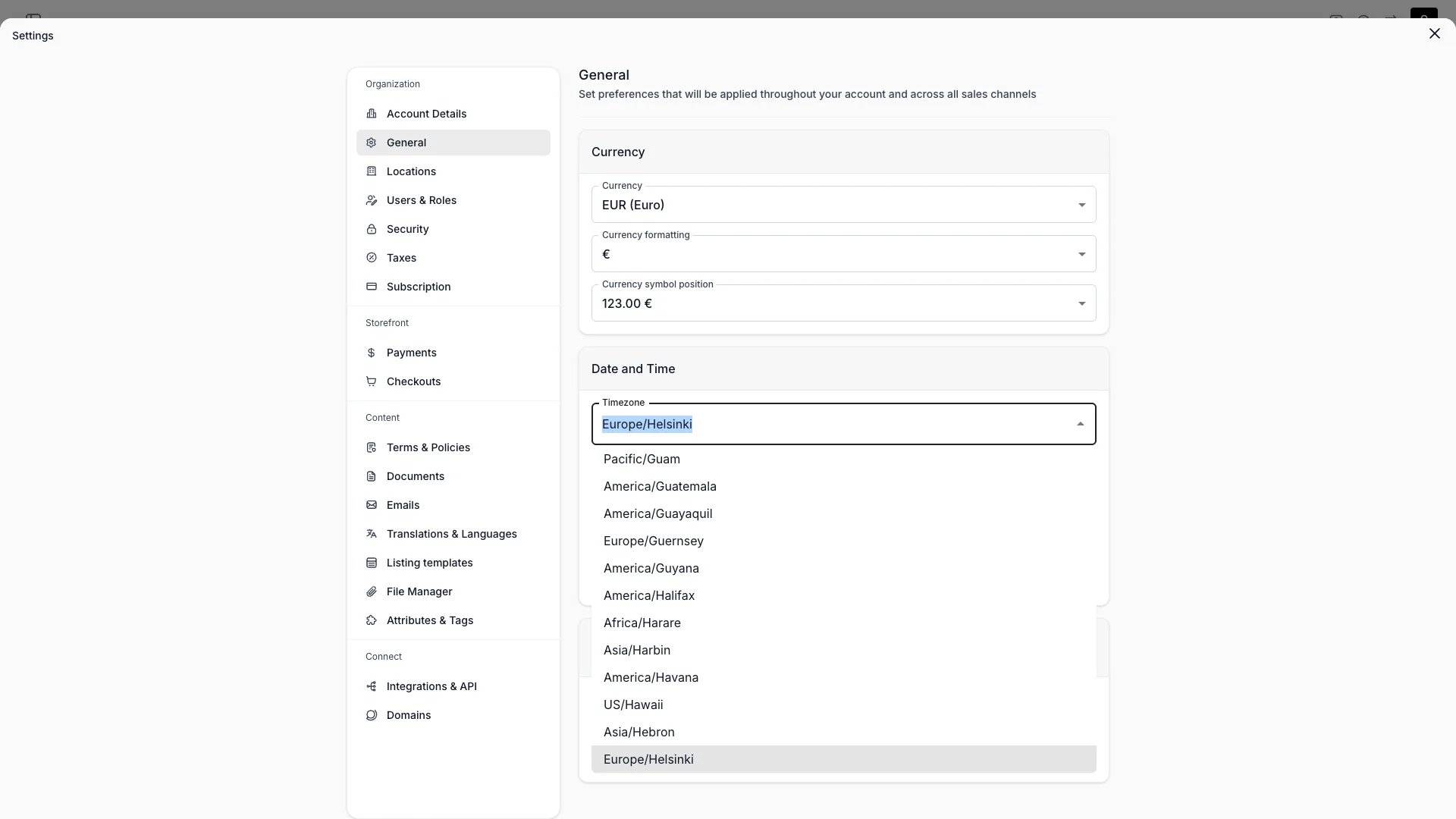
Set the account-level default timezone. The picker is a searchable dropdown — type to filter the list. This timezone is used as the fallback when a [location](/docs/settings/locations) does not have its own timezone configured, and appears on finance report exports.
 Upload your logo from the [File Manager](/docs/settings/file-manager). Supported formats: HEIC, WEBP, SVG, PNG, JPG. A width around 512px works well.
Storefront colours and fonts are **not** set here — they live in the [Theme Editor](/docs/sales-channels/online-store/theme-editor/overview). Individual locations can override the account timezone in [Locations](/docs/settings/locations) settings.
## Visibility and Permissions
Access to this view is controlled by your user role.
| Feature | Admin | Manager | Member |
| ------------- | :---: | :-----: | :----: |
| View settings | ✓ | ✗ | ✗ |
| Edit settings | ✓ | ✗ | ✗ |
Upload your logo from the [File Manager](/docs/settings/file-manager). Supported formats: HEIC, WEBP, SVG, PNG, JPG. A width around 512px works well.
Storefront colours and fonts are **not** set here — they live in the [Theme Editor](/docs/sales-channels/online-store/theme-editor/overview). Individual locations can override the account timezone in [Locations](/docs/settings/locations) settings.
## Visibility and Permissions
Access to this view is controlled by your user role.
| Feature | Admin | Manager | Member |
| ------------- | :---: | :-----: | :----: |
| View settings | ✓ | ✗ | ✗ |
| Edit settings | ✓ | ✗ | ✗ |