> ## Documentation Index
> Fetch the complete documentation index at: https://www.twicecommerce.com/docs/llms.txt
> Use this file to discover all available pages before exploring further.
# Theme Editor - Typography
> Configure font families and scale for headings and body text across the storefront.
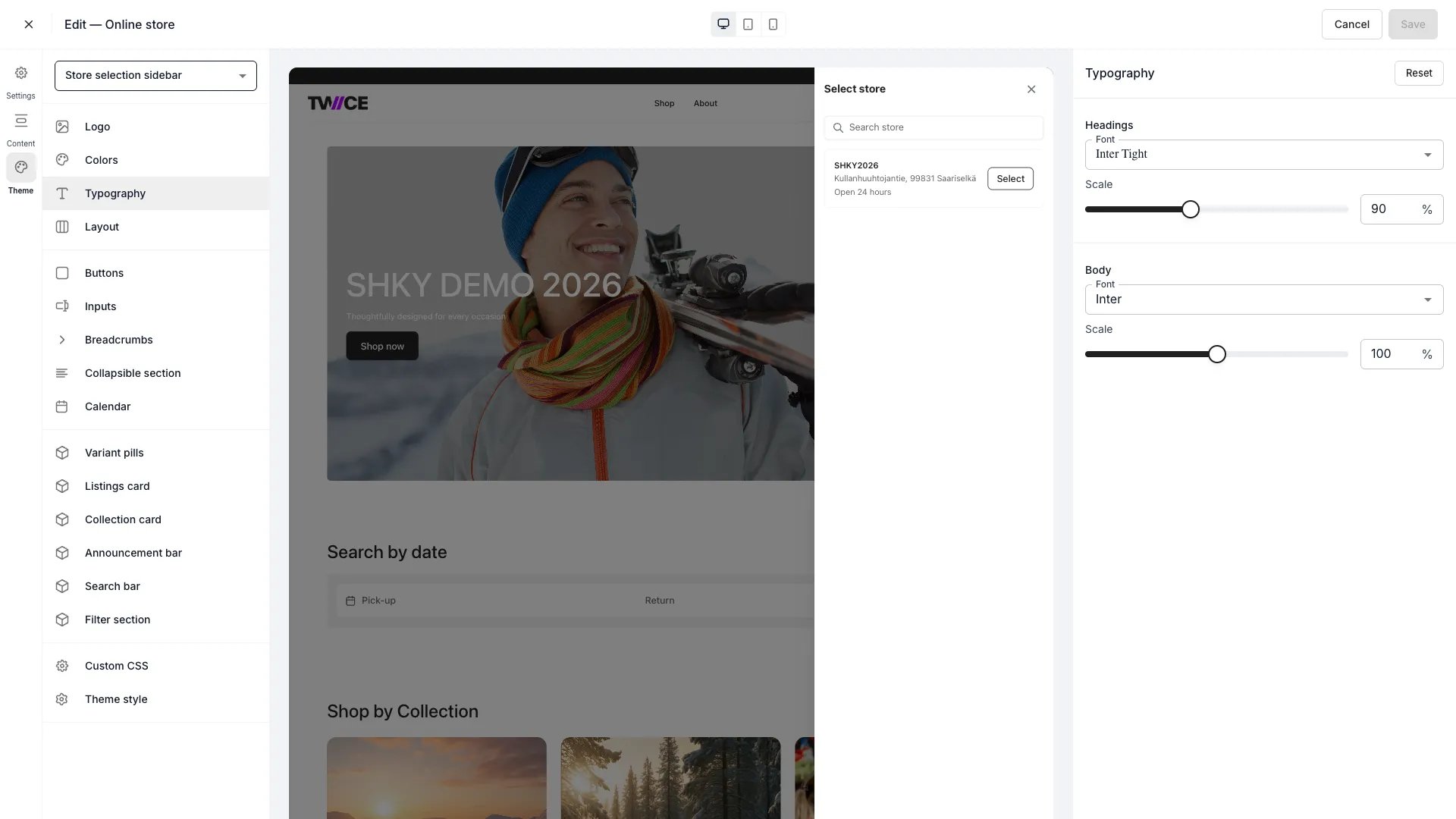 The Typography panel controls which fonts appear on your storefront and how large they render. Fonts are loaded from Google Fonts — the full catalogue is available in the dropdown. Changes apply globally across every page.
## Headings
| Setting | Type | Default | Range | Description |
| ------- | -------- | ------- | ---------------------- | --------------------------------------------------- |
| Font | Dropdown | Inter | Google Fonts catalogue | Font family for all headings (H1–H3). |
| Scale | Slider | 100% | 50–150% | Proportionally scales all heading sizes up or down. |
## Body
| Setting | Type | Default | Range | Description |
| ------- | -------- | ------- | ---------------------- | ----------------------------------------------------- |
| Font | Dropdown | Inter | Google Fonts catalogue | Font family for body text, labels, and descriptions. |
| Scale | Slider | 100% | 50–150% | Proportionally scales all body text sizes up or down. |
The font scale adjusts all sizes proportionally — individual heading levels (H1, H2, H3) and body text sizes are not configurable independently. Set scale to 100% for the default sizing.
## CSS variables
```css CSS variables theme={null}
:root {
--storefront-heading-font-family: Inter;
--storefront-heading-font-scale: 100%;
--storefront-body-font-family: Inter;
--storefront-body-font-scale: 100%;
}
```
## Related
Define the storefront colour palette.
Control page width and spacing.
The Typography panel controls which fonts appear on your storefront and how large they render. Fonts are loaded from Google Fonts — the full catalogue is available in the dropdown. Changes apply globally across every page.
## Headings
| Setting | Type | Default | Range | Description |
| ------- | -------- | ------- | ---------------------- | --------------------------------------------------- |
| Font | Dropdown | Inter | Google Fonts catalogue | Font family for all headings (H1–H3). |
| Scale | Slider | 100% | 50–150% | Proportionally scales all heading sizes up or down. |
## Body
| Setting | Type | Default | Range | Description |
| ------- | -------- | ------- | ---------------------- | ----------------------------------------------------- |
| Font | Dropdown | Inter | Google Fonts catalogue | Font family for body text, labels, and descriptions. |
| Scale | Slider | 100% | 50–150% | Proportionally scales all body text sizes up or down. |
The font scale adjusts all sizes proportionally — individual heading levels (H1, H2, H3) and body text sizes are not configurable independently. Set scale to 100% for the default sizing.
## CSS variables
```css CSS variables theme={null}
:root {
--storefront-heading-font-family: Inter;
--storefront-heading-font-scale: 100%;
--storefront-body-font-family: Inter;
--storefront-body-font-scale: 100%;
}
```
## Related
Define the storefront colour palette.
Control page width and spacing.