> ## Documentation Index
> Fetch the complete documentation index at: https://www.twicecommerce.com/docs/llms.txt
> Use this file to discover all available pages before exploring further.
# Theme Editor - Cart store selector
> Style the store selector shown on the bag page.
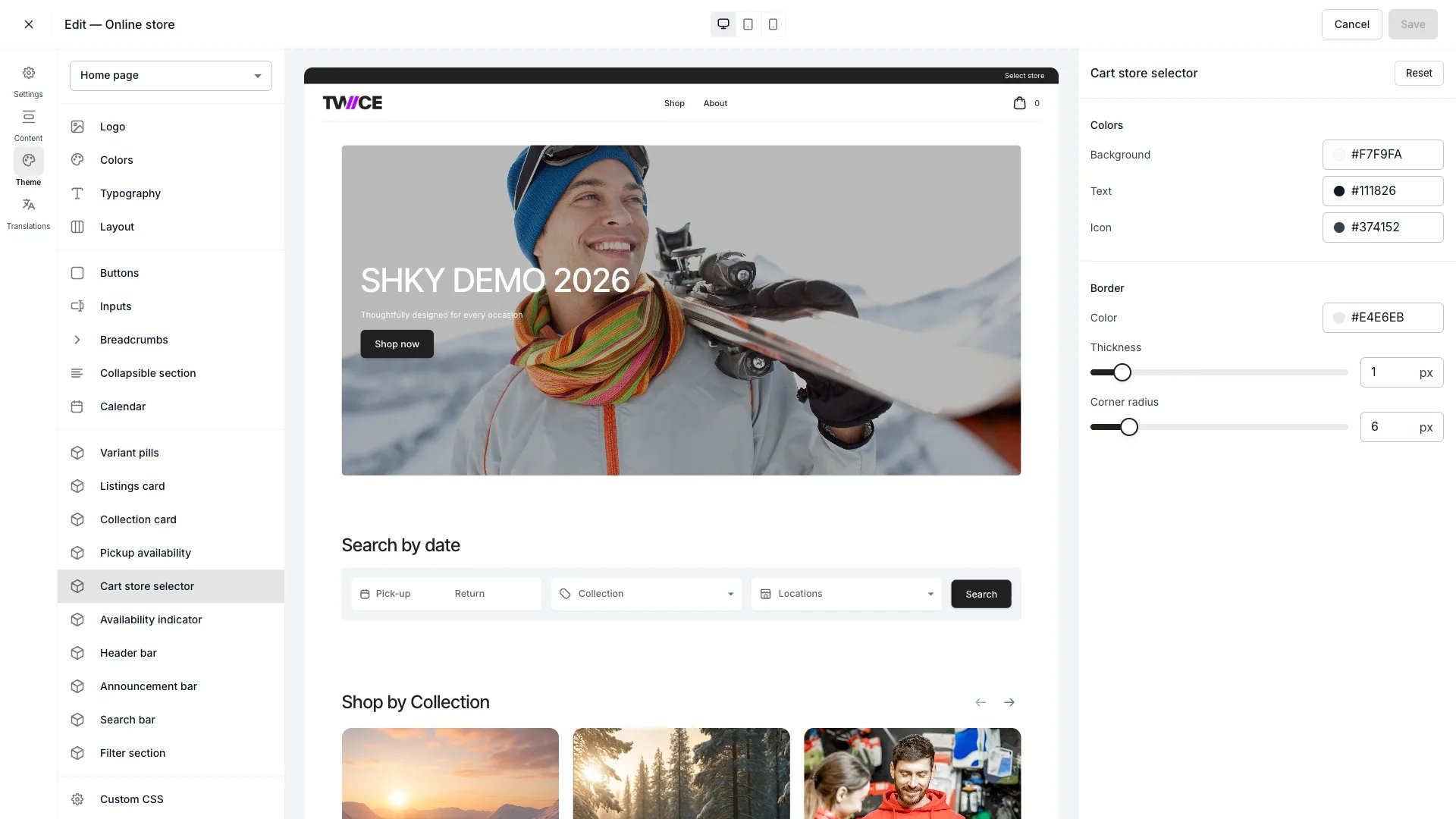 The Cart store selector panel styles the store selector on the [Bag page](/docs/sales-channels/online-store/theme-editor/pages/bag) — the control customers use to pick which store fulfills their cart. Found under **Cards** in the theme editor.
This panel controls colours and border only. How store selection behaves — availability feedback and the slide-out sidebar it opens — is covered on the [Store selection sidebar](/docs/sales-channels/online-store/theme-editor/settings/store-selection) page.
## Colors
| Setting | Default | Description |
| ---------- | --------- | ------------------------------ |
| Background | `#F7F9FA` | Selector background fill. |
| Text | `#111826` | Selector text colour. |
| Icon | `#374152` | Store and chevron icon colour. |
## Border
| Setting | Type | Default | Range | Description |
| ------------- | ------ | --------- | ------- | ------------------------------------- |
| Color | Colour | `#E4E6EB` | — | Border colour around the selector. |
| Thickness | Slider | 1 px | 0–8 px | Border width. |
| Corner radius | Slider | 6 px | 0–40 px | How rounded the selector corners are. |
## CSS variables
```css CSS variables theme={null}
:root {
--storefront-cart-store-selector-background: #F7F9FA;
--storefront-cart-store-selector-border-color: #E4E6EB;
--storefront-cart-store-selector-border-width: 1px;
--storefront-cart-store-selector-border-radius: 6px;
--storefront-cart-store-selector-text-color: #111826;
--storefront-cart-store-selector-icon-color: #374152;
}
```
## Related
How store selection works and what it controls.
Configure the bag page blocks.
The Cart store selector panel styles the store selector on the [Bag page](/docs/sales-channels/online-store/theme-editor/pages/bag) — the control customers use to pick which store fulfills their cart. Found under **Cards** in the theme editor.
This panel controls colours and border only. How store selection behaves — availability feedback and the slide-out sidebar it opens — is covered on the [Store selection sidebar](/docs/sales-channels/online-store/theme-editor/settings/store-selection) page.
## Colors
| Setting | Default | Description |
| ---------- | --------- | ------------------------------ |
| Background | `#F7F9FA` | Selector background fill. |
| Text | `#111826` | Selector text colour. |
| Icon | `#374152` | Store and chevron icon colour. |
## Border
| Setting | Type | Default | Range | Description |
| ------------- | ------ | --------- | ------- | ------------------------------------- |
| Color | Colour | `#E4E6EB` | — | Border colour around the selector. |
| Thickness | Slider | 1 px | 0–8 px | Border width. |
| Corner radius | Slider | 6 px | 0–40 px | How rounded the selector corners are. |
## CSS variables
```css CSS variables theme={null}
:root {
--storefront-cart-store-selector-background: #F7F9FA;
--storefront-cart-store-selector-border-color: #E4E6EB;
--storefront-cart-store-selector-border-width: 1px;
--storefront-cart-store-selector-border-radius: 6px;
--storefront-cart-store-selector-text-color: #111826;
--storefront-cart-store-selector-icon-color: #374152;
}
```
## Related
How store selection works and what it controls.
Configure the bag page blocks.