> ## Documentation Index
> Fetch the complete documentation index at: https://www.twicecommerce.com/docs/llms.txt
> Use this file to discover all available pages before exploring further.
# Theme Editor - Breadcrumbs
> Style the breadcrumb trail that shows a customer's location in your store.
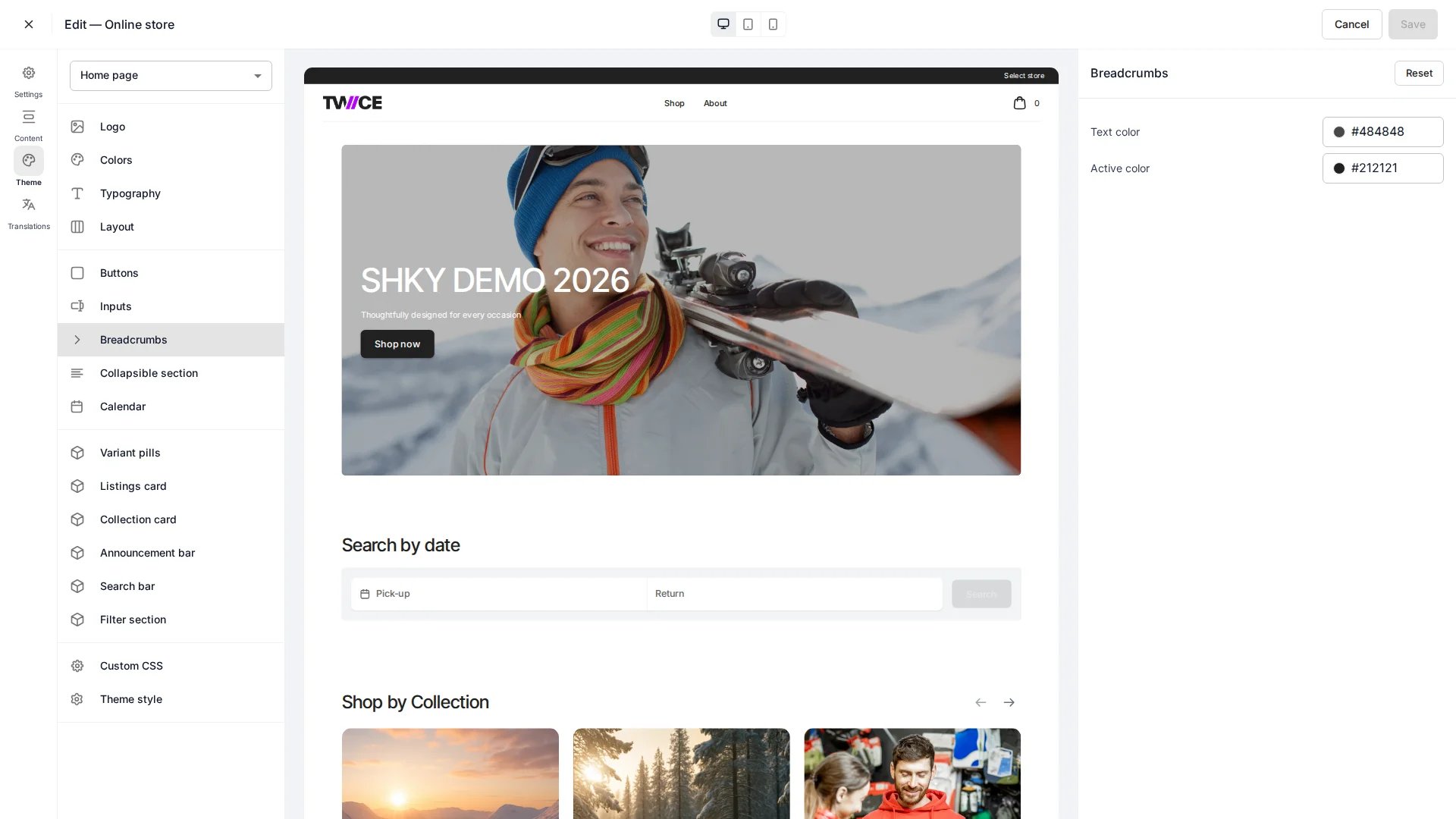 The Breadcrumbs panel controls the colours of the breadcrumb trail shown on collection and listing pages. Found under **Components** in the theme editor. Whether breadcrumbs appear at all is set per page — see the [Listing page](/docs/sales-channels/online-store/theme-editor/pages/listing).
## Colors
| Setting | Type | Default | Description |
| ------- | ----- | --------- | --------------------------------------------- |
| Text | Color | `#374152` | Colour of the inactive breadcrumb links. |
| Active | Color | `#111826` | Colour of the current (last) breadcrumb item. |
## CSS variables
```css CSS variables theme={null}
:root {
--storefront-breadcrumb-text-color: #374152;
--storefront-breadcrumb-active-color: #111826;
}
```
## Related
Toggle breadcrumbs on the listing page.
Define the storefront colour palette.
The Breadcrumbs panel controls the colours of the breadcrumb trail shown on collection and listing pages. Found under **Components** in the theme editor. Whether breadcrumbs appear at all is set per page — see the [Listing page](/docs/sales-channels/online-store/theme-editor/pages/listing).
## Colors
| Setting | Type | Default | Description |
| ------- | ----- | --------- | --------------------------------------------- |
| Text | Color | `#374152` | Colour of the inactive breadcrumb links. |
| Active | Color | `#111826` | Colour of the current (last) breadcrumb item. |
## CSS variables
```css CSS variables theme={null}
:root {
--storefront-breadcrumb-text-color: #374152;
--storefront-breadcrumb-active-color: #111826;
}
```
## Related
Toggle breadcrumbs on the listing page.
Define the storefront colour palette.